PAPER FEED
A229 5-74 SM
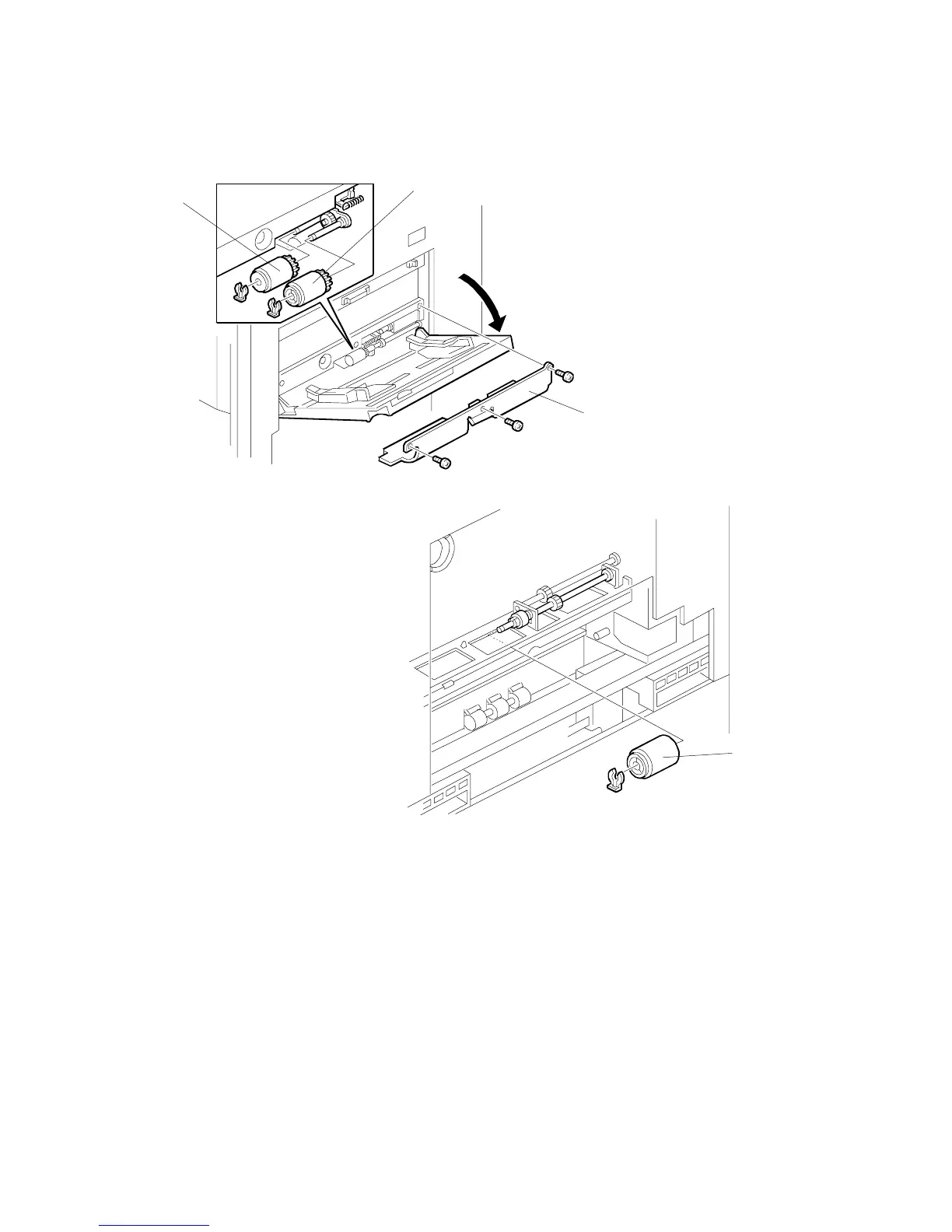
5.8.10 BY-PASS FEED ROLLER REPLACEMENT
1. Open the by-pass feed table, then remove the cover [A] (3 screws).
2. Replace the pick-up roller [B] (1 snap ring) and the feed roller [C] (1 snap ring).
NOTE:
The paper feed (pick-up, feed, separation) rollers used in the by-pass
feed table and LCT are different from the paper feed rollers used in the
1st ~ 3rd feed units in the paper tray unit. They are not
interchangeable.
3. Remove the feed unit cover. (Refer to Right Cover Removal.)
4. Replace the separation roller [D] (1 snap ring).
A229R611.WMF
A229R613.WMF
[A]
[B]
[C]
[D]









 To Next Page