BOARDS AND OTHER ITEMS
A229 5-102 SM
5.11.4 PSU
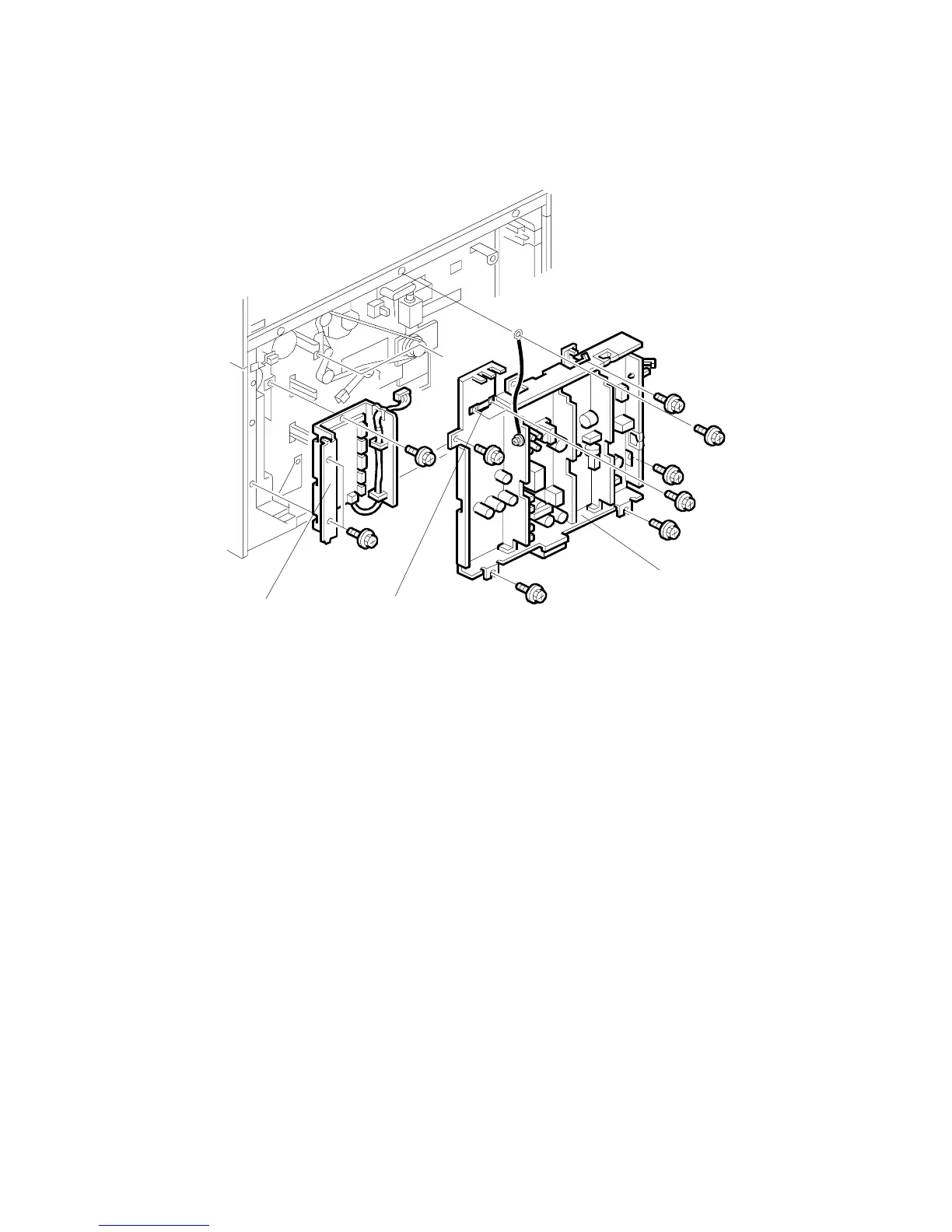
1. Turn off the main switch, and unplug the machine.
2. Remove the upper and lower rear cover. (Refer to Upper and Lower Rear
Cover Removal.)
3. Remove the harness clamp [A] (2 screws).
4. Remove the PSU [B] (6 screws, all connectors).
5.11.5 PAPER FEED CONTROL BOARD (PFC)
1. Turn off the main switch, and unplug the machine.
2. Remove the lower rear cover. (Refer to Lower Rear Cover Removal.)
3. Remove the Paper Feed Control Board [C] (3 screws, All connector).
A229R643.WMF
[B]
[C]
[A]









 To Next Page