PAPER FEED
SM 5-67 A229
Replacement
and
Adjustmen
t
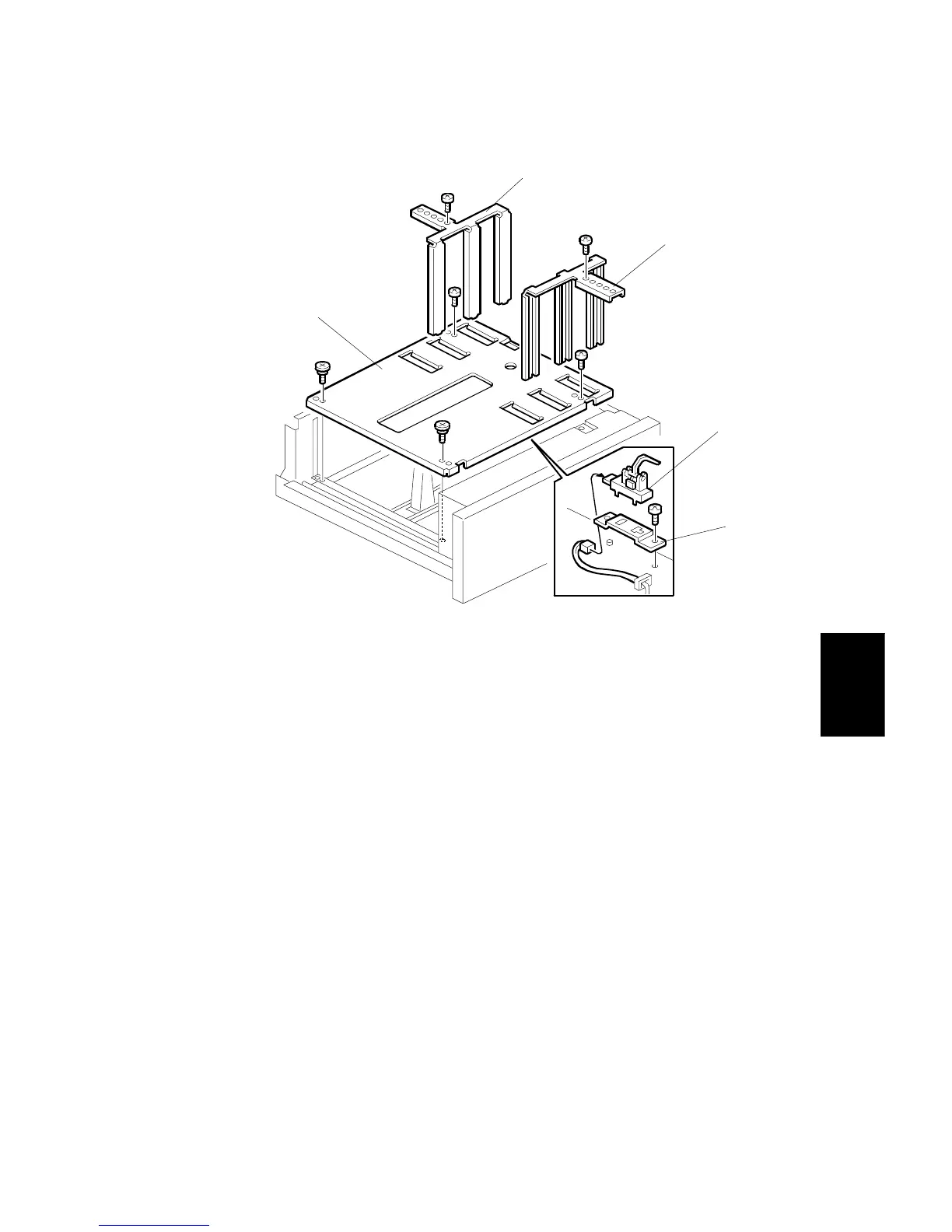
5.8.6 3RD TRAY PAPER SENSOR REMOVAL
1. Remove the built-in LCT. (Refer to Paper Tray Removal.)
2. Remove the front side fence [A] (1 screw).
3. Remove the rear side fence [B] (1 screw).
4. Remove the tray bottom plate [C] (4 screws).
5. Remove the bracket/sensor assembly [D] (1 screw).
6. Remove the paper sensor [E] (1 connector).
A229R678.WMF
[A]
[B]
[C]
[D]
[E]









 To Next Page