FUSING UNIT
SM 5-89 A229
Replacement
and
Adjustment
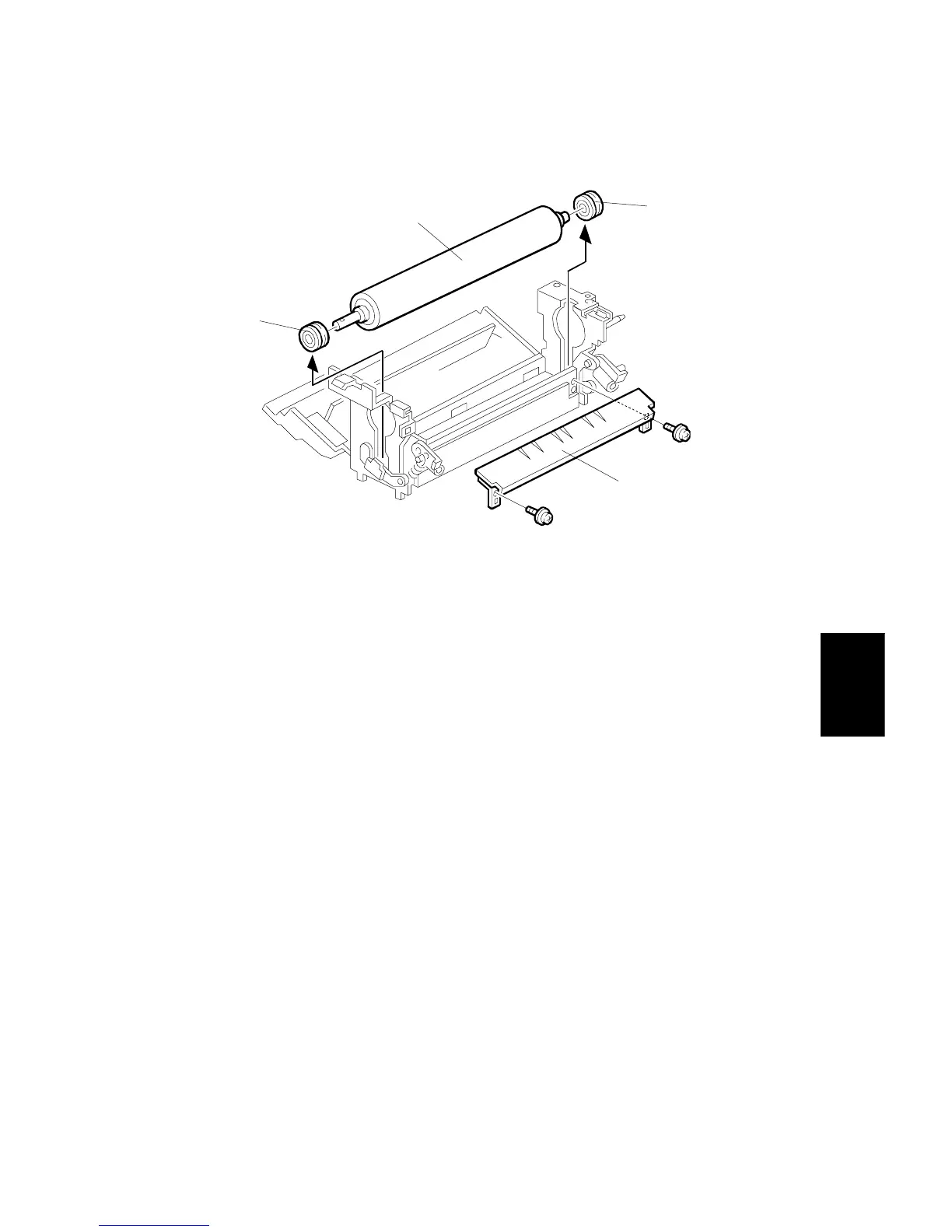
5.9.5 PRESSURE ROLLER AND BEARING REPLACEMENT
1. Remove the hot roller. (Refer to Hot Roller Replacement.)
2. Remove the lower fusing entrance guide [A] (2 screws).
3. Lift the pressure roller [B] and remove it.
4. Replace the pressure roller and bearings [C].
NOTE:
When installing a new pressure roller:
1) Lubricate the roller shaft and the inner surface of the bearings with
BARRIERTA L55/2 grease.
2) Lubricate the fusing drive gears and their shafts with G501 grease.
5. Re-assemble the machine.
A229R509.WMF
[A]
[B]
[C]
[C]



 To Next Page