DRUM UNIT
A229 5-42 SM
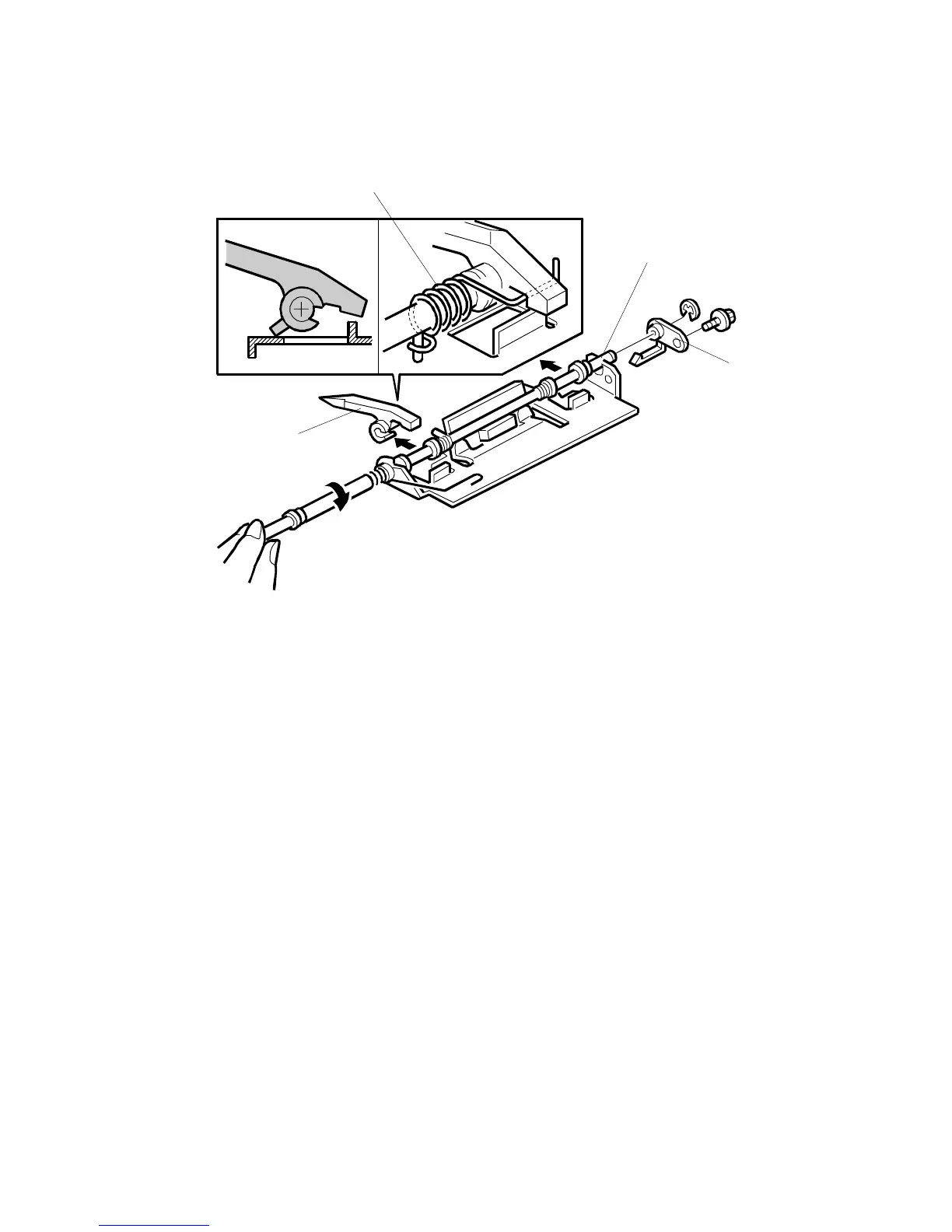
5.5.7 PICK-OFF PAWL REPLACEMENT
1. Take out the pick-off pawl unit. (Refer to Cleaning Blade Replacement.)
2. Remove the bushing [A] (1 screw and 1 retaining ring).
3. While pulling the shaft [B] to the rear, turn the pick-off pawl about 45 degrees
clockwise (as viewed from the front) in order to move up the pick-off pawl.
4. Replace the pick-off pawl [C].
NOTE:
Do not forget to hook the tension spring [D].
After replacement, check that the pick-off pawl moves smoothly.
A229R561.WMF
[A]
[B]
[C]
[D]









 To Next Page