IMAGE PROCESSING
2-34
A229 SM
2.3.9 INDEPENDENT DOT ERASE
By default, this process is used in all image processing modes except for photo
mode. This function allows independent black dots appearing on copies to be
completely erased, or to be reduced in image density.
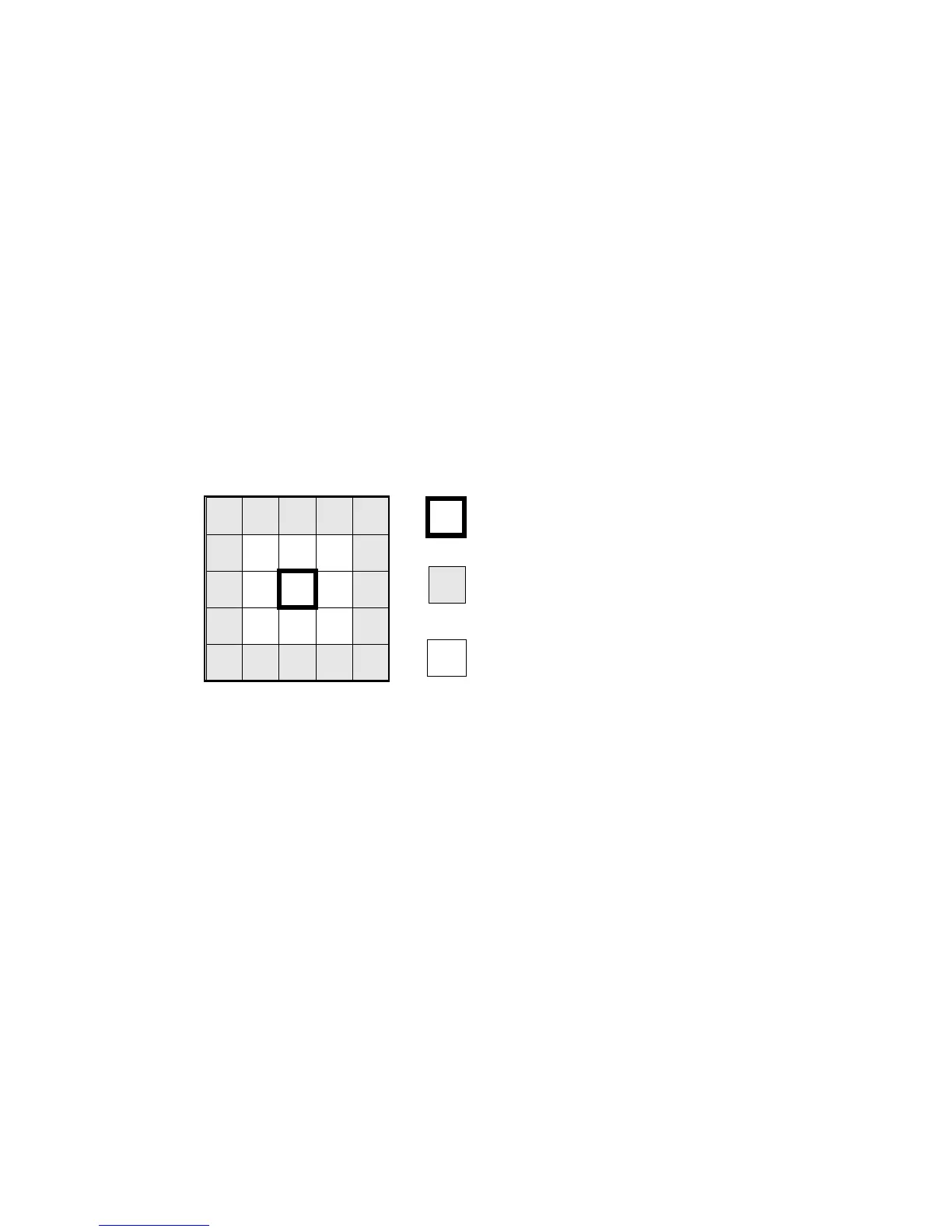
As shown in the drawing below, the software compares each pixel with the pixels in
the surrounding 5 x 5 area (except for the immediately adjacent pixels).
If all of the surrounding pixels are smaller than the threshold value (stored in SP4-
903-28, 30, 31 or 32), the object pixel is either changed to 0 (white) or reduced in
density to an average of the surrounding pixels. This depends on the SP mode
setting.
In the drawing below, the surrounding pixels are all less than 64. If the SP mode
value is “12”, the object pixel value is reduced from “50” to “30”, the average value
of the surrounding pixels. If the SP mode value is “4”, the object pixel is deleted
(changed to white).
Average of surrounding pixels:
(20 + 40 + 30 + 20 + 40 +30 + 30 + 30 + 30 + 60 + 0 + 20 + 30 + 40 + 30 + 30) / 16
= 30
20
30
30
0
3030403020
60
30
30
40203040
2010
50
0 3070
20 300
50
Object pixel
Surrounding pixels to be used for
calculation
Ignored pixels
A229D592.WMF









 To Next Page