SCANNER UNIT
SM 5-25 A229
Replacement
and
Adjustmen
t
Front Scanner Drive Wire
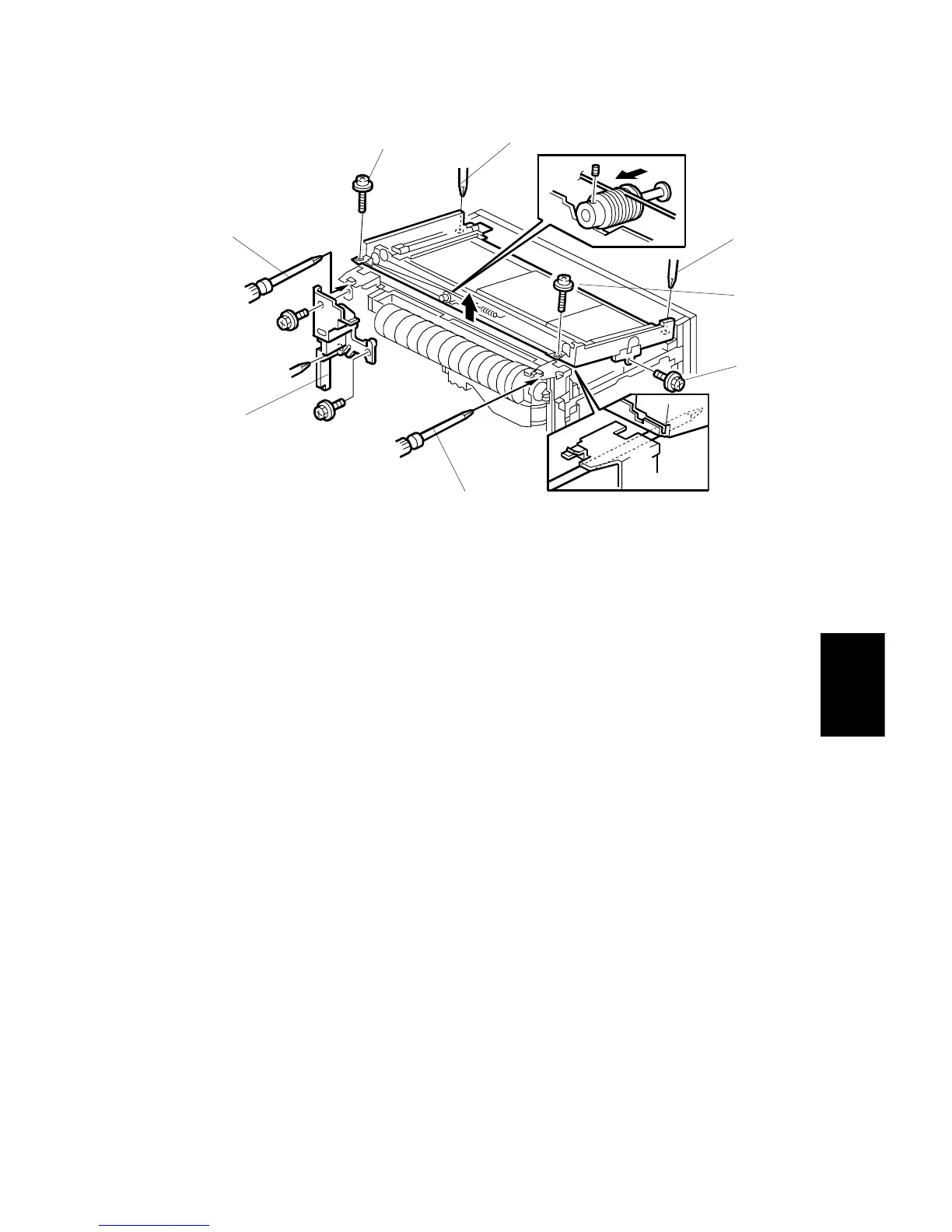
18. Remove the inner cover [A] (3 screws).
19. Remove the HDD grounding screw [B].
20.
Loosen
the rear scanner securing screws [C].
21.
Remove
the front scanner securing screws [D].
22. Gently lift up the scanner unit from the front side until the front pulley is
accessible. Then put in a pair of screw drivers [E] in the position shown, to hold
the unit open.
NOTE:
There are cables around the scanner unit. Make sure not to lift up the
scanner unit more than necessary.
A229R686.WMF
[A]
[B]
[C]
[D]
[C]
[D]
[E]
[E]









 To Next Page