PAPER EXIT/DUPLEX UNIT
A229 5-94 SM
5.10 PAPER EXIT/DUPLEX UNIT
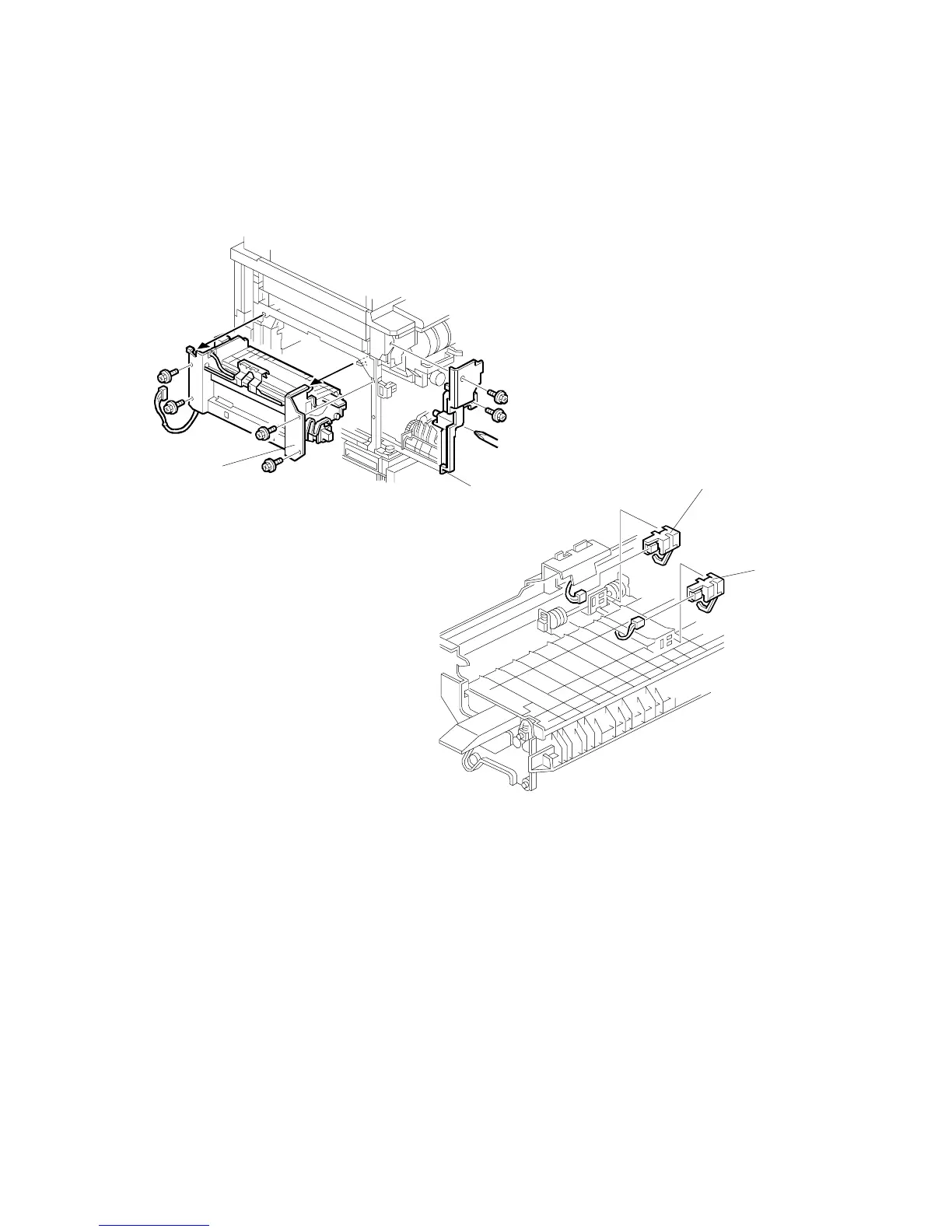
5.10.1 EXIT SENSOR/FUSING EXIT SENSOR
1. Open the front door.
2. Pull out the duplex unit.
3. Remove the left cover (see Exterior).
4. Remove the left inner cover [A] (2 screws).
5. Remove the paper exit unit [B] (4 screws, 1 connector).
6. Remove the exit sensor [C] (1 connector).
7. Remove the fusing exit sensor [D] (1 connector).
A229R579.WMF
A229R580.WMF
[A]
[B]
[C]
[D]









 To Next Page