IMAGE PROCESSING
2-33
SM A229
Detailed
Descriptions
2.3.8 BACKGROUND ERASE
By default, this process is used only in text mode, text/photo mode, and generation
copy mode.
Usually, dirty background is erased using Auto Image Density (ADS). However,
sometimes, dirty background areas will still appear. These can be erased by
Background Erase.
If any low image density data which is lower than a threshold level remains after
auto shading, this data will be treated as “0” which is equal to “White”.
By inputting a larger value, darker backgrounds can be eliminated.
The threshold level can be changed with SP mode, as shown below.
SP Mode No. Image Processing Mode Threshold Level (Default)
SP4903-33 Text Mode 15
SP4903-34 Text/Photo Mode 15
SP4903-35 Generation Copy Mode 15
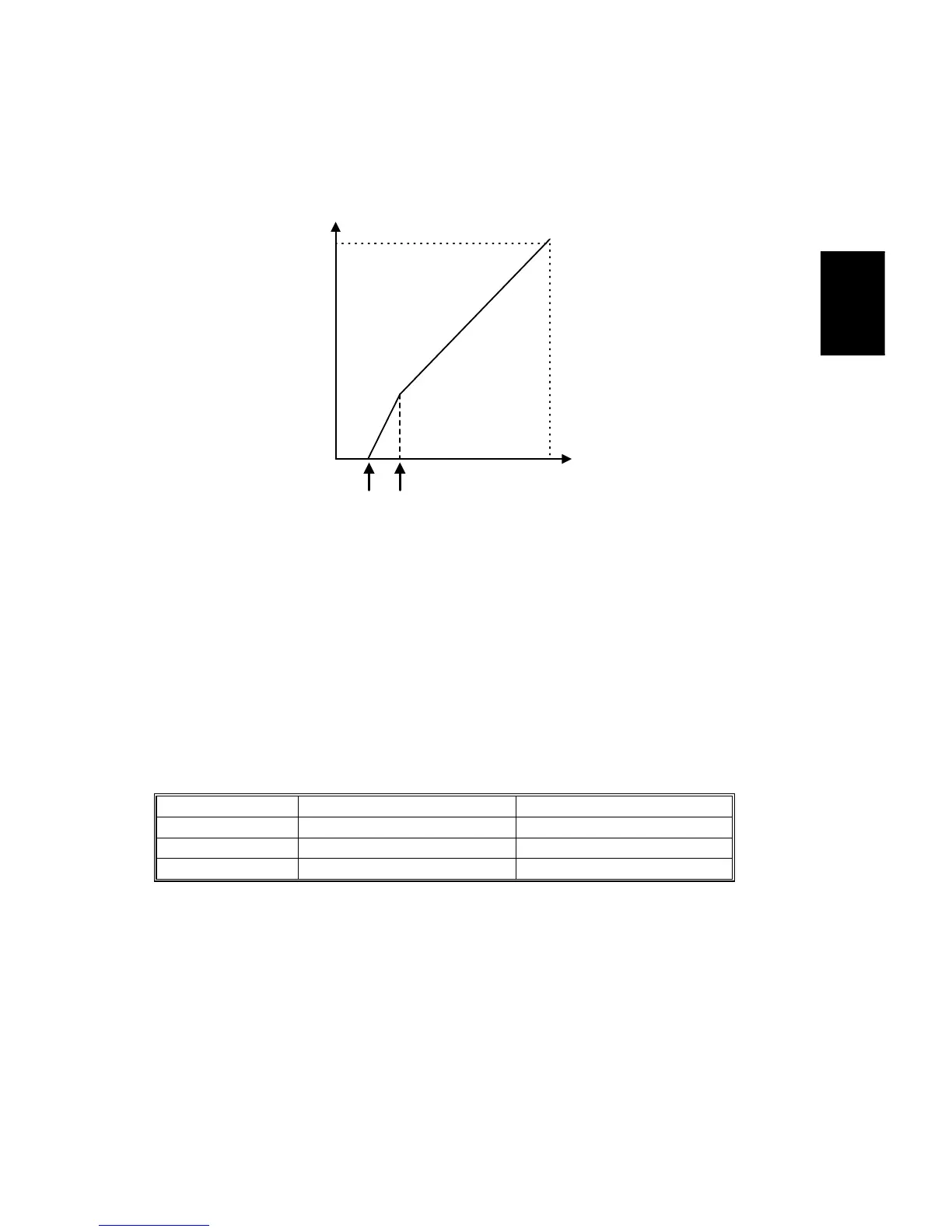
Any low image density data lower than this threshold level remaining after auto
shading will be treated as background.
There is not a sudden cutoff at the threshold. Below the threshold [A], the image
data is made paler than it normally would be, until at a certain point [B], it becomes
white. This avoids errors during MTF filtering caused by sudden changes In the
data around the threshold level area.
Scanner Output
0 255
255
Scanner
Input
[A]
[B]
(Threshold)
A229D591.WMF









 To Next Page