PAPER FEED
SM 5-77 A229
Replacement
and
Adjustmen
t
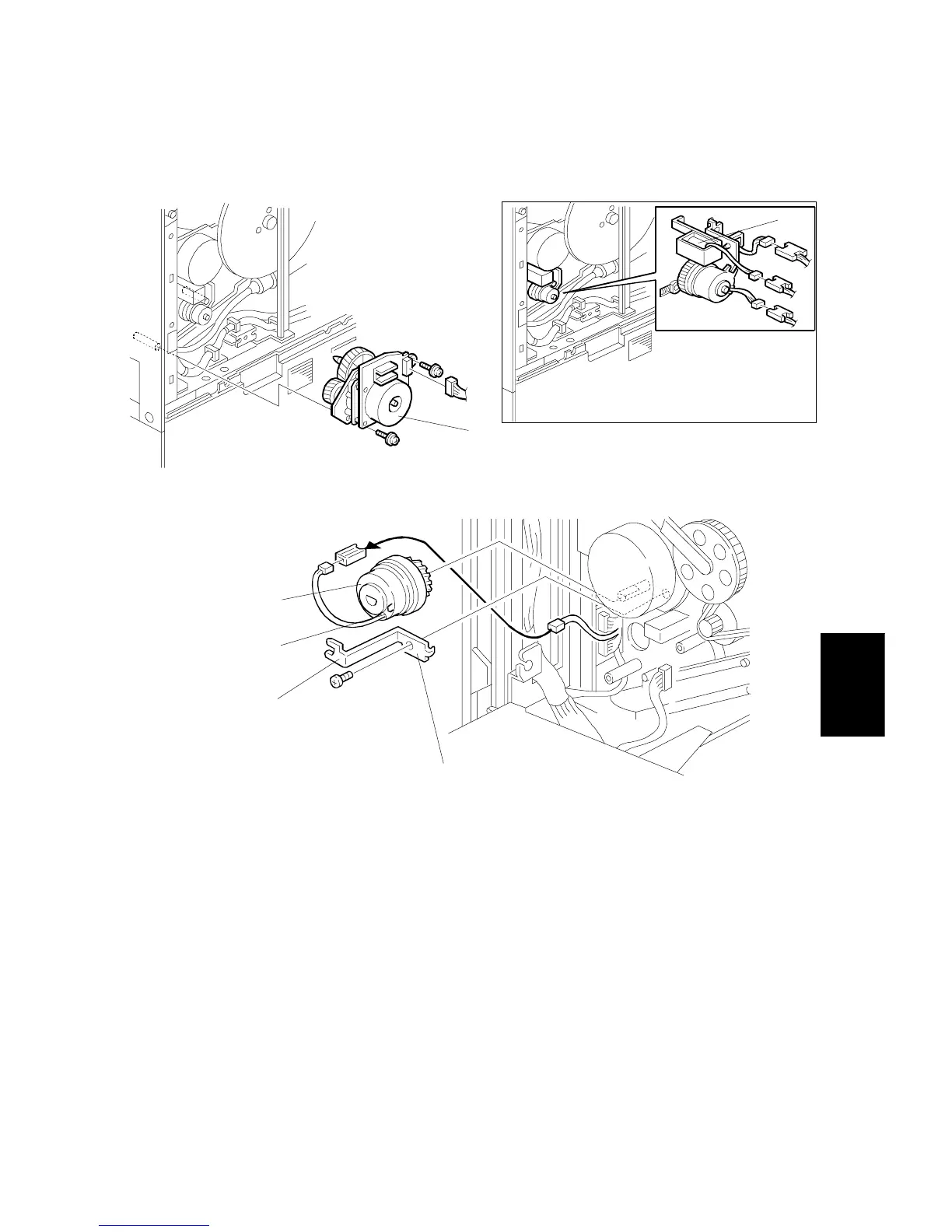
5.8.12 BY-PASS FEED MOTOR/CLUTCH REMOVAL
1. Remove the upper rear cover. (Refer to Upper Rear Cover Removal.)
2. Remove the by-pass feed motor [A] (2 screws, 1 connector).
3. Remove the guide plate solenoid [B] (1 screw, 1 connector). See Copier Feed
Unit Removal
4. Remove the clutch stopper [C] (1 screw).
5. Remove the by-pass feed clutch [D] (1 connector).
NOTE:
When re-installing the by-pass feed clutch [D], put the pin [E] on the
clutch in the cutout [F] in the stopper.
A229R617.WMF
A229R618.WMF
[C]
[D]
[E]
[F]
[A]
[B]









 To Next Page