DRUM UNIT
A229 5-44 SM
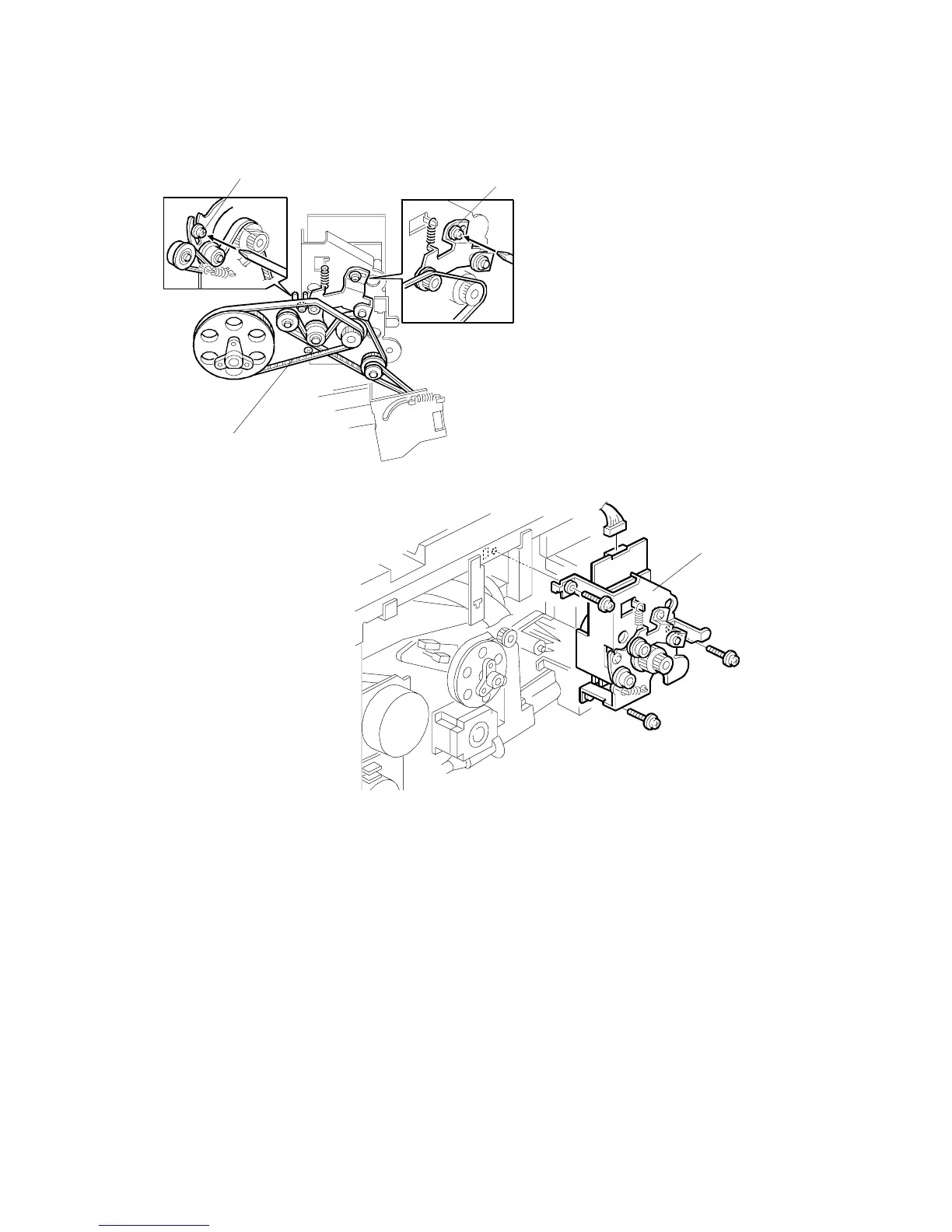
5.5.9 DRUM MOTOR REPLACEMENT
1. Turn off the main switch.
2. Remove the rear cover and the fly wheel. (Refer to Development Motor
Replacement.)
3. Loosen the tension brackets [A] (2 screws).
4. Remove the timing belts [B] from the drum motor’s pulleys.
5. Replace the drum motor unit [C] (3 screws, 1 connector).
A229R563.WMF
A229R564.WMF
[A]
[B]
[A]
[C]









 To Next Page