TRANSFER BELT UNIT
SM 5-59 A229
Replacement
and
Adjustmen
t
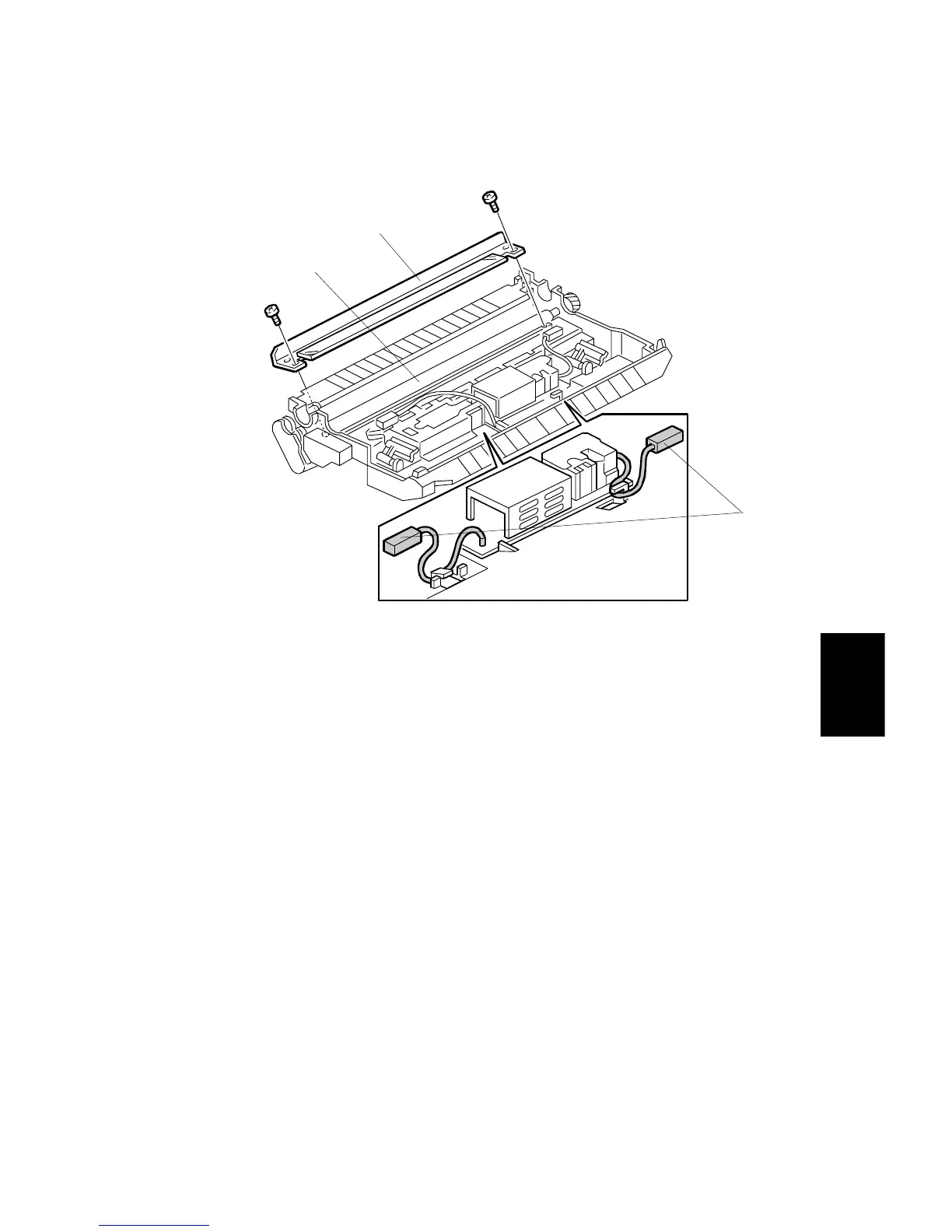
5.7.3 BIAS ROLLER CLEANING BLADE REPLACEMENT
1. Remove the transfer belt unit. (Refer to Transfer Belt Replacement.)
2. Remove the cleaning roller cleaning blade [A].
3. Clean the cleaning bias roller [B].
NOTE:
When using a vacuum cleaner, to protect the transfer power pack from
static electricity, remove the power pack connectors [C].
4. Install the new cleaning blade.
NOTE:
Do not touch the edge of the cleaning blade. If some of the setting
powder on the blade edge is removed, apply setting powder or toner at
that place.
A229R526.WMF
[A]
[B]
[C]









 To Next Page