PAPER FEED
A229 5-64 SM
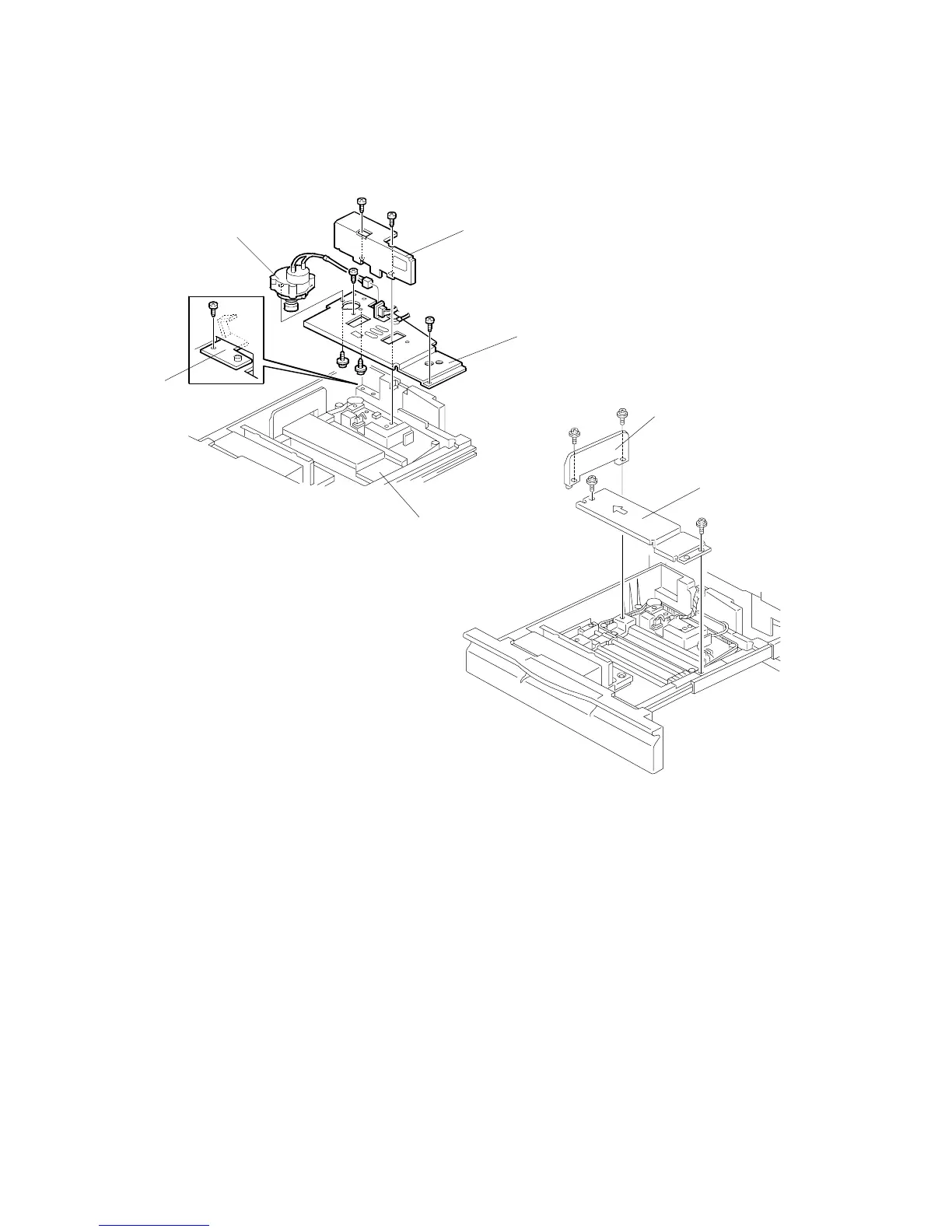
5.8.4 TANDEM REAR FENCE DRIVE BELT REMOVAL
1. Draw out the tandem tray.
2. Separate the right tandem tray from the left tandem tray [A]. (Refer to Tandem
Tray Removal.)
3. Remove the rear fence [B] on the left tandem tray (2 screws).
4. Remove the rear base plate [C] with the rear fence drive motor [D]
(3 screws, 1 connector, 1 grounding screw, and 1 grounding plate [E]).
5. Remove the end fence [F] (2 screws).
6. Remove the center bottom plate [G] (2 screws).
A229R599.WMF
A229R600.WMF
[A]
[B]
[C]
[D]
[F]
[G]
[E]









 To Next Page