PAPER SIZE CHANGE
A229 3-14 SM
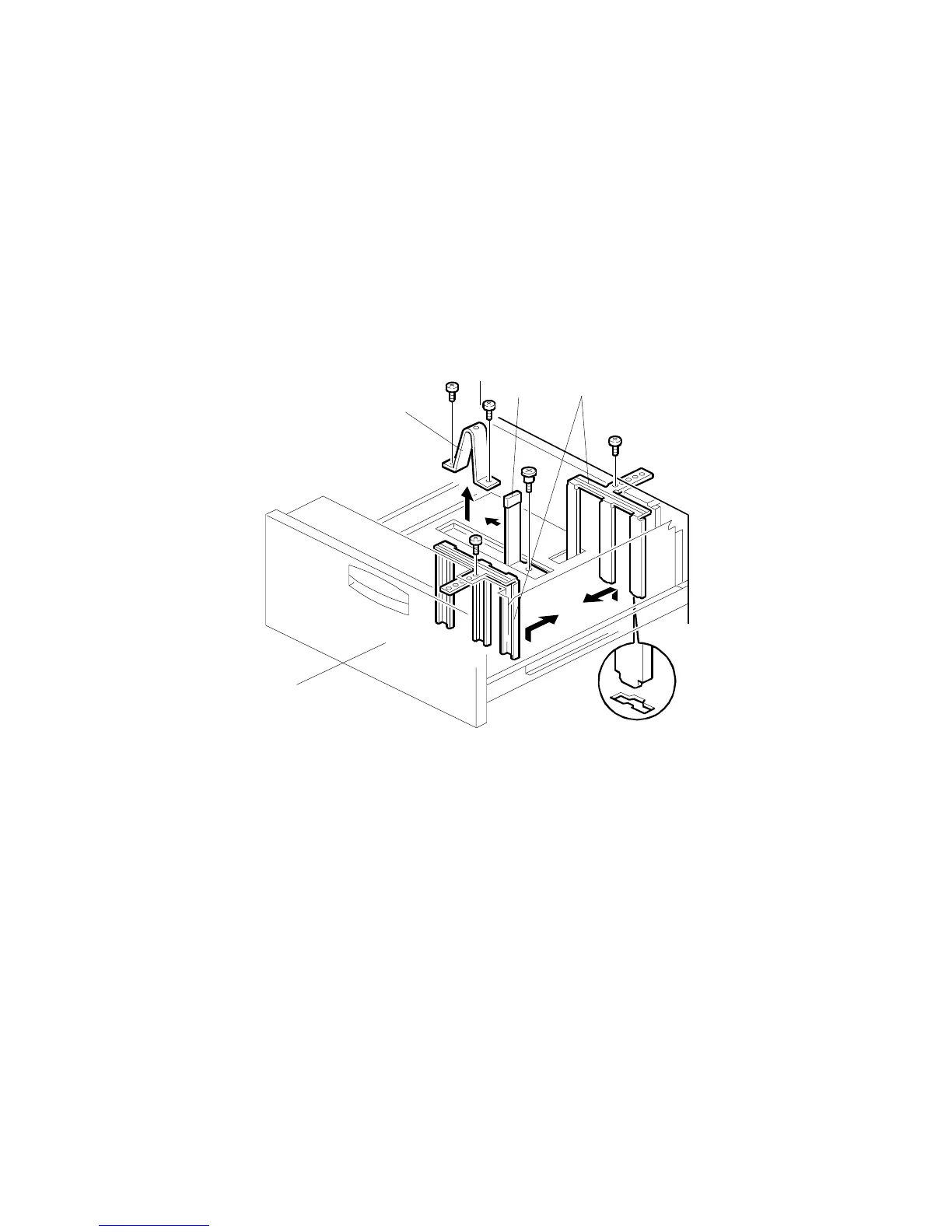
3.3.2 1,500-SHEET PAPER TRAY (TRAY 3)
NOTE:
1) At the factory, this tray is set up for A4 or LT sideways depending on the
machine destination code.
2) A protection bracket [A] on the guide rail of the end fence [B] prevents
users from putting stacks of paper in the empty space (this would lead
to machine damage). If the user requests paper which is larger than A4
or LT sideways, this bracket must be removed (2 screws).
1. Draw out the third feed tray [C].
2. Change the position of the front and the rear side fences [D] (1 screw each)
and the end fence [B] (one screw) to match the required paper size.
3. Remove the protection bracket if the paper size will be larger than A4
sideways.
A229I519.WMF
[C]
[D]
[A]
[B]









 To Next Page