PAPER SIZE CHANGE
SM 3-15 A229
Installation
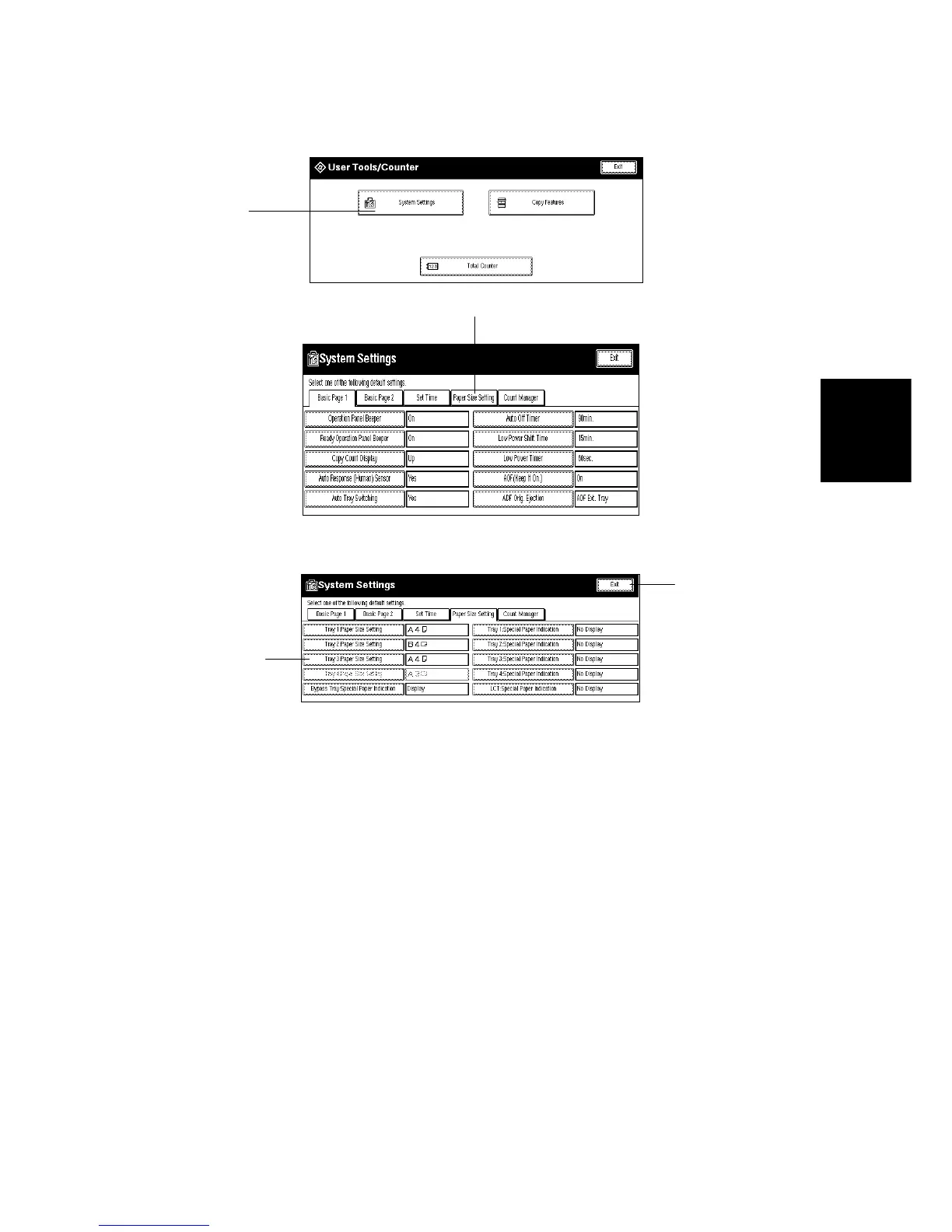
4. Press the “User Tools/Counter” key.
5. Press the “System Settings” key [A].
6. Press the “Paper Size Setting” key [B], then press the “Tray 3: Paper Size
Setting” key [C]. Then press the appropriate paper size key.
7. Press the “Exit” key [D] twice to leave UP mode.
8. Check the copy quality and machine operation.
A229I525.TIF
A229I524.TIF
A229I527.TIF
[A]
[B]
[C]
[D]
Rev. 12/15/98








 To Next Page