BOARDS AND OTHER ITEMS
SM 5-101 A229
Replacement
and
Adjustment
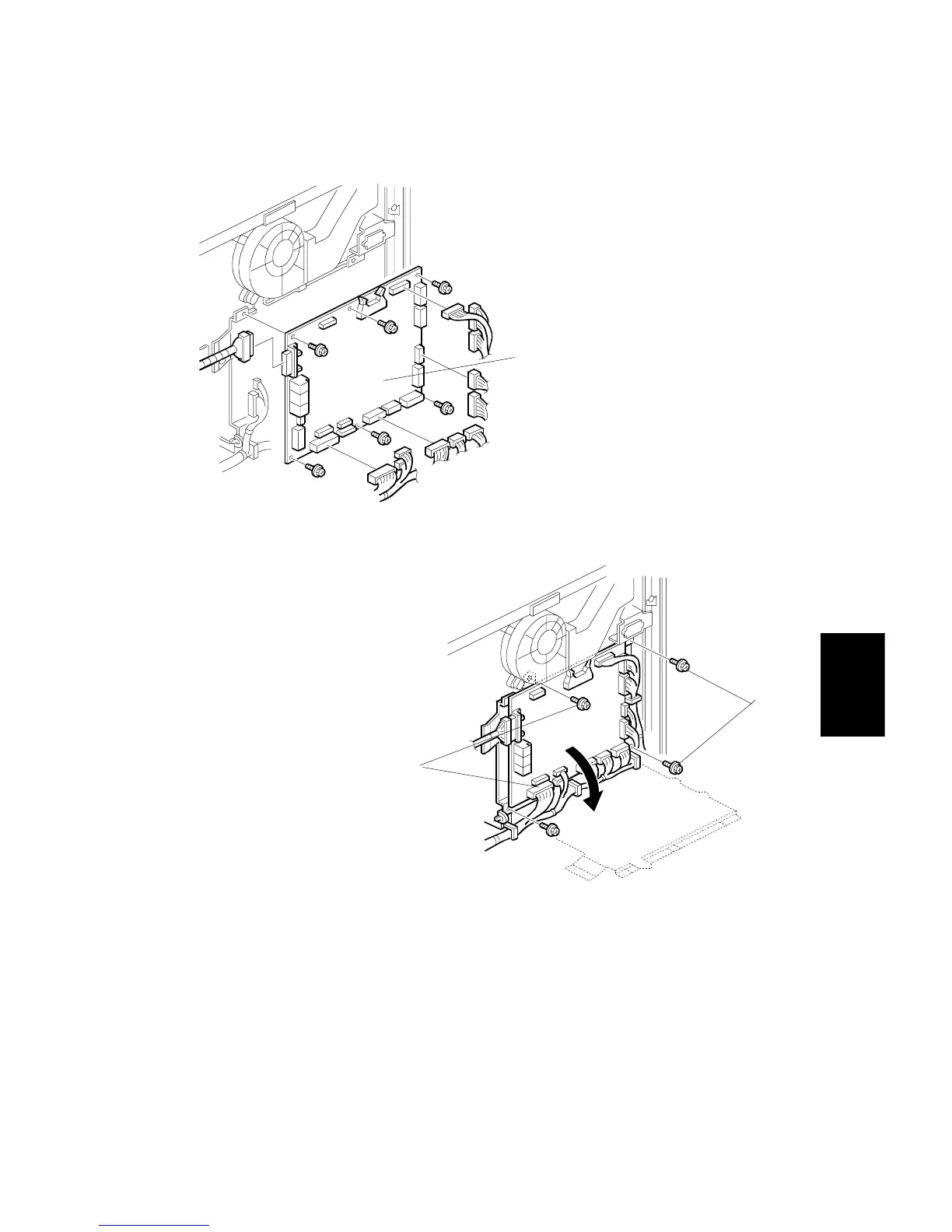
5.11.3 I/O BOARD
1. Turn off the main switch, and unplug the machine.
2. Remove the upper rear cover (Refer to Upper Rear Cover Removal.)
3. Disconnect all connectors from I/O Board [A].
4. Remove the I/O board [A] (6 screws).
NOTE:
If the screws [B] of the I/O board bracket are removed, the I/O board
can be swung out.
A229R649.WMF
A229R642.WMF
[B]
[A]
[B]









 To Next Page