DRUM UNIT
A229 5-36 SM
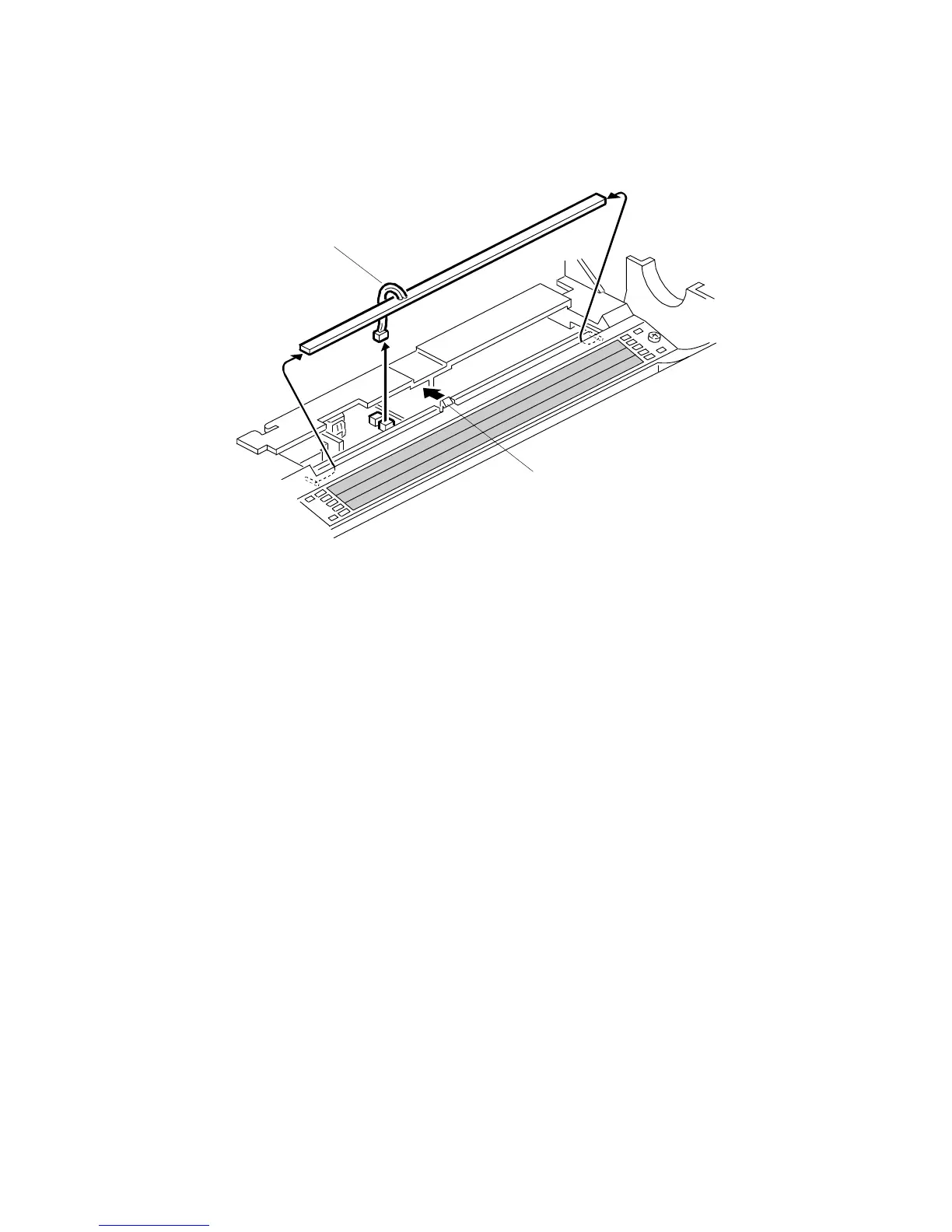
5.5.2 QUENCHING LAMP REPLACEMENT
1. Remove the drum. (Refer to Drum Unit Removal and Drum Replacement.)
NOTE:
Wrap a protective sheet or a few sheets of paper around the drum to
protect it from light.
2. Slightly pull up the quenching lamp cable [A], then release the hook [B] at the
center of the quenching lamp.
NOTE:
Do not pull the wire too strongly.
3. Disconnect the connector [A].
4. Replace the quenching lamp.
A229R552.WMF
[A]
[B]









 To Next Page