DRUM UNIT
SM 5-37 A229
Replacement
and
Adjustmen
t
5.5.3 GRID PLATE/CHARGE CORONA WIRE/WIRE CLEANER
REPLACEMENT
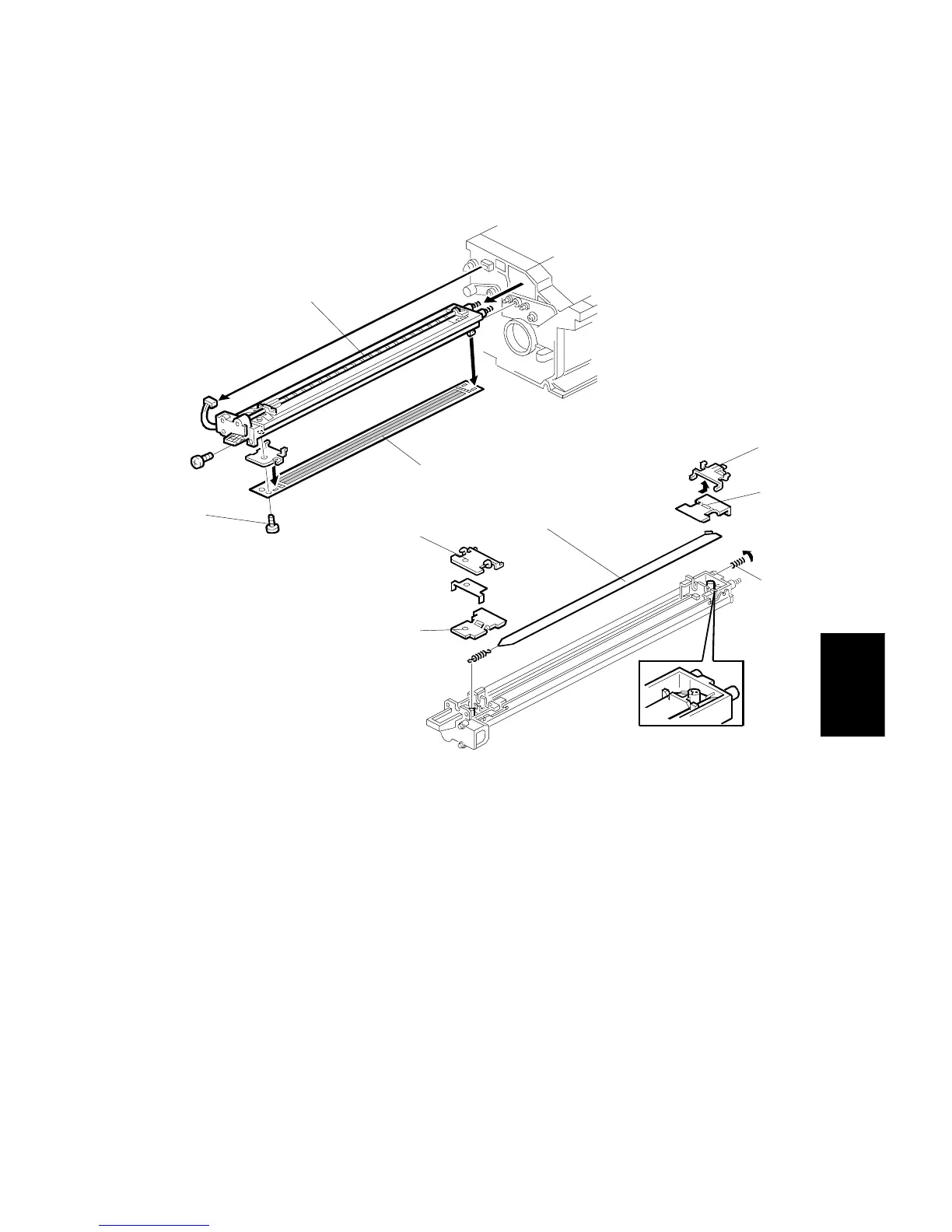
1. Take out the charge corona unit [A] (1 screw, 1 connector).
2. Remove the grid plate [B] (1 plastic screw, 4 hooks).
NOTE:
When installing the grid plate, do not tighten the plastic screw [C] too
strongly.
3. Remove the front grid terminal [D], then the front end block cover [E].
4. Remove the terminal spring [F].
5. Slide the rear grid terminal [G] to the rear and remove it, then remove the rear
end block cover [H].
6. Remove the charge corona wire [I].
A229R555.WMF
A229R556.WMF
[A]
[B]
[C]
[D]
[E]
[G]
[H]
[F]
[I]









 To Next Page