DRUM UNIT
A229 5-38 SM
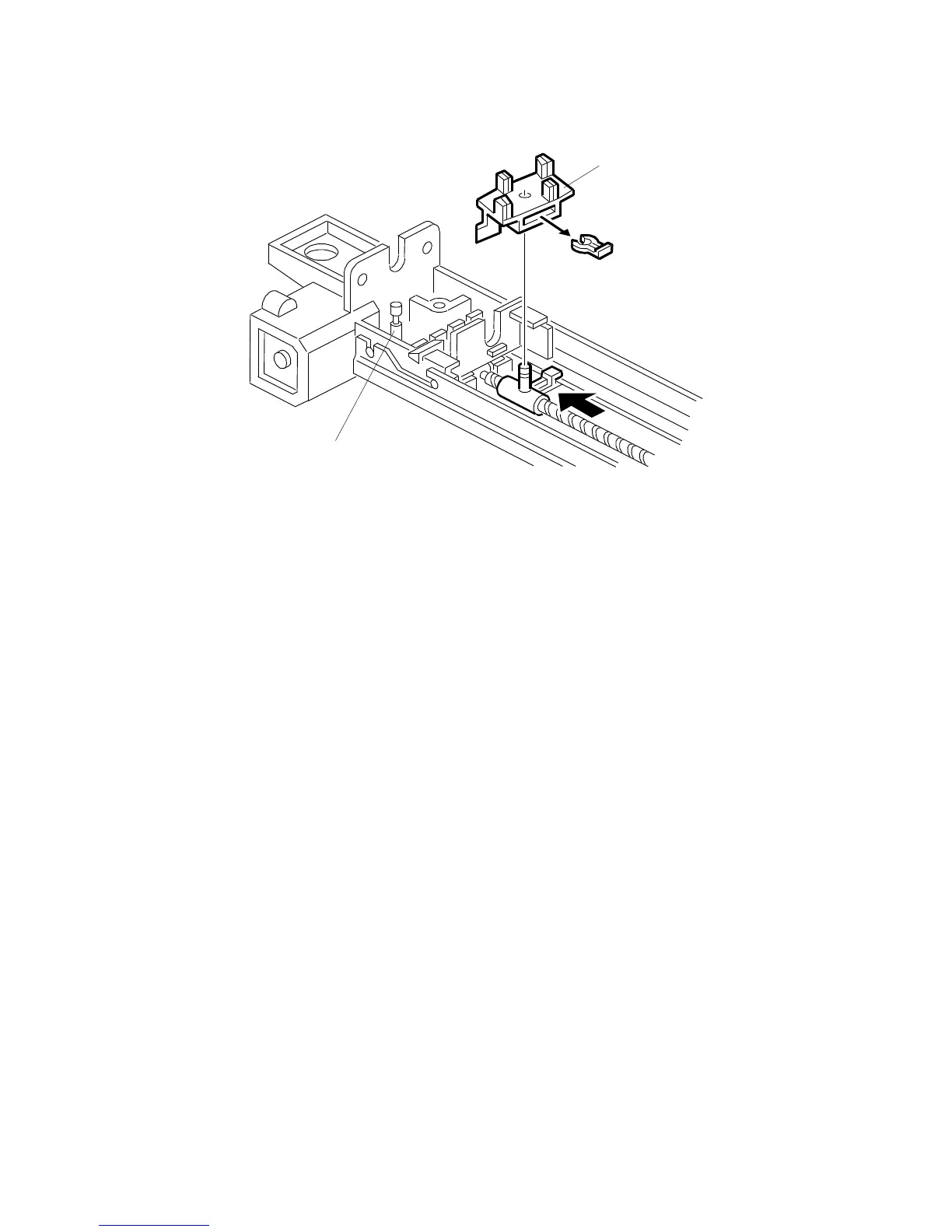
7. Remove the wire cleaner [A] (1 snap ring).
8. Install the wire cleaner and the charge corona wire.
NOTE:
Locate the joint part [B] of the wire in the rear end block as shown.
After installing new wires, reset SP 2-001-1 and 2-001-4 (corona voltages) to the
defaults. Then do SP 2-962 (process control initialization).
A229R553.WMF
[A]
[B]
Rev. 12/15/98



 To Next Page