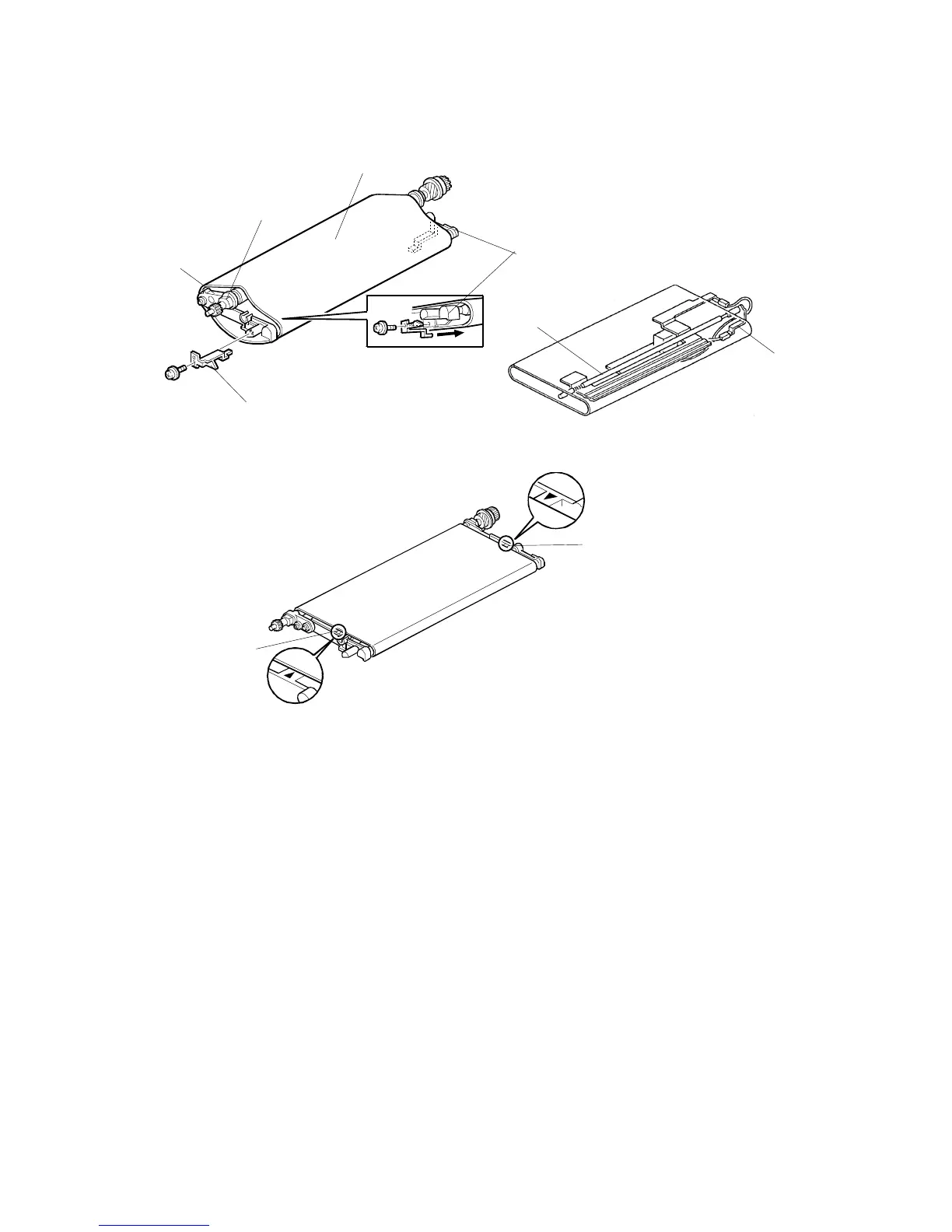
TRANSFER BELT UNIT
A229 5-58 SM
5. Turn the belt drive roller holder [A] clockwise (front view) and remove the bias
terminal [B] (1 screw).
6. Replace the transfer belt [C].
NOTE:
1) Before installing the transfer belt, clean both sides of the transfer
belt with a dry cloth (do not use alcohol).
2) Before installing the transfer belt, clean the following items with
alcohol.
•
Belt drive roller [D]
•
Belt roller [E]
•
Bias roller [F]
3) Position the transfer belt at the center of the belt roller [E]. (Both
marks [H] should be visible.)
4) Set the transfer belt under the bias terminals [B] and [I].
A229R525.WMF
A229R524.WMF
A229R523.PCX
[A]
[B]
[C]
[D]
[H]
[H]
[F]
[I]
[E]









 To Next Page