PAPER SIZE CHANGE
A229 3-18 SM
- To used as a fixed tray for paper longer than A4/Letter sideways -
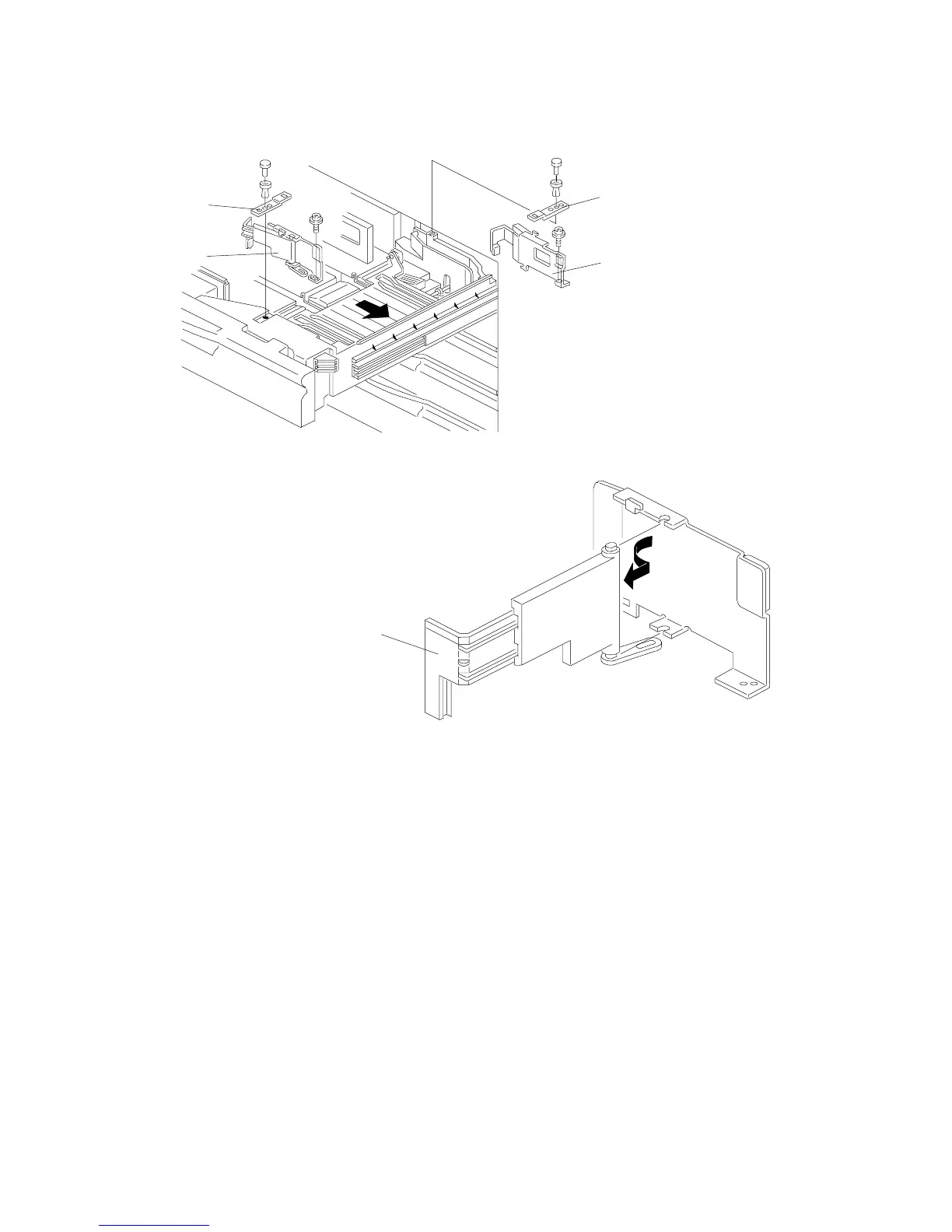
1. Draw out the tandem feed tray.
2. Remove the rear and the front side fences [A] (1 screw and 1 push-lock pin
each) on the right tandem tray.
3. Remove the end fences [B] from both the rear and the front side fences (2
screws each).
NOTE:
It is not necessary to re-install the end fences.
4. Install both side fences in the appropriate position for the required paper size
(one screw and one lock pin for each side fence).
NOTE:
Support plates [C] are used only for A4, B5, and letter lengthwise sizes.
Keep the end fences and support plates for future use.
A229I508.WMF
A229I512.WMF
[A]
[C]
[C]
[A]
[B]



 To Next Page