SCANNER UNIT
SM 5-27 A229
Replacement
and
Adjustmen
t
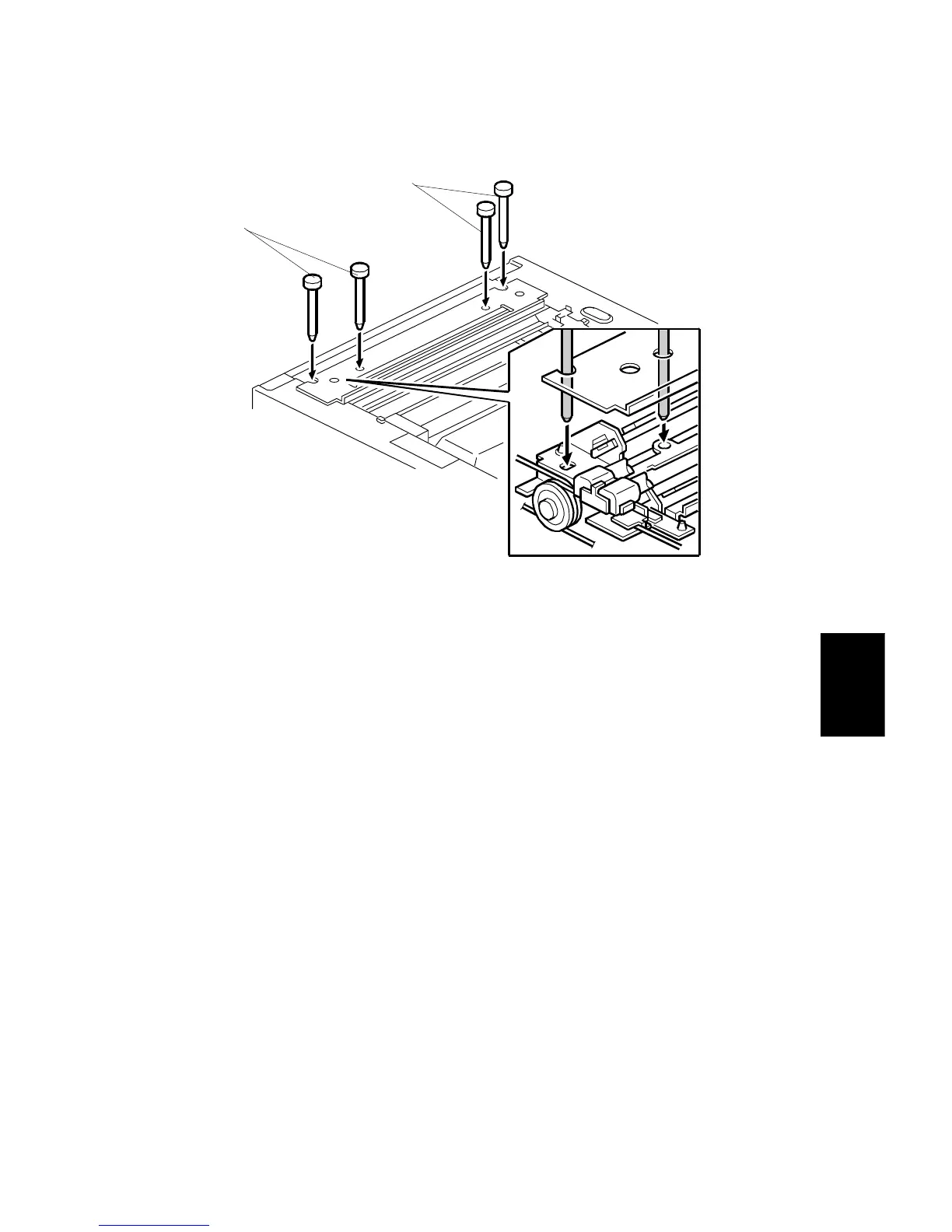
30. Install the 1st scanner and adjust the position with the positioning tools (P/N
A0069104) [A].
31. Secure the 1st scanner with the scanner wire bracket (1 screw).
32. Fully tighten the tension bracket.
33. Remove the positioning tools. After sliding the scanner to the right and left
several times, set the positioning tools to check the scanner wire bracket and
tension bracket again.
34. Reassemble the scanner and do the scanner and printer copy adjustments
(see Replacement and Adjustment – Copy Image Adjustments).
A229R689.WMF
[A]
[A]









 To Next Page