LASER UNIT
A229 5-32 SM
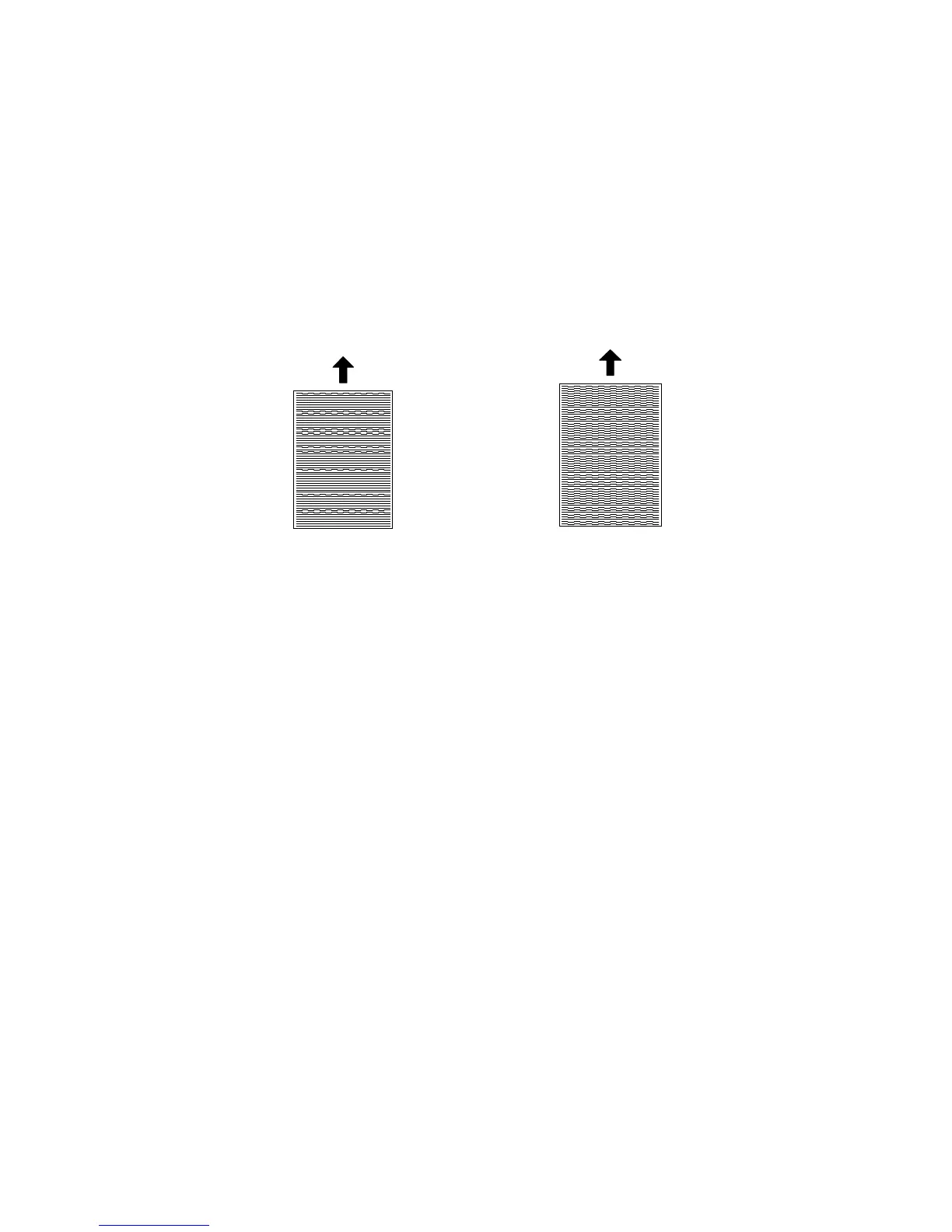
9. Adjust the laser beam pitch position until the thin lines are of uniform thickness
(no striping effect should appear on the printout), doing steps 2, 3, and 4. (In
step 2, input a value which is estimated to be correct, then do steps 3 and 4,
then if necessary go back to step 2 and try another value.)
10. After adjusting the laser beam pitch for 400 dpi, adjust the laser beam pitch for
600 dpi, using the same procedure as for 400 dpi (use the SP modes for 600
dpi).
Adjustment not complete Adjustment complete
A229R532.WMF
A229R533.WMF
Feed Direction
Feed Direction



 To Next Page