PAPER FEED
A229 5-82 SM
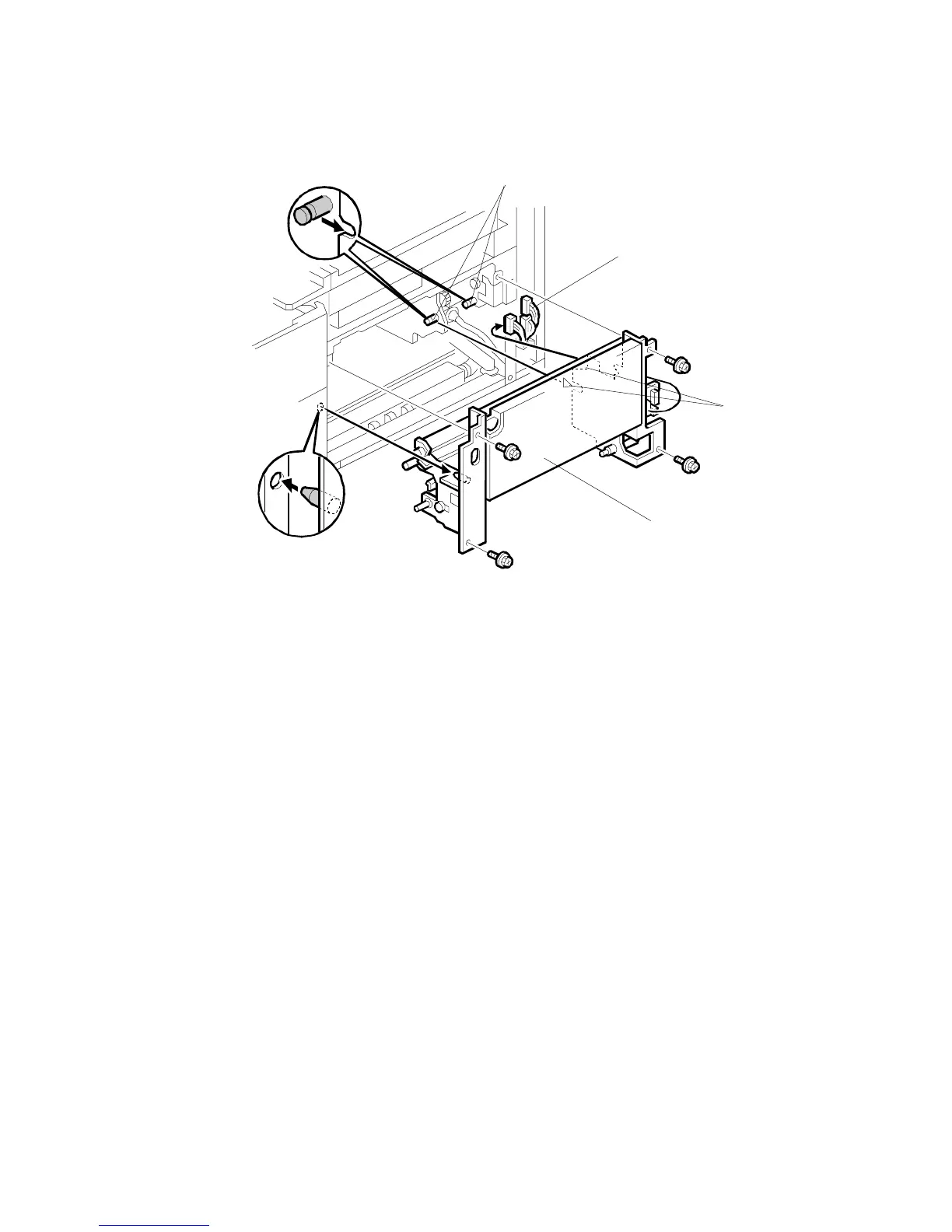
6. Disconnect the three connectors [A].
7. Draw out the duplex unit about 10 cm.
8. Remove the copier feed unit [B] (4 screws).
NOTE:
When installing the copier feed unit in the copier:
1) Do not pinch the harness.
2) Keep the duplex unit drawn out.
3) Fit the two cutouts [C] on the pins [D].
A229R624.WMF
[A]
[B]
[C]
[D]



 To Next Page