Atmospheric Pre-aligner Manual
4000-0015 Rev 1
18
2. Verify that all cables are plugged into the correct connectors in the
correct orientation. Make sure they are securely fastened, using the
integral jack screws supplied with the cables as needed.
3. Exit the restricted envelope before you apply power.
4. Power up the controller. The controller automatically resets, which
takes about 4 to 10 seconds, depending on the quantity and length of
macros stored in NVSRAM.
5. After boot-up, check the indicator LEDs located at the front of the
controller. The following conditions indicate a “normal” condition:
• The green LED is ON.
• The yellow LED is flashing.
• The red LED remains ON until the amplifiers are enabled.
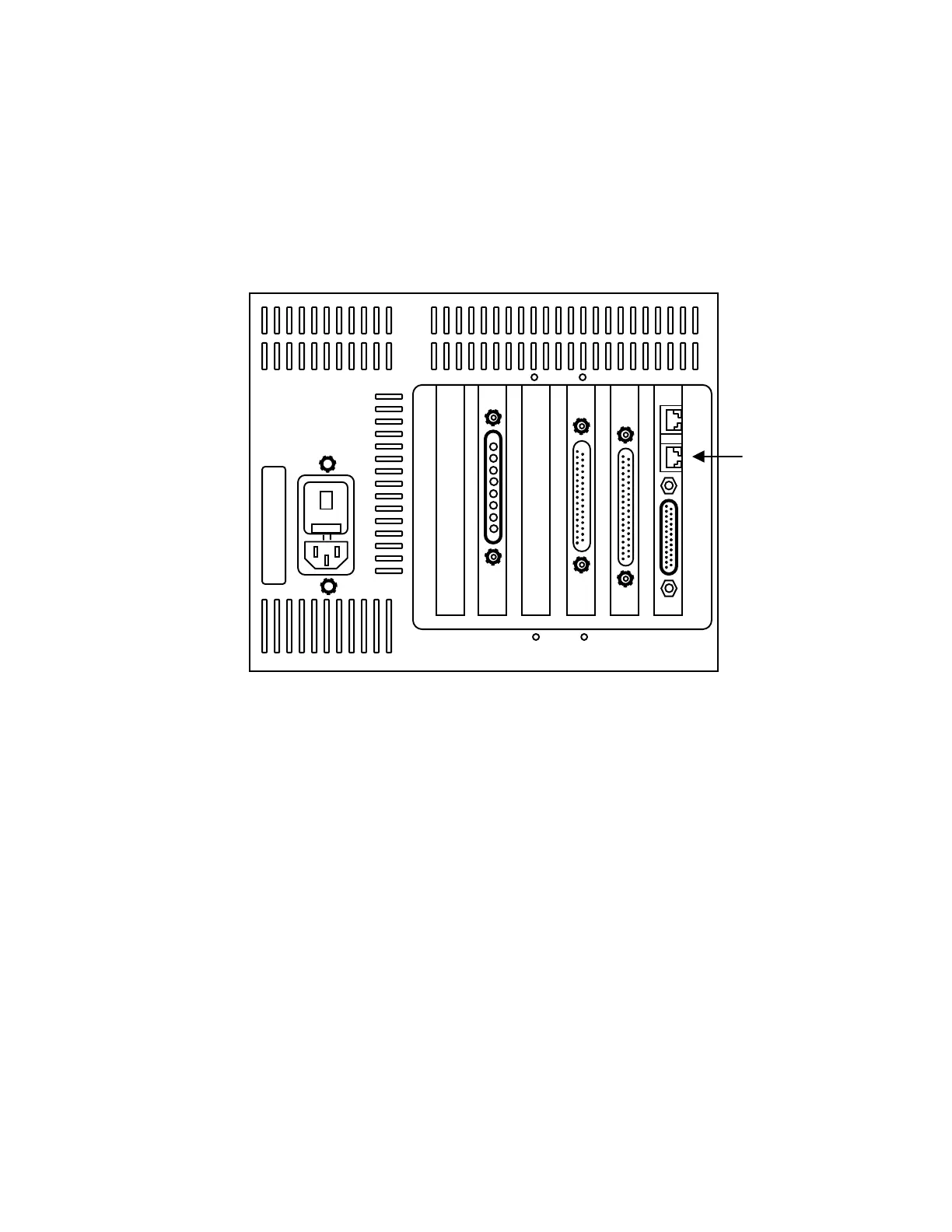
Connecting the Teach Pendant
Connect the Teach Pendant cable to the bottom RJ-11 connector next to
the DB-25 connector on the controller. This is the COM2 port.
The Teach Pendant emits a sound and displays the Equipe logo screen
when you are connected.
RJ-11 for
Teach
Pendant
x
x
12
Cauti
on -
Risk
of
Fire
Repl
ace
with
5A
250v
Fuse
Only



 To Next Page