Vacuum Robot Manual
4000-0315 Rev 1
22
Leveling the Robot System
Leveling ensures that the wafer is exactly parallel to the end-effector
surface. Be sure you level the Vacuum Transport Module before you
install the robot.
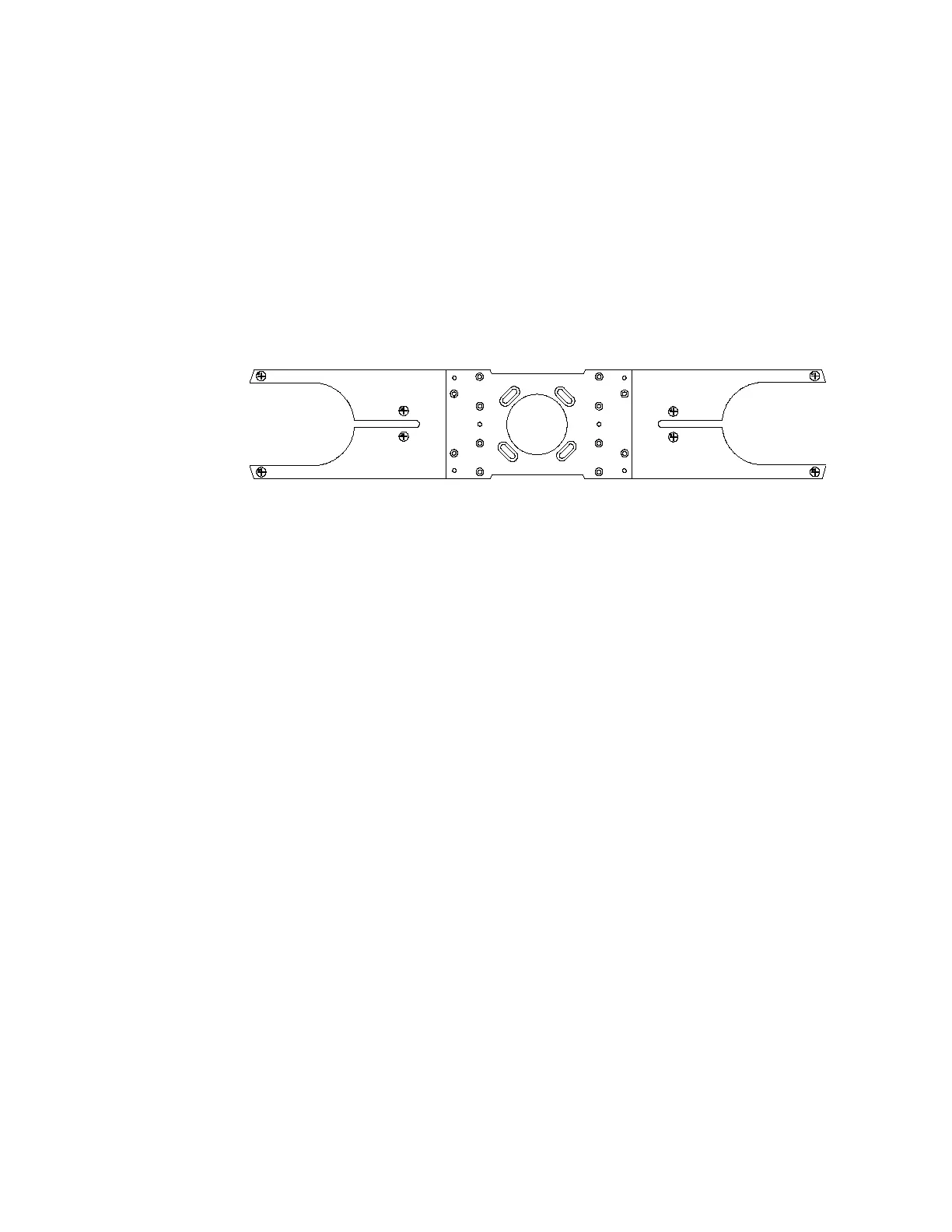
Note that Equipe single end effectors have three leveling screws and
Equipe dual end effectors have six leveling set screws, as shown in this
dual paddle:
1. Place the bubble level on the center of the robot and ensure that the
Vacuum Transport Module (VTM) is level. If the VTM is not level,
repeat the steps for leveling the VTM.
2. Place a wafer on the robot end effector. Place the bubble level on the
center of the wafer. If not level, loosen the associated locking screws
on the end effector.
3. Use an Allen wrench to adjust and tighten the leveling set screws.
4. Tighten the locking screws.
5. Check the level at four rotational theta axis points.
6. Repeat for the second side of a dual end effector.
Safety Verification
Before teaching or operating the robotic system, verify that all safeguards
are in place. Visually check the robot and maximum envelope to ensure
that conditions that might cause hazards do not exist. Ensure that:
♣ EMERGENCY STOP devices are functional.
♣ Each axis moves and is restricted as intended.
♣ All interlocks function as intended.
♣ All safeguards are in place.



 To Next Page