Atmospheric Single-Arm Robot Manual
4000-0016 Rev A
23
Teach Pendant
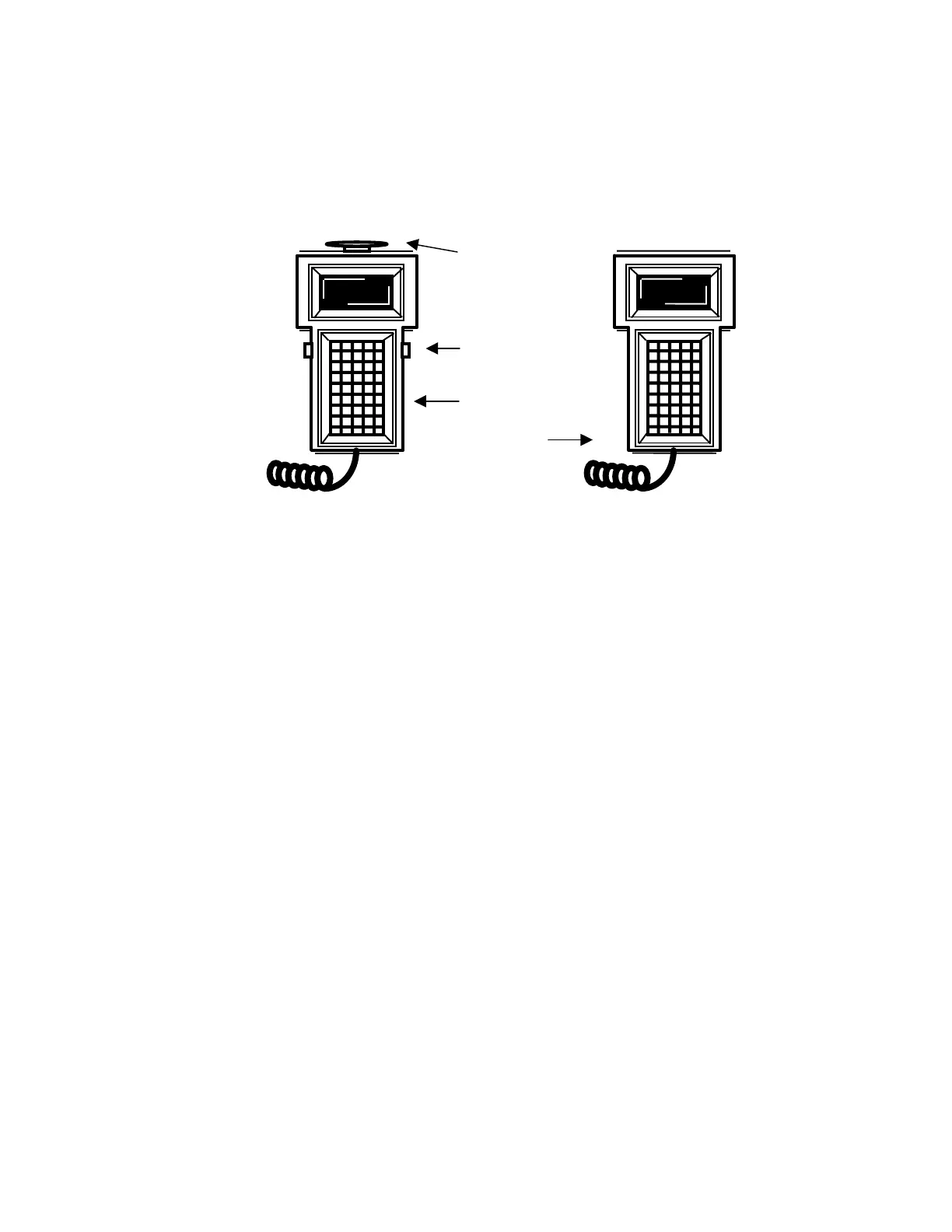
Equipe recommends the exclusive use of the S2-93A compliant Teach
Pendant, the TTR 200. The TTR 200 has a red EMERGENCY STOP
button and two black “dead-man” buttons.
The Teach Pendant does not support Attended Continuous Operation as
defined in ANSI/RIA R15.06. It does provide Slow Speed Control for
Teach mode. While in Teach (Attended Program Verification) mode, you
can reset the robot speed, but it cannot exceed 10 inches per second. (All
arms result in less than 10 ips except the 14.75 arm, which does not
exceed 13 ips. Contact Equipe for details.)
For information on converting the TTR 200 DB15 connector to an RJ12
connector, refer to Appendix B: Circuit Drawings.
Using the EMERGENCY STOP
When the user sees or suspects a hazardous motion, the user presses the
red Emergency Stop button. All movement in the robotic system is
stopped. To recover, inspect the system for any damage or interfering
components, pull up the Emergency Stop button, start up the system, turn
on servo motors for all axes (SVON), and home all axes.
Using the Dead-Man Switch
Equipe recommends that there is only one control of robot movement at
any given time. When you use the TTR 200, commands that initiate robot
movement work only when you hold down one or both black dead-man
switch buttons. The dead-man switch or momentary switch, is a normally
open spring-loaded switch.
If the Teach Pendant is plugged into the recommended Teach Pendant
isolation circuit and you lock out the host computer by selecting Teach
mode and entering CTRL/D or CTRL/T before holding down the dead-
man switches, the host computer cannot take control from the Teach
Stop button
Dead-man
button
TTR 200
TTR 100



 To Next Page