Vacuum Robot Manual
4000-0315 Rev 1
16
Connecting the Teach Pendant
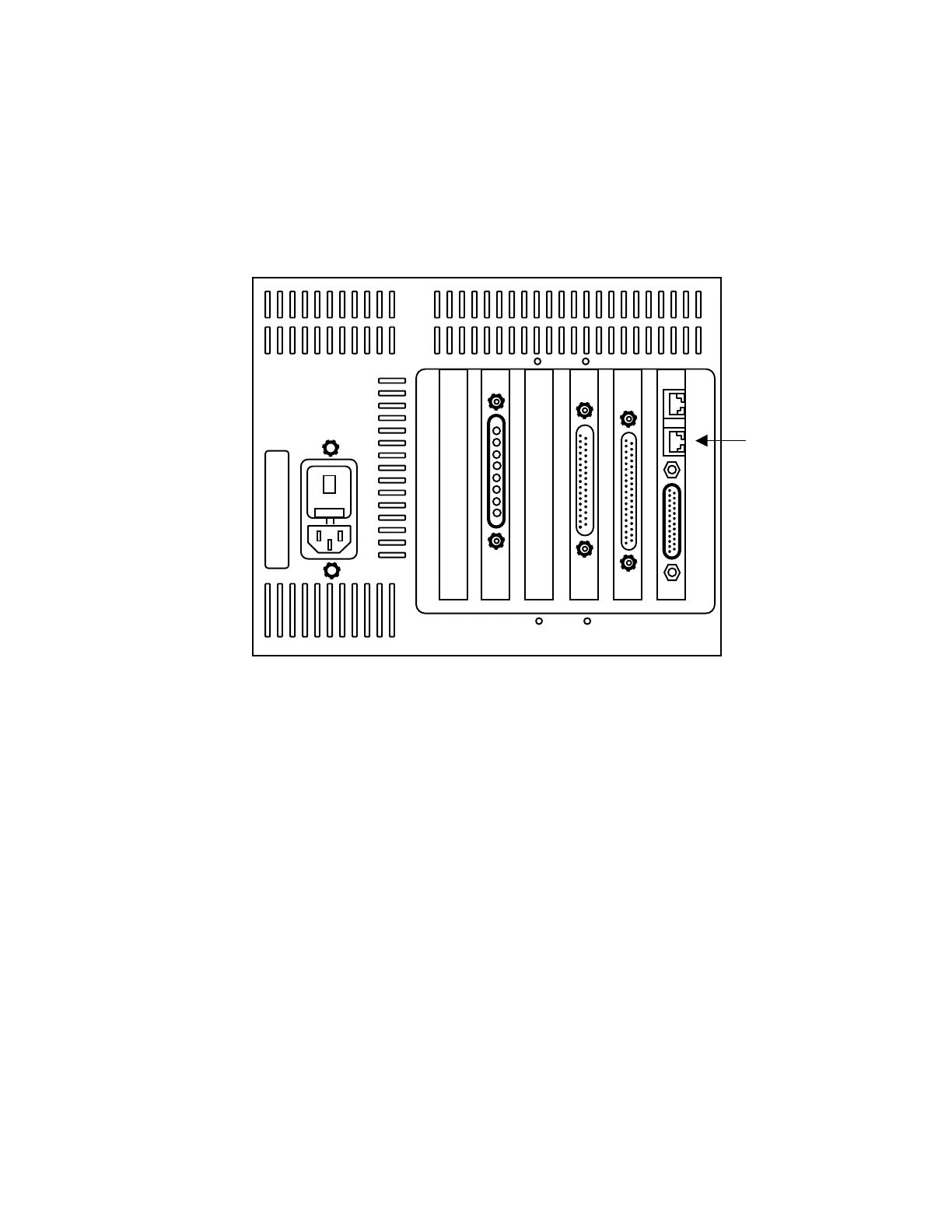
1. Connect the Teach Pendant cable to the bottom RJ12 connector next to
the DB25 connector on the controller. This is the COM2 port.
2. Access the Terminal mode by pressing CTRL + T, then press T again.
3. Clear the area accessible by the full extension of the robot arm. This
ensures safety when you send commands in the next steps.
4. At the cursor, type SVON and press the Enter key. This turns on all
servo motors.
5. Type HOM and press Enter. The HOM macro homes all axes of the
robot and the pre-aligner, if present. Most HOM macros send a status
message when all axes are homed, which is displayed on the Teach
Pendant. A status message or code of 1000 indicates all devices are
working correctly.
Installing the EQT 32 Interface
You can install the EQT 32 interface to be used with Microsoft Windows
95 or Microsoft Windows NT 3.51 or later. Follow these steps to
install the EQT 32 interface.
RJ12 for
Teach
Pendant
x
x
12
Cauti
on -
Risk
of
Fire
Repl
ace
with
5A
250v
Fuse
Only



 To Next Page