To allow the file to be downloaded from GEM, it needs to be the size of a grinding recipe (currently 162
bytes), since the GEM subsystem checks the size of recipe files as a confidence test at download time. To
assist in the creation of the data file, both with the correct ordering of the lines and with padding the file to
correct number of bytes for GEM, we provide a stand-alone DOS utility program called THIKNESS. This
has a graphical interface and can be run at the 7AF or copied to a floppy and then placed on a desktop
computer for more comfortable use. On a desktop computer, it uses the mouse rather than a touch screen.
To copy this program to a floppy, enter the DOS command SAVETHIK. Copy the contents of the floppy to
some directory on a desktop computer for use there. Note that this program is not required, and that
padding is not required, except for GEM. You may use a text editor if you prefer. In that case, you are
responsible for the correct ordering of lines in the file and for padding to 162 bytes if you wish to download
the file through GEM.
Before you can run THIKNESS on your desktop computer, you must first run a different program, called
GIBSETUP, which is included on the floppy disk just described. GIBSETUP allows the graphical interface
to work with your screen, keyboard, and mouse. In addition, if you run THIKNESS on a Windows
operating system, you may receive a complaint that it must be run in a full-screen window. If that happens,
select the icon for THIKNESS.EXE and select File -> Properties and then select the Screen tab. Under
Usage, select Full-screen instead of Window. (Some versions of Windows will not require this change.)
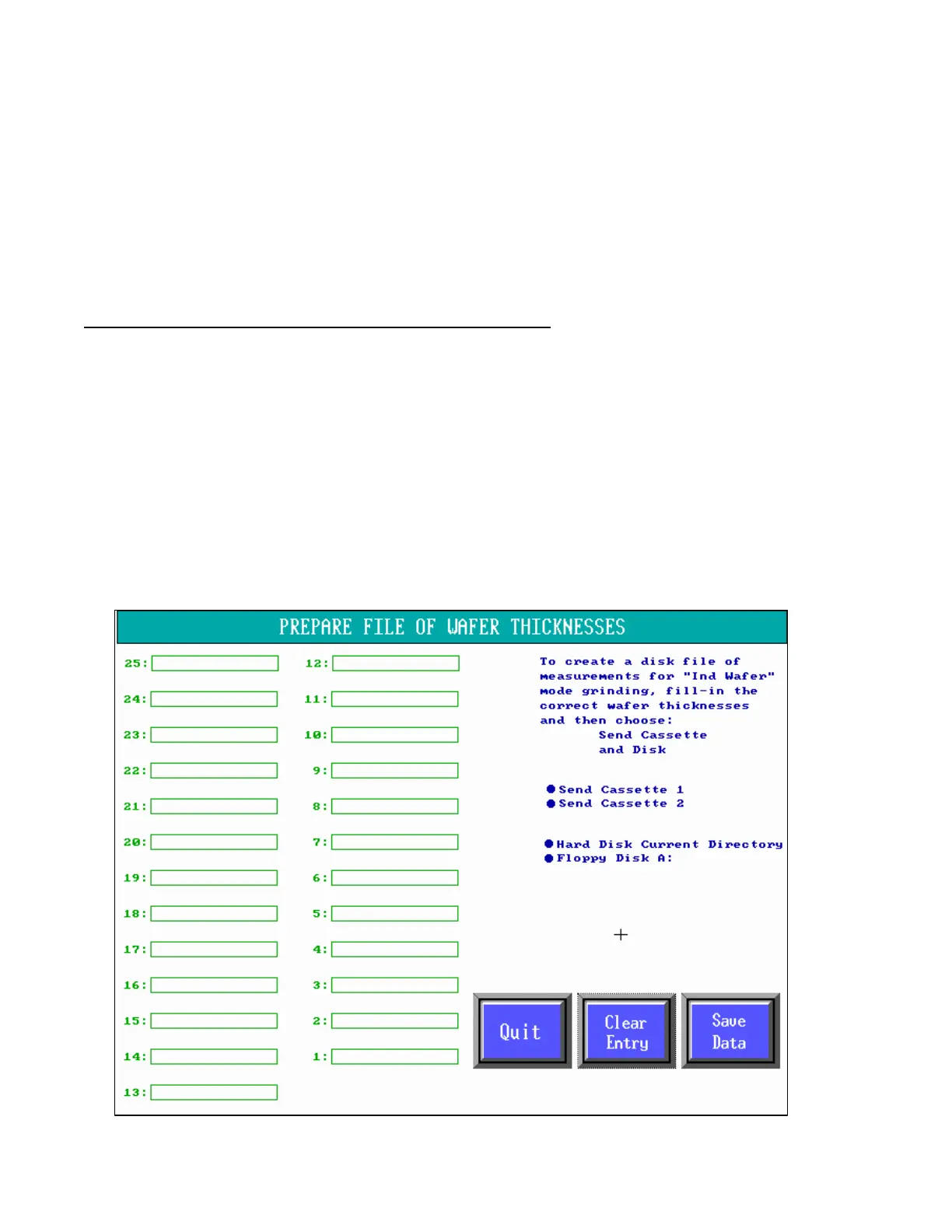
A picture of the screen for the THIKNESS program is shown here. The numbers of the slots of the cassette
is displayed to insure that the thicknesses are placed into the measurement file in the correct order. Slot 1 is
the lowest slot in the cassette. There are places to fill-in up to 25 thicknesses for use with a 25-slot cassette.
If your cassette has only 12 slots, fill-in 1 through 12 only. Any slot without a fill-in will receive a zero.
If you press Clear Entry, the next thickness box you select will be erased. That is useful if you are entering
data for more than one cassette.



 To Next Page