D950/Vista Digital Mixing System
Date printed: 05.08.03 SW V3.3 GC Operation 4-53
Adding a Whole Bus to the Snapshot Filter
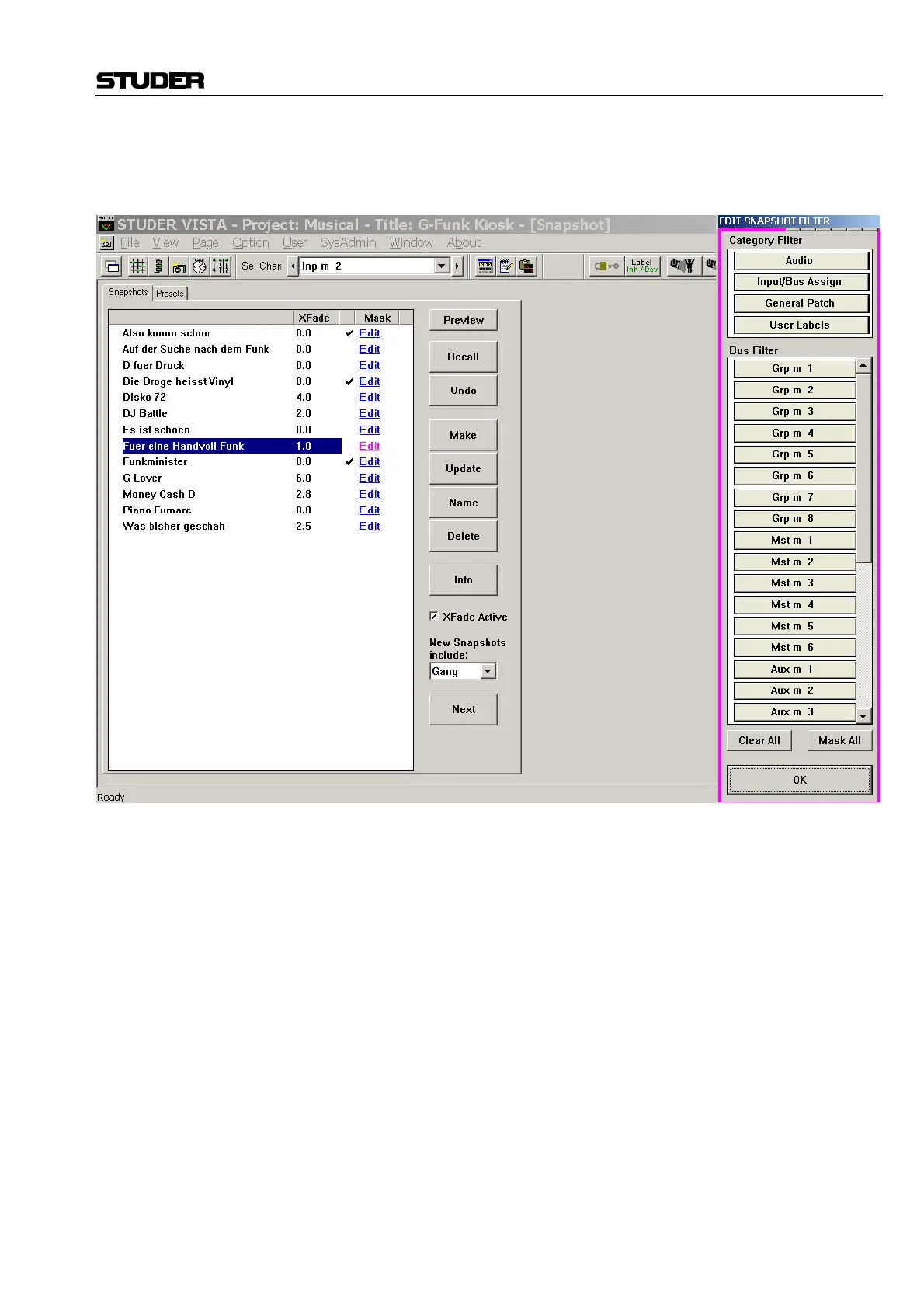
In edit snapshot filter mode (as described above), the following window is
shown on the GC screen:
This window allows adding a whole group of parameters to your snapshot
filter. Either select one of the four groups on top, or one of the listed buses.
Audio Settings: Will add all channel processing functions to your snapshot filter.
Input/Bus Assign Settings: Will add the input switches of all channels as well as all bus assignments
to your snapshot filter.
General Patch Setting: Will add the General Patch to your snapshot filter, meaning that no patch
points will change when recalling a snapshot.
User Labels: Will add all user labels (within the General Patch as well as within the
channel strips) to the snapshot filter.
Bus: This is a very powerful feature. By clicking e.g. on “Aux m 1”, you will
add all relevant parameters to your snapshot filter, such that the Mono
AUX Bus 1 will not be influenced by any snapshot recalling. Included are:
• The levels of all channels routed onto that bus
• The bus assign (on/off switch) of all channels for that bus
• The corresponding master channel with all its settings
• The output patch made from that master channel to any output ports.



 To Next Page