D950/Vista7 Digital Mixing System
5-6 AutoTouch+ SW V3.3 Date printed: 27.08.03
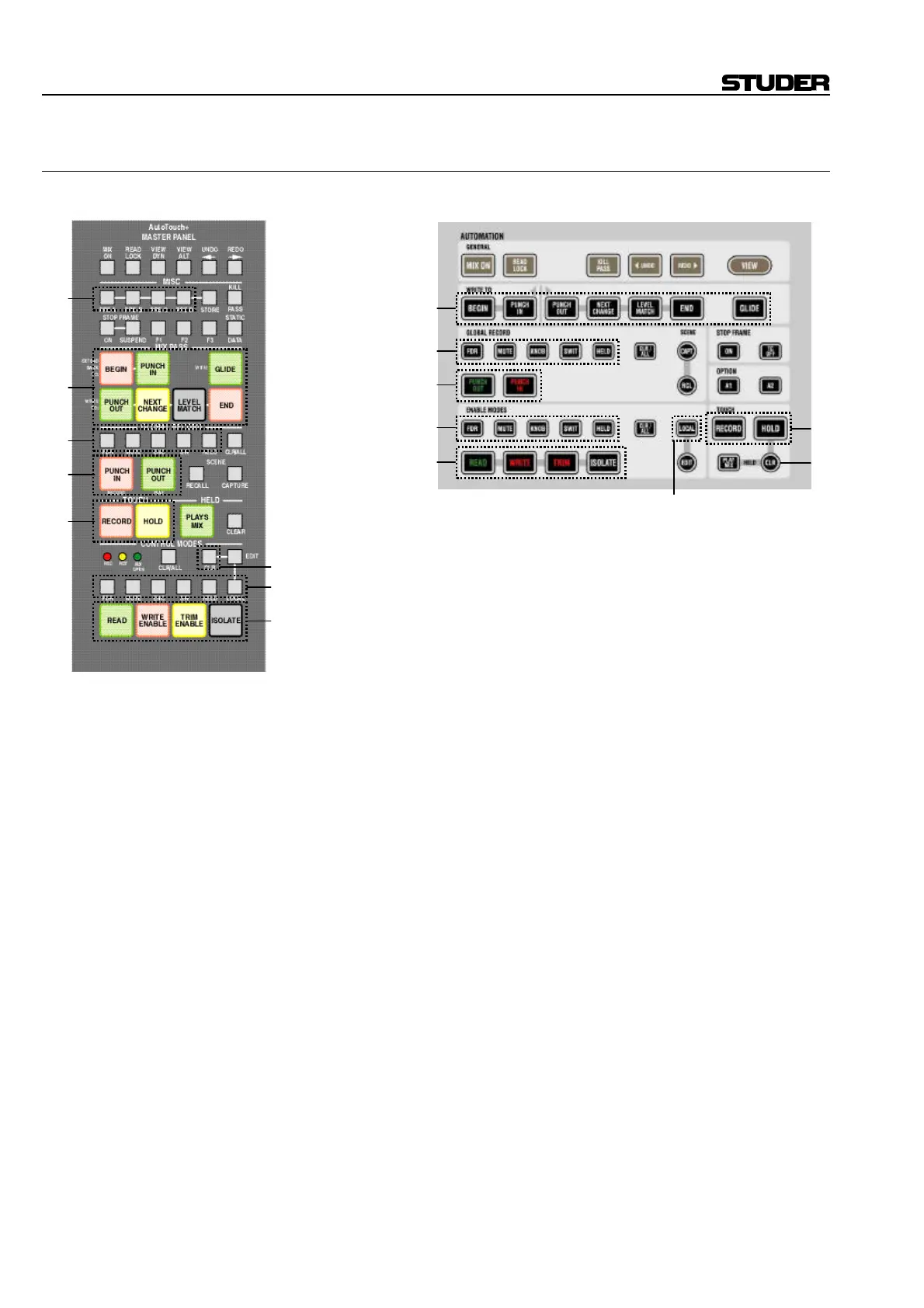
5.1.2 The AutoTouch+ Panel
D950: Vista:
Most keys on these panels can be roughly divided into three or four
groups, respectively:
[1] Pre-selector keys
[2] Action keys
[3] Mode keys
[4] Setup keys (D950 only)
Pre-selector Keys [1] These keys select the group of functions that will be influenced by the
action keys located below them: FDR, MUTE, ENC / KNOB, SW / SWIT, or all
current HELD objects. The pre-selectors for faders, mutes, encoders/knobs,
and switches influence the whole console, not only specific channels.
Action Keys [2] These keys perform an immediate action when pressed, e.g.:
• PUNCH IN, PUNCH OUT
• Set objects into READ, WRITE , TRIM , or ISOLATE mode
• CLR (clear) the “held” state of all held objects
Mode Keys [3] These keys put the automation into a specific mode, influencing its be-
havior for the next time the corresponding event occurs, e.g.:
• GLIDE will switch on or off the glide mechanism for upcoming punch-
outs.
• HOLD will suppress the detection of the physical un-touch of an object.
The object will therefore stay in a “held” state.
Note: This key will only influence future physical un-touch of objects.
• RECORD tells the system whether it should punch-in when (upcoming)
touches are being detected. If this switch is off, the automation is in an
“audition” or “rehearse” mode.
[3]
[1]
[2]
[3]
[2]
[1]
[2]
[1]
[4]
[1]
[2]
[3]
[2]
[1]
[2]
[3]



 To Next Page