D950/Vista7 Digital Mixing System
5-8 AutoTouch+ SW V3.3 Date printed: 27.08.03
5.1.3 Automation Keys on the Channel Strips
Vista:
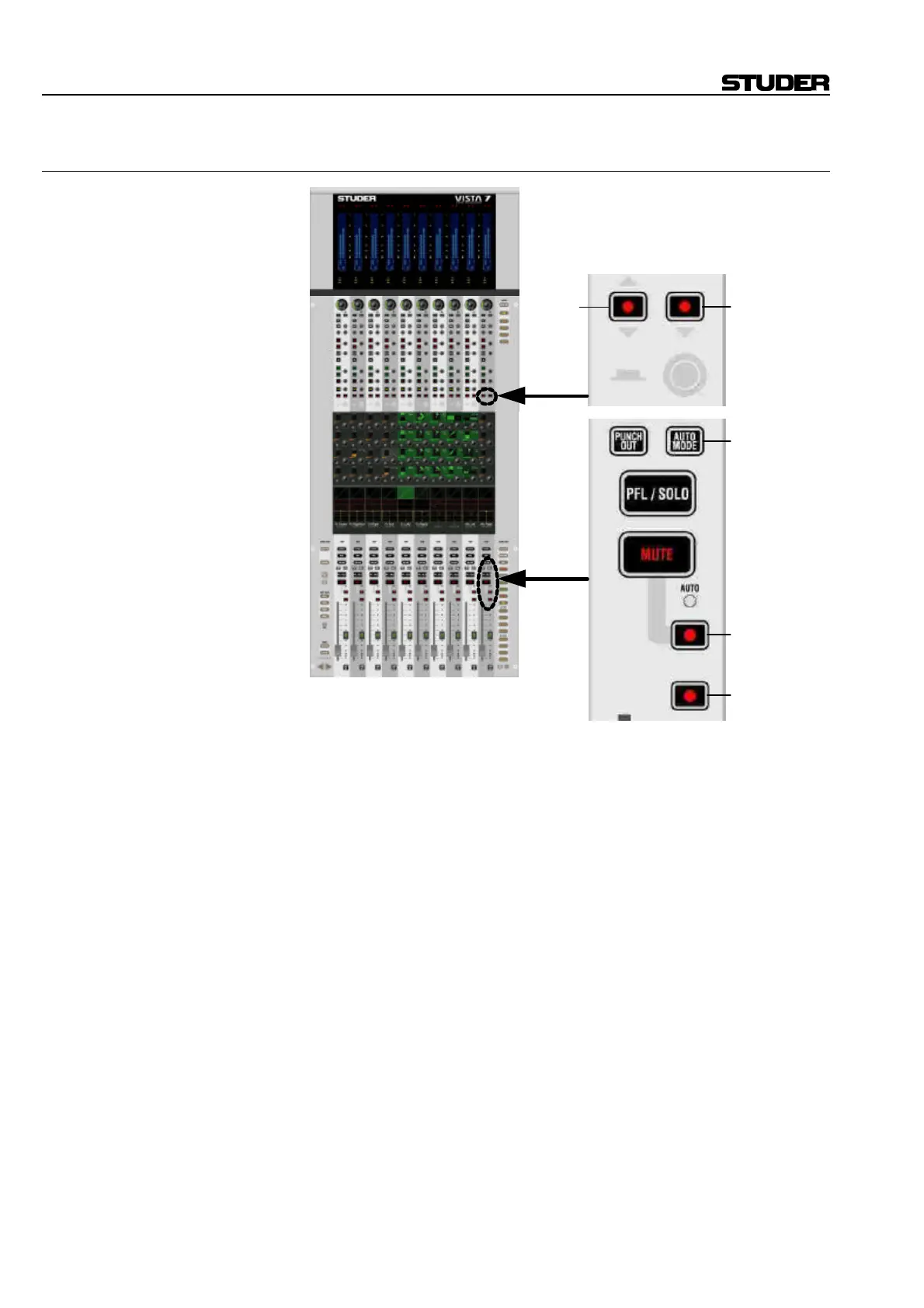
Punch IN/OUT: Four keys are representing the recording state of its member objects:
[5] Fader
[6] Mute
[7] Knob
[8] Switches
AUTO MODE [9]: Toggles between different automation modes: READ, WRITE, TRIM,
ISOLATE. As a standard, only the objects selected in the “pre-selector
area” of the AutoTouch+ panel (e.g. FADER) are toggled, but not the
whole channel.
This key has also the important function to suppress the detection of a
physical touch or un-touch of any objects. It is therefore possible to modify
a value without putting the object into “held” mode. Or – vice versa – it is
possible to physically un-touch an object so that the automation doesn’t
detect the un-touch (object is still considered as “held”). This is the reason
why this key is sometimes referred to as “modifier key”.
[7]
[8]
[5]
[6]
[9]



 To Next Page