D950/Vista7 Digital Mixing System
5-74 AutoTouch+ SW V3.3 Date printed: 27.08.03
5.8 Global Record
Controls can be “punched in and out” on a global basis. Global punch-ins
and punch-outs are accomplished in one of three ways:
1. Manually: Using the PUNCH-IN and PUNCH-OUT activator keys on the
GLOBAL RECORD section of the AutoTouch+ Panel
2. Automatically: Enabling the Write Zone and “Auto Punch-In/Out” in
the AutoTouch+ window of the Graphic Controller (GC). Refer to
chapter 5.8.4, Auto Punch In/Out.
3. Automatically via GPI input (refer to chapter 5.8.5).
Conditions: If no controls of the type chosen of the Global Record Pre-Selector are
enabled, Global punch-in has no affect. Likewise, if no controls of the type
chosen of the Global Record Pre-Selector are in RECORD, Global punch-
out has no affect.
Note: Individual controls can be punched in and out independently of the Global
Record functions. This is done locally on the channel strip or on the D950
CAS.
5.8.1 Pre-Selectors
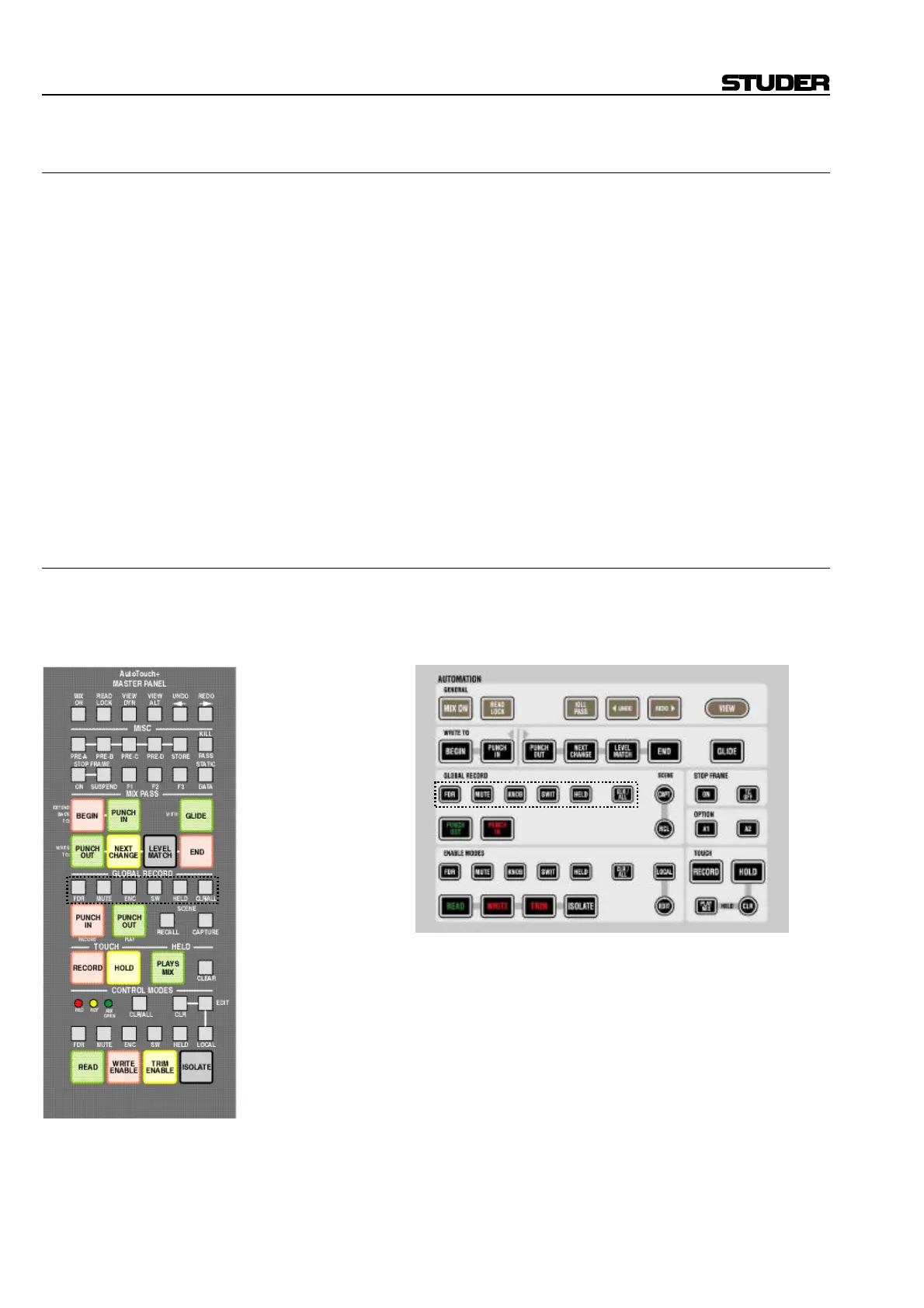
Pre-Selectors: Regardless of the punch method used, the Global Record Pre-Selectors
determine which controls are affected when a global punch-in occurs.
D950: Vista:
Multiple Pre-Selectors may be active at a time. Any and all combinations
are allowed. Pre-Selectors will illuminate when active.
The following describes the control classifications as defined by the
Global Record Pre-Selectors:
• FDR (Fader): The fader of all channel types
• MUTE (Mute): The Mute of all channel types
• ENC / KNOB (Encoders/Knobs): All continuous controller type encod-
ers (knobs or rotaries). This does not include knobs that control “se-
lectors”, such as pan format, or phase inversion (for example).
• SW (Switches): All switches (keys) and selectors (keys and knobs)
• HELD (Held Controls): All controls that are currently in a “Held” sta-
tus. (This could be any combination of faders, mutes, switches, and
encoders). Refer to chapter 5.7.3.
Note: If no Pre-Selectors are active, then no controls will be punched-in or out.



 To Next Page