CommandTouch Cornerpost 9980 Self-Propelled Peanut Combine
(Manual Functions)
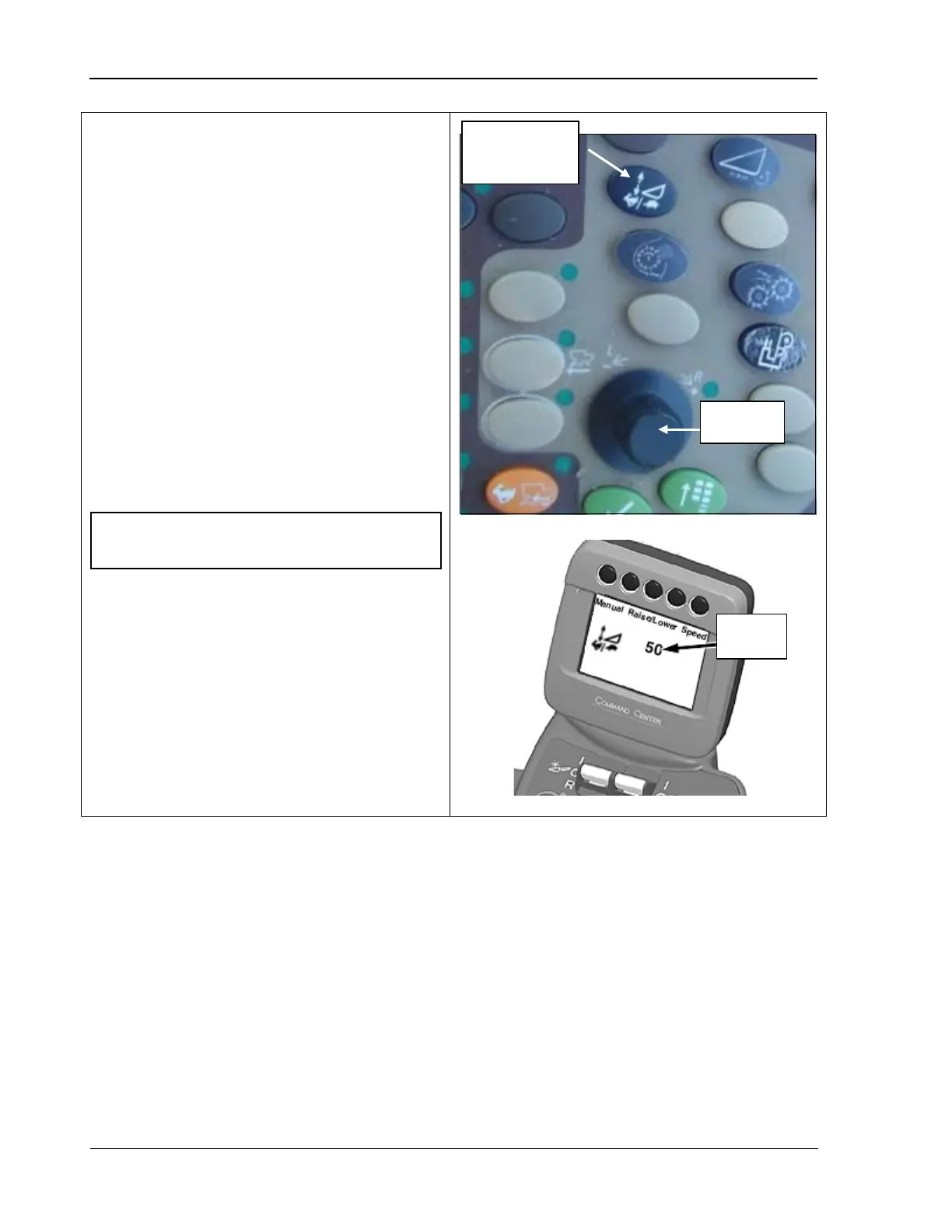
These functions control the response rate of
header raise/lower functions for manual
control or when in automatic height resume
mode.
To set the rate at which the header will react
when being raise or lowered:
1.
Press the feeder house rate/sensitivity
adjust button (top photo) once
; the rate
setting displays on the CommandCenter
display screen (bottom sketch).
2.
Turn the selection dial (top photo)
clockwise to increase the response rate or
counterclockwise to lower it; the
adjustments display on the screen.
rate/sensitivity
NOTE! Settings can be adjusted between
0 and 100.
116 09/04/15 MAN141



 To Next Page