9980 Self-Propelled Peanut Combine Operator’s Controls
MAN141.rev1 08/05/16 57
Buttons
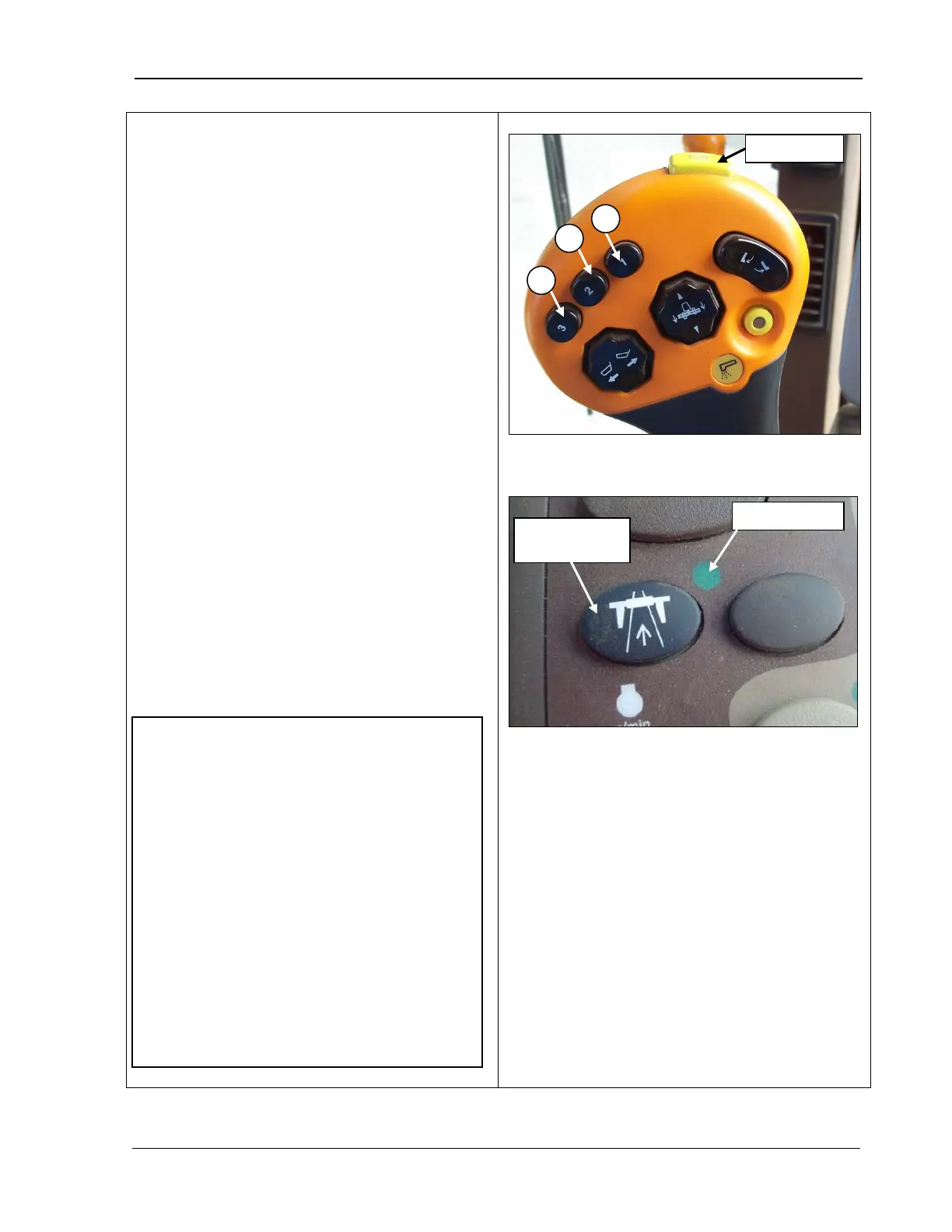
The header height activation buttons perform
the following functions:
• Header height resume (A)
• Header height sensing (B) and (C).
The electronic control system moves the
header back to the position you pre-
Pressing the header activati
on buttons
activates the system and moves the header
into position.
In order to use:
•
A properly equipped header must be
connected.
• The engine must be running.
•
The road transport switch indicator light
must be OFF (bottom photo).
• The header must be engaged.
• Header height resume and header height
sensing must be enabled.
Road transport
disconnect
•
You can override the header height
position when set by the header
activation buttons by pressing the
header lift button. Once overridden,
you can then press the activation
buttons again to reset the header to
the pre-selected height.
• If only Height resume is active, A, B,
and C control different set points for
height resume.
• If only Height sensing is active, A, B,
and C control different set points for



 To Next Page