Operator’s Controls 9980 Self-Propelled Peanut Combine
46 08/05/16 MAN141.rev1
Operator Interface Controls
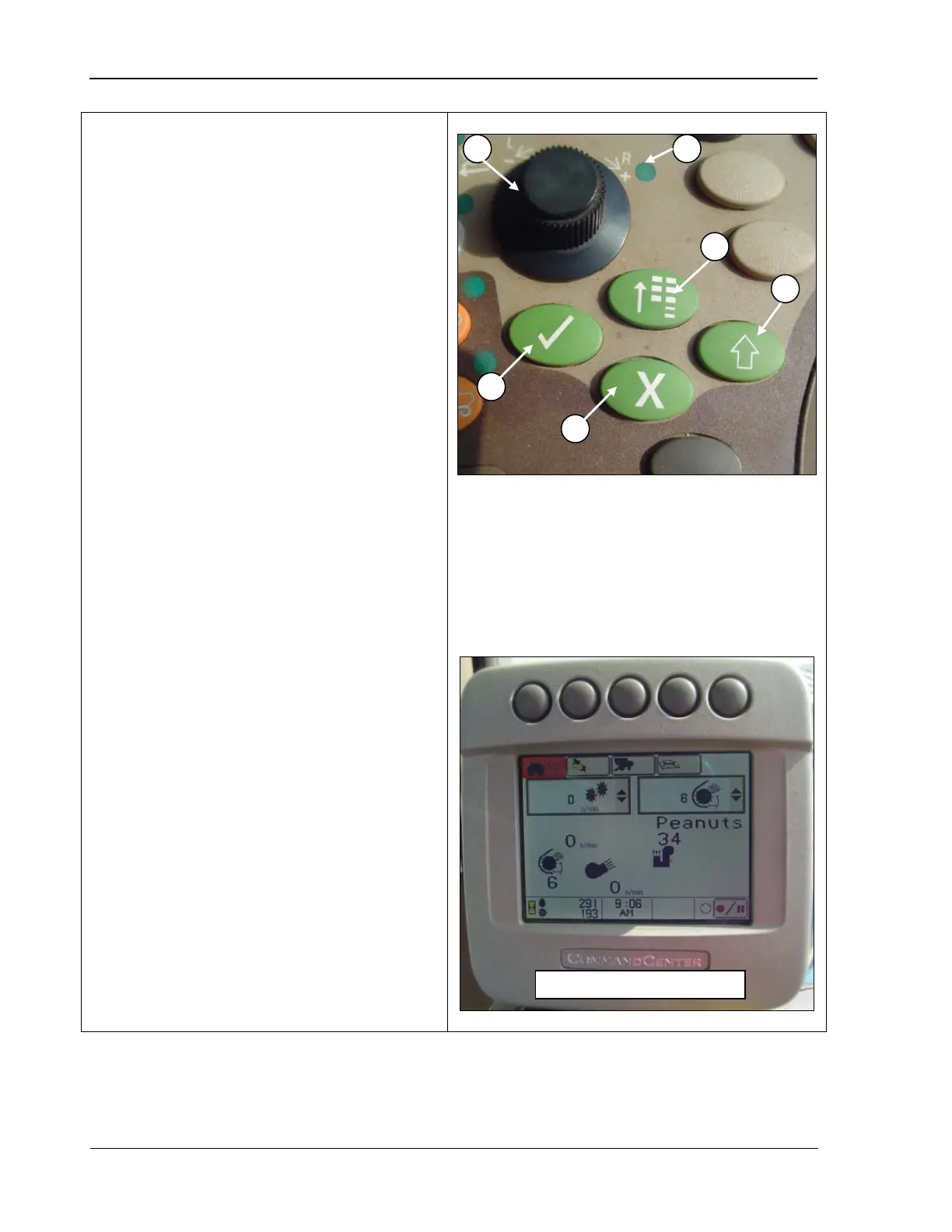
• Selection Dial (A): allows you to select
each item on the CommandCenter
display. As each item is highlighted, a
“tool tip” appears describing what the
highlighted object is.
The selection dial is
also used for data
entry to increase/decrease numeric
values. The indicator turns ON when you
press a switch that can be adjusted using
the selection dial.
• Indicator Light (B): shows that a switch
was selected and can now be adjusted to
your desired setting.
• Confirm
(C): allows you to select the
highlighted area on the CommandCenter
display or to confirm an action (such as
adjusting a speed).
• Main Menu (D): used to cha
nge the
active “application” that the
CommandCenter display is running.
Items or applications on the menu include:
o Combine settings
o Onboard diagnostic troubleshooting
o Display settings
• Cancel
(E): allows you to cancel any
action on the CommandCenter display at
any time.
+
• Display Select (F): allows you to change
which display the selection dial controls
(CommandCenter or GreenStar display, if
equipped).
A – Selection dial
B – Indicator light
C – Confirm
D – Main menu
E – Cancel
F – Display select



 To Next Page