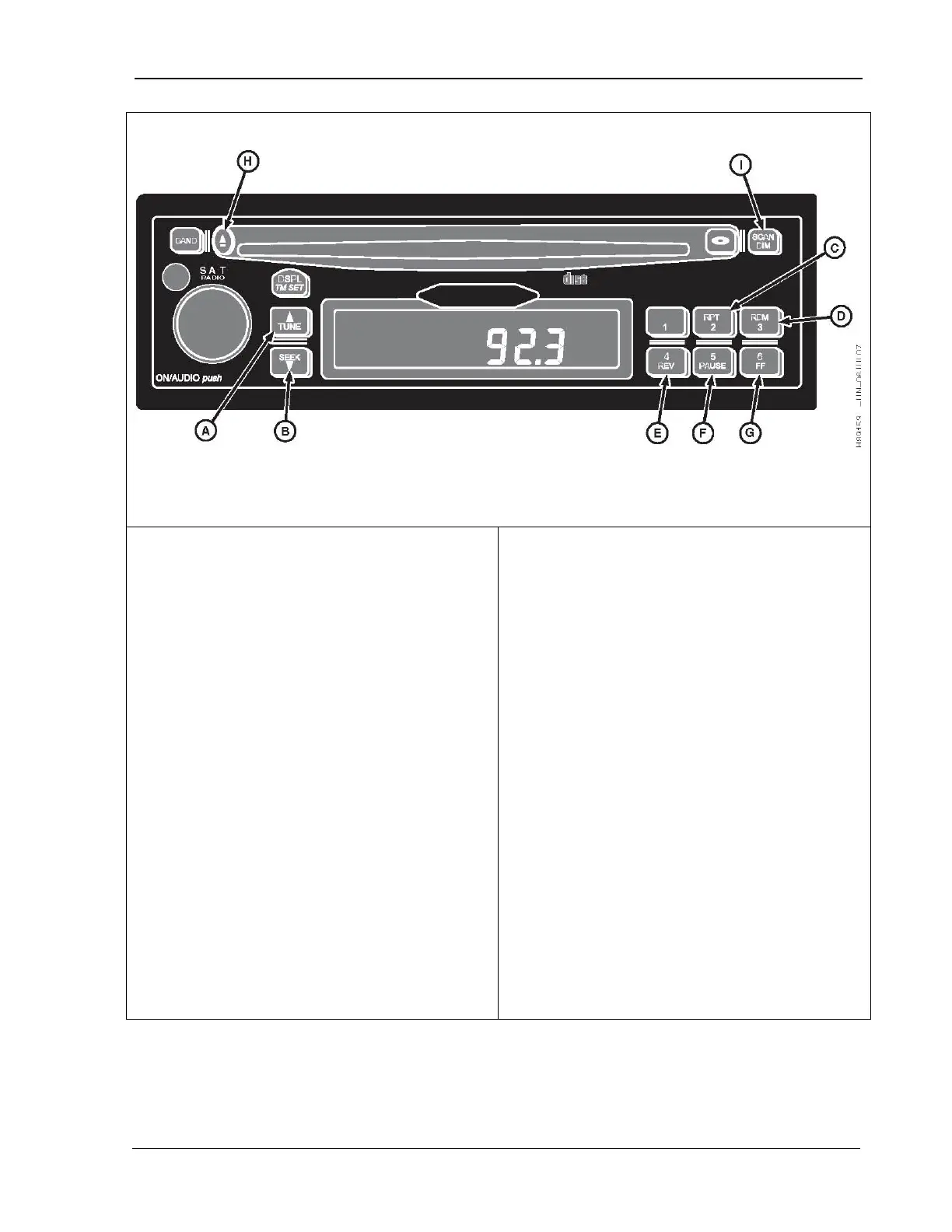
9980 Self-Propelled Peanut Combine Overhead Control Panel
B. Seek
E. 4/Rev
G. 6/FF
I. Scan/Dim
TUNE (A) –
Forwards to next track. Display
will show rack number and elapsed time.
SEEK (B) – Reverses to beginning of track. If
button is pressed during the first eight
seconds, the previous track displays. The
display shows the track number and elapsed
time.
2/RPT(C) –
Repeats the current track. The
“RPT” icon on display indicates that this
feature is ON.
3/RDM (D) –
Activates random track selection.
The “RDM” icon illuminates on the display.
Tracks CD plays in random order. Press the
RDM button again to turn the random play
function OFF with the next track played.
4REV (E) – Press
and hold RV to fast reverse.
When released, the CD plays at normal speed.
The display shows the track number and
elapsed time.
5/PAUSE (F) –
Pauses the CD; “PAUS”
displays. Press PAUSE again to resume
playing the CD.
6/FF (G) – Press and hold FF t
When the button is released, the CD plays at
normal speed. The display shows the track
number and elapsed time.
EJECT (H) – Press to eject a CD.
SCAN/DIM (I) – Press SCAN to scan all tracks
on the CD. The player immediately advances
to
the next track on the CD. “SCAN” and the
track number display while the track plays for
10 seconds. The CD then advances to the
next track and plays it for 10 seconds. Press
SCAN again to deactivate.
MAN141 09/04/15 77



 To Next Page