9980 Self-Propelled Peanut Combine Operator’s Controls
MAN141.rev1 08/05/16 45
Four-Wheel Drive (Optional)
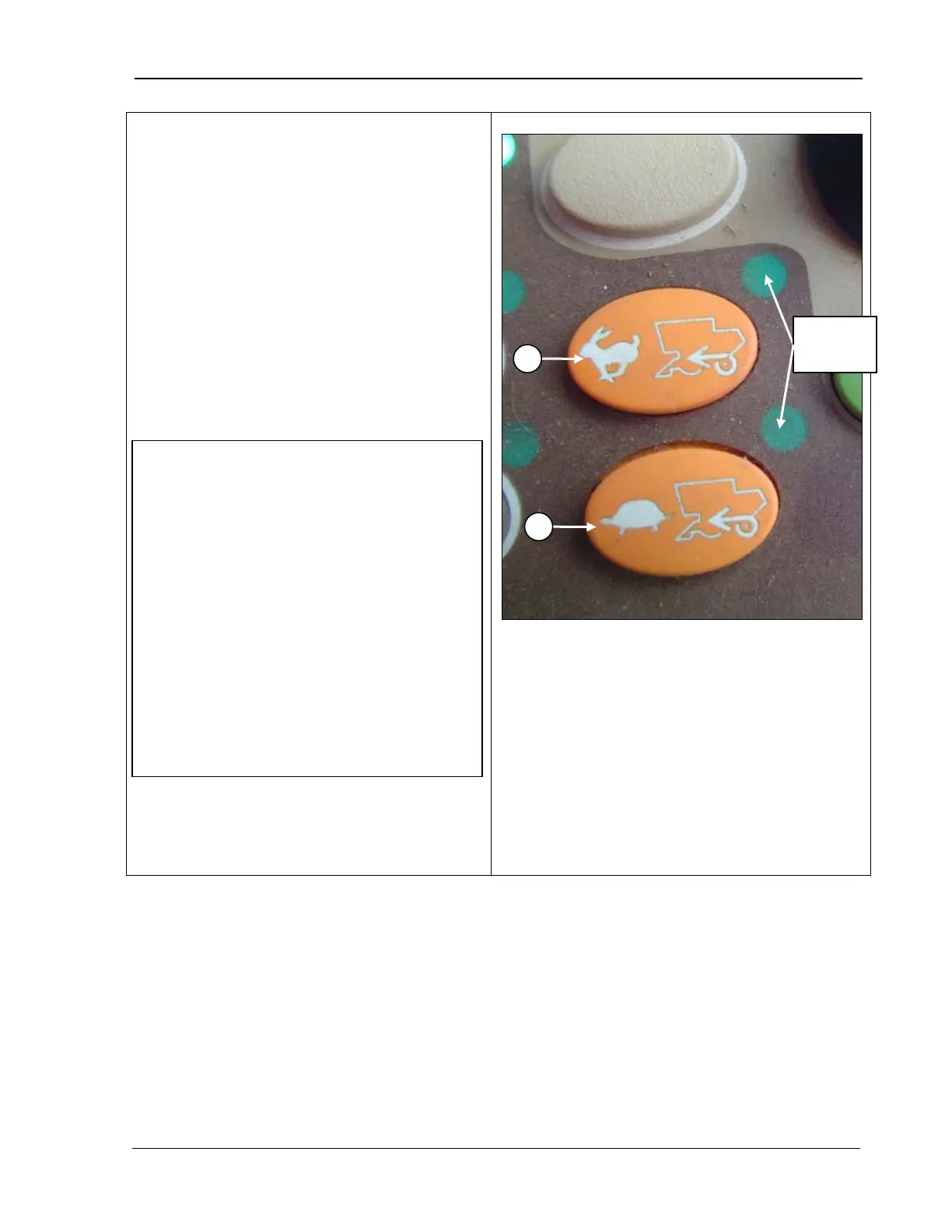
The four-wheel drive buttons
control the four-wheel drive system.
• Press the rabbit button (A) to use 4-wheel
drive with higher speeds. Note that the
corresponding indicator light comes on
when either switch is pressed and four-
wheel drive is activated.
•
Press the turtle button (B) to use when
more traction is needed.
•
You can switch between the two buttons
while harvesting.
Refer to Chapter 12, Transportation
specific information on using the Four-Wheel
Drive option.
A – High idle 4-wheel drive
B – Low idle 4-wheel drive
lights
IMPORTANT! Remember the following:
• To prevent damage, do NOT switch 4-
wheel drive ON or OFF while driving
the
machine at maximum travel speed.
Reduce the speed to half of the
maximum speed.
• Turn the 4-
going down steep grades.
• In conditions that cause pressure in the
hydrostatic system and the machine
slows or stops, move the multifunction
control handle to neutral and shift
transmission to a lower gear.



 To Next Page