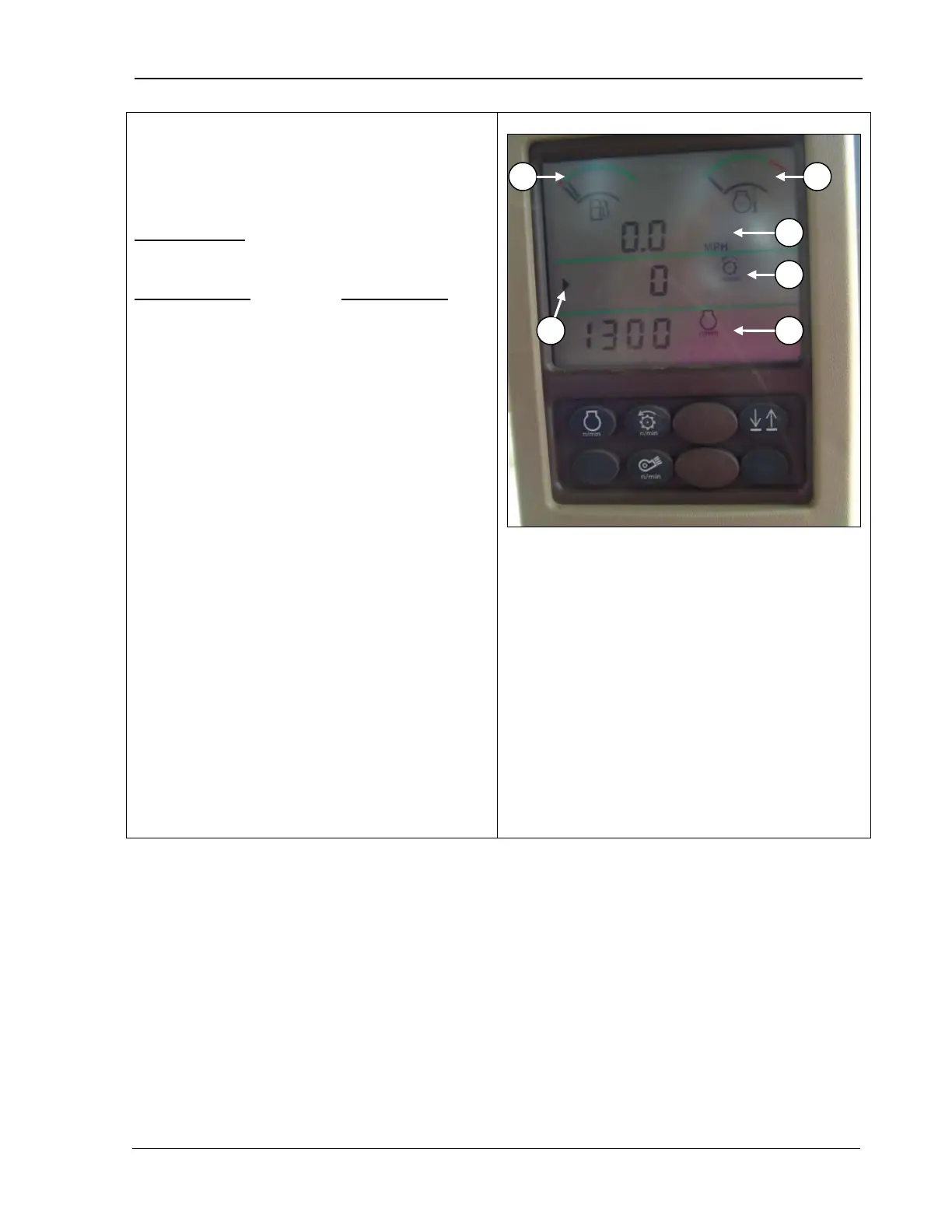
9980 Self-Propelled Peanut Combine CommandTouch Cornerpost
Digital Display Lines
The fuel gage (A) and engine coolant
temperature (B) displays are described on the
following page.
Upper display
(C): displays the machine’s
ground speed in miles per hour.
Middle display (D) and lower display
these lines function as follows:
•
You can choose to display the following
data in RPMs on either line by pressing
the appropriate button:
o Engine speed
o Threshing speed
o Fan speed
• If you press the button for engine,
threshing or fan speed on the armrest, the
number will display on this screen.
•
The middle and lower displays always
show the last information displayed when
the key switch was turned OFF.
• You can change the middle or lower line to
display the data you choose.
• The line that is active and can be changed
is shown by the indicator arrow (F). The
arrow displays when you press the
up/down button to move to the next line,
indicating that the line is now active.
A – Fuel gauge
B – Engine coolant temperature
C – Upper display
D – Middle display
E – Lower display
F – Indicator arrow
MAN109 09/04/15 123



 To Next Page