9980 Self-Propelled Peanut Combine Unloading Conveyor
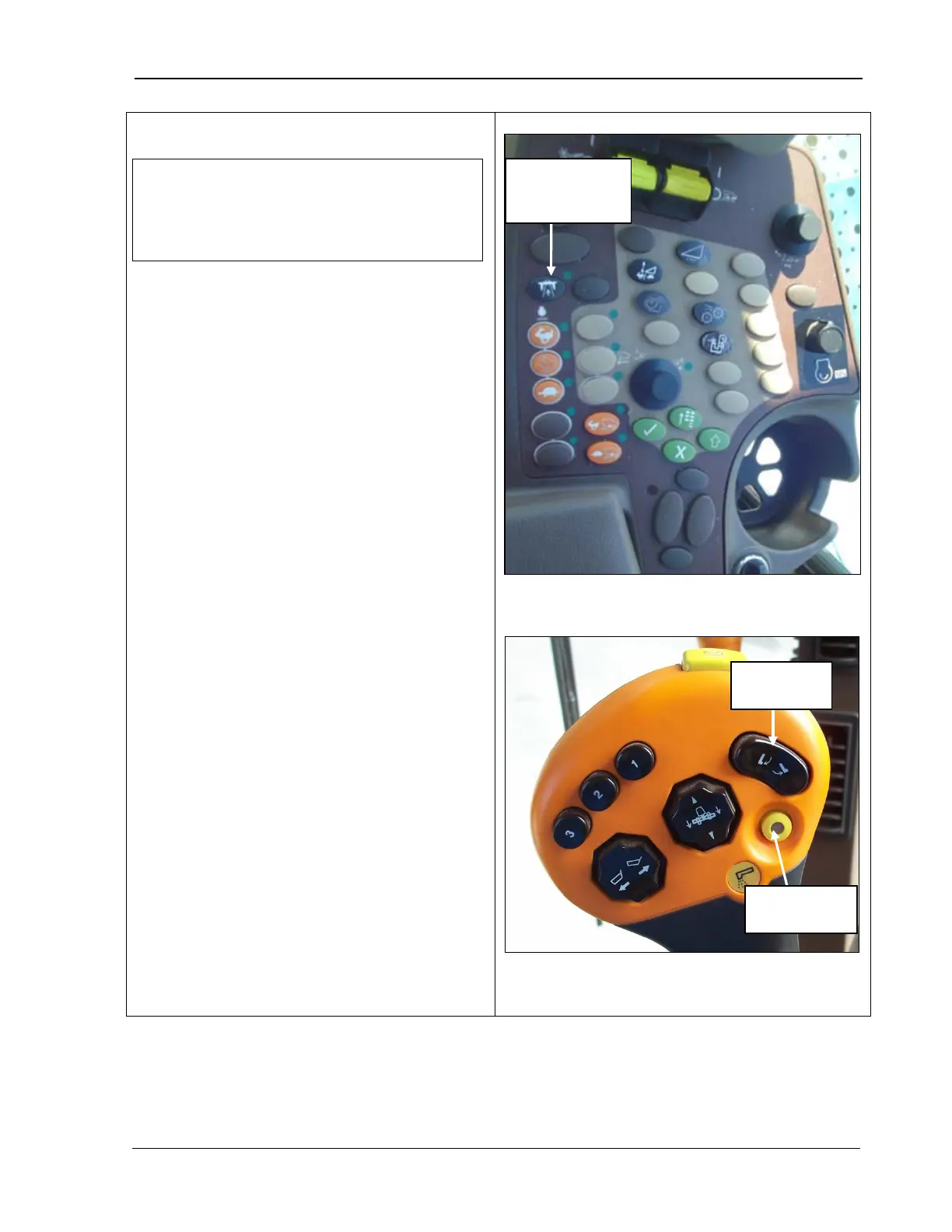
1. Press the top of the conveyor swing switch
(bottom photo) on the multi-function
handle
to swing the conveyor out. This
switch has two stages. The first detent
you feel in either direction is for manual
control. If the switch is pressed fully (the
second detent)
and held for two or more
seconds, the conveyor will automatically
swing for 12 seconds. Any change in the
position of the switch during automatic
mode cancels the automatic mode.
2. Press the conveyor unload button to start
the conveyor. A light in the middle of the
button comes on to indicate the conveyor
is unloading and the butto
follows:
• If the conveyor is swung out more than
50%, the conveyor will continue
unloading automatically once you
press the conveyor engage button.
•
If the conveyor is swung out less than
50%, you must continue to hold down
the conveyor en
the conveyor unloading.
There is a five second delay between the
time the conveyor starts and the time the
augers start moving material onto the
conveyor.
3.
To stop the conveyor, press the button
again. The light goes out to indicate the
conveyor has stopped.
NOTE! The indicator light for the road
transport disconnect switch must be OFF
for you to be able to turn on the off-
loading conveyor drive.
for road
transport switch
MAN141 09/04/15 193



 To Next Page