Operator’s Controls 9980 Self-Propelled Peanut Combine
52 08/05/16 MAN141.rev1
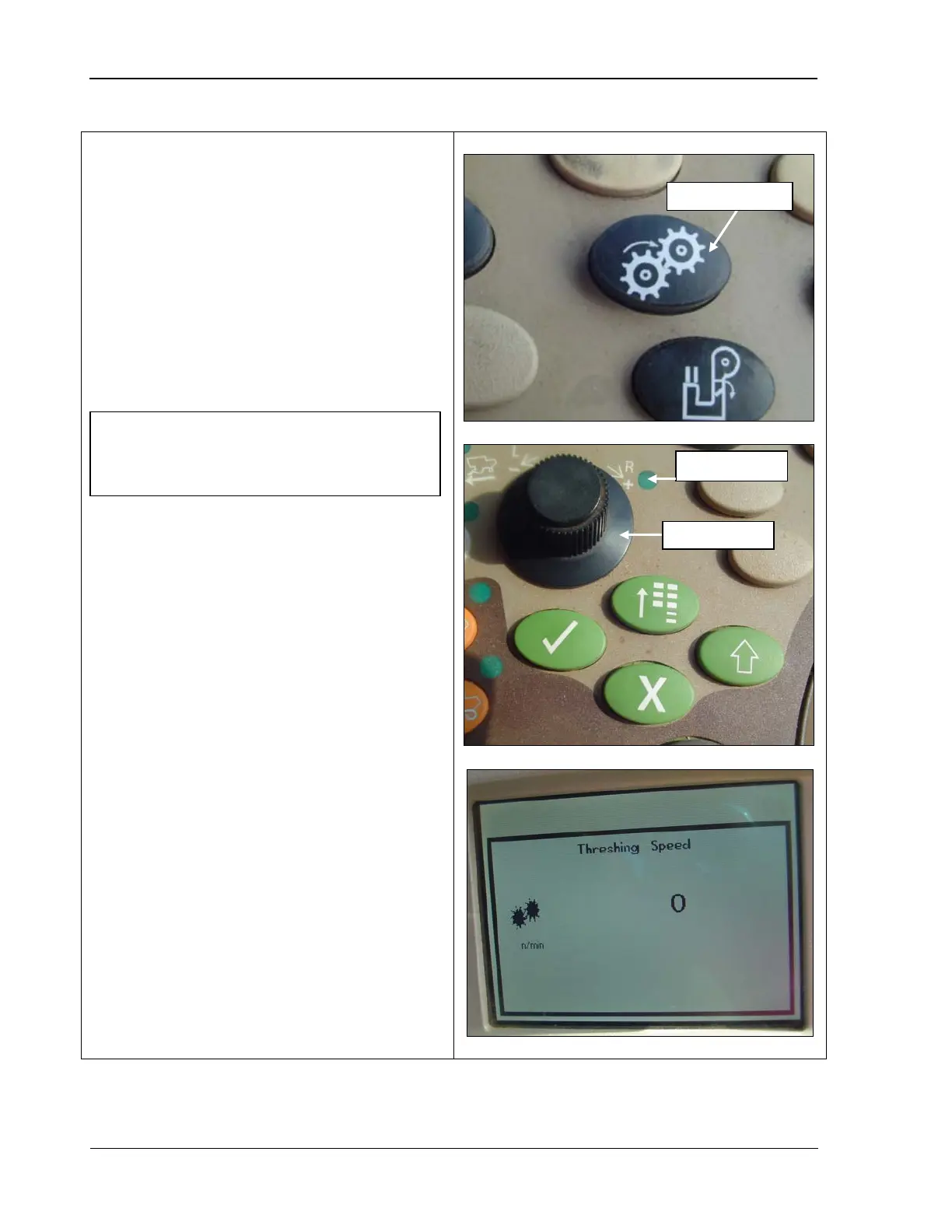
The threshing speed switch controls the RPM
of the last two threshing cylinders.
1. Press the threshing speed switch (top
photo). The selection dial indicator light
turns ON (middle photo).
2.
Use the selection dial (middle photo) to
turn the speed up (+) or slow it down (-
).
The CommandCenter displays adjustment
to the threshing speed (bottom photo).
NOTE! The engine must be running and
the separator engaged to change this
speed.



 To Next Page