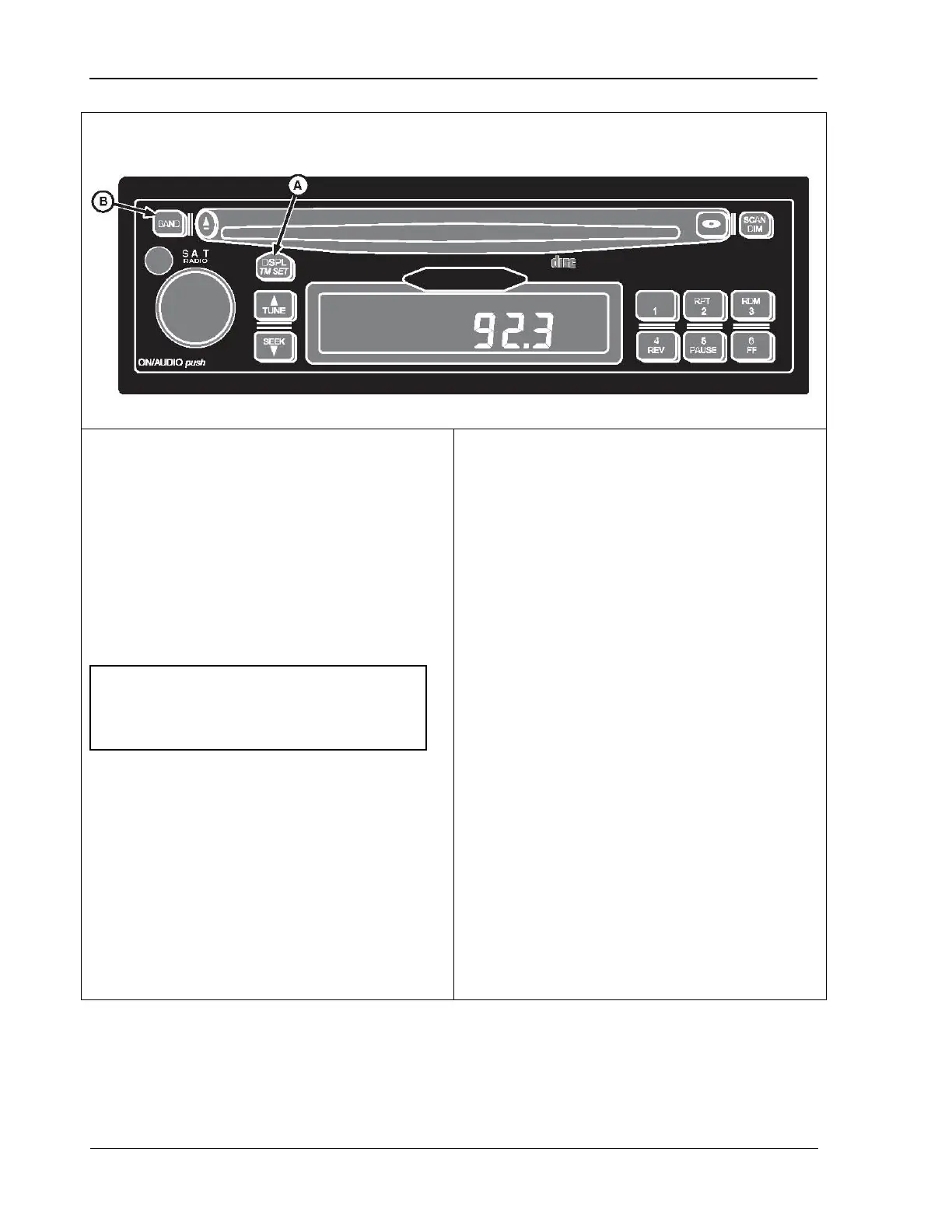
Overhead Control Panel 9980 Self-Propelled Peanut Combine
Radio Programming for Local Area Frequency
To verify that the radio is set for North
American frequencies:
1. Turn key switch ON.
2.
Turn radio OFF (digital display shows
current time).
3. Press and hold the DSPL/TM SET button
(A) until hour-digits start to flash.
4. Immediately press BAND button (B) once.
Radio can be programmed for use in the U.S.
(North America), China, Europe, Argentina, or
Japan. For use in Austra
“EUROPE” setting.
To program radio:
1. Turn key switch to ON.
2.
Turn radio OFF (digital display shows
current time).
3.
Press and hold DSPL/TM SET button (A)
until hour digits start flashing.
4.
Immediately press BAND button (B) to
view current setting on digital display.
5.
Repeatedly press BAND button to scroll
through available area settings:
U.S.A
EUROPE (use for Australia)
JAPAN
ARGENTINA
CHINA
6.
Stop pressing BAND button when desired
area appears.
7.
Do not press any buttons for a few
s
econds; new area frequency setting is in
use when display returns to show current
time.
NOTE! When radio displays “USA”, do
not press any buttons until the radio
display returns to the current time.
74 09/04/15 MAN141



 To Next Page