Operator’s Controls 9980 Self-Propelled Peanut Combine
60 08/05/16 MAN141.rev1
OR
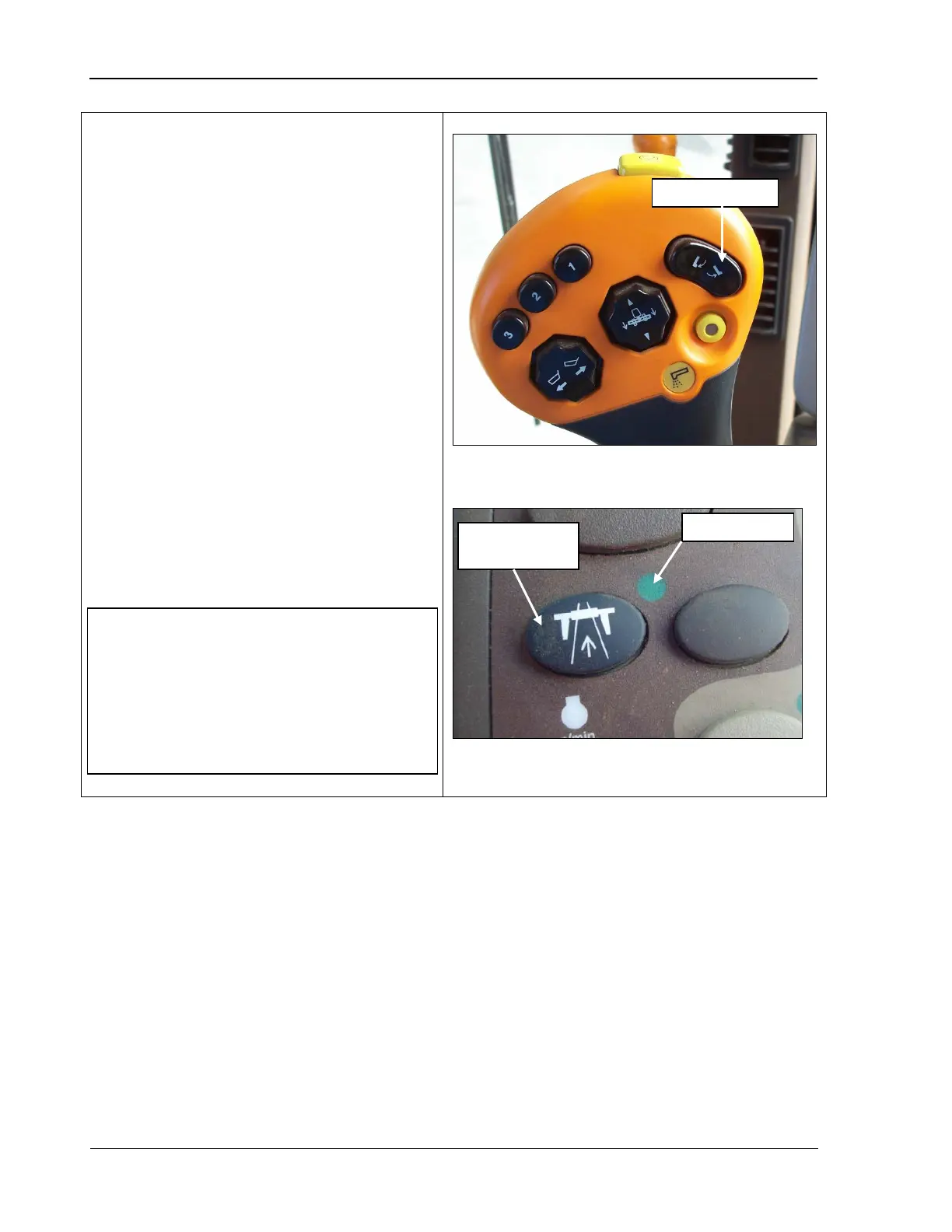
Dump Combine Lip Extend and Retract
This switch is used to swing the Unloading
Conveyor in or out for combines equipped
with the Off-load Conveying System (OCS)
option.
If your combine is NOT equipped
with the OCS option, it is used to extend and
retract the bin lip and to dump the bin.
• To use the switch, press the bottom of
the switch to swing the conveyor out or
extend the bin lip, as applicable.
• Press the top
of the switch to swing the
conveyor back in or retract the bin lip.
•
This switch has two stages. The first
detent you feel in either direction is for
manual control. If the switch is
completely pressed and held for three
seconds, the operation in that direction
continues automatically. Any change in
switch
position cancels the automatic
mode.
NOTE! For this switch to work:
•
The indicator light for the road
transport disconnect switch must be
OFF (bottom photo).
• The operator must be seated.
Road transport
disconnect



 To Next Page