Diagnostic Codes 9980 Self-Propelled Peanut Combine
Select Controller
Display List of Controllers
1. Rotate Selection Dial until the up arrow (A)
or down arrow (B) is highlighted.
2. Press Confirm
controller list.
3.
Rotate the selection dial until the desired
controller (C) is highlighted.
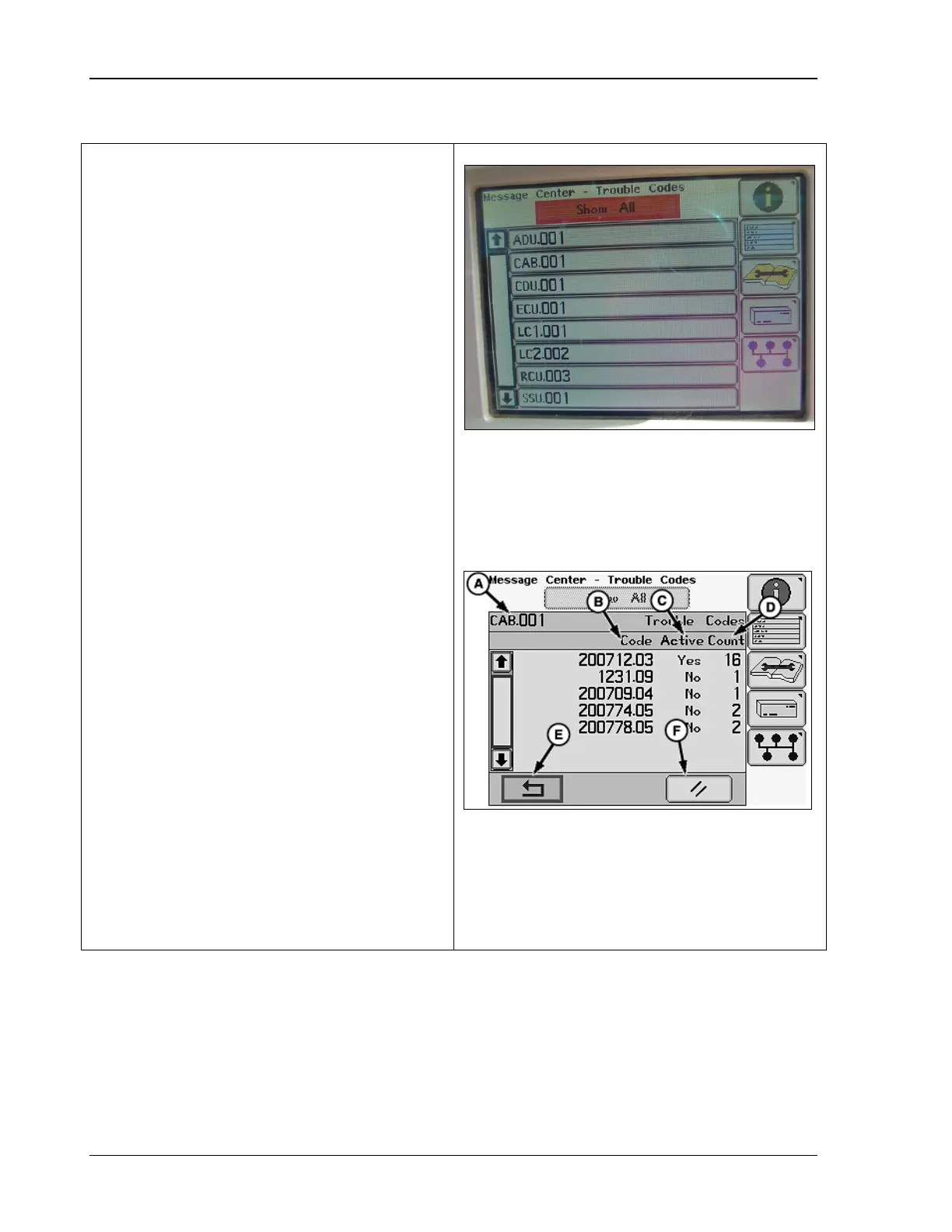
4. Press Confirm. The following display:
A – controller or device
B – trouble code
C – if active (yes or no)
D – number of
active and inactive codes
Note that it may be necessary to rotate the
Selection Dial to scroll through the trouble
codes if multiple codes are displayed.
A – Up Arrow
B – Down Arrow
C – Controller
D – Show All Menu
A – Controller/Device
B – Trouble Code
C – Active (Yes/No)
D – Count
E – Return/Back Arrow Icon
F – Clear Icon
358 09/08/15 MAN141



 To Next Page