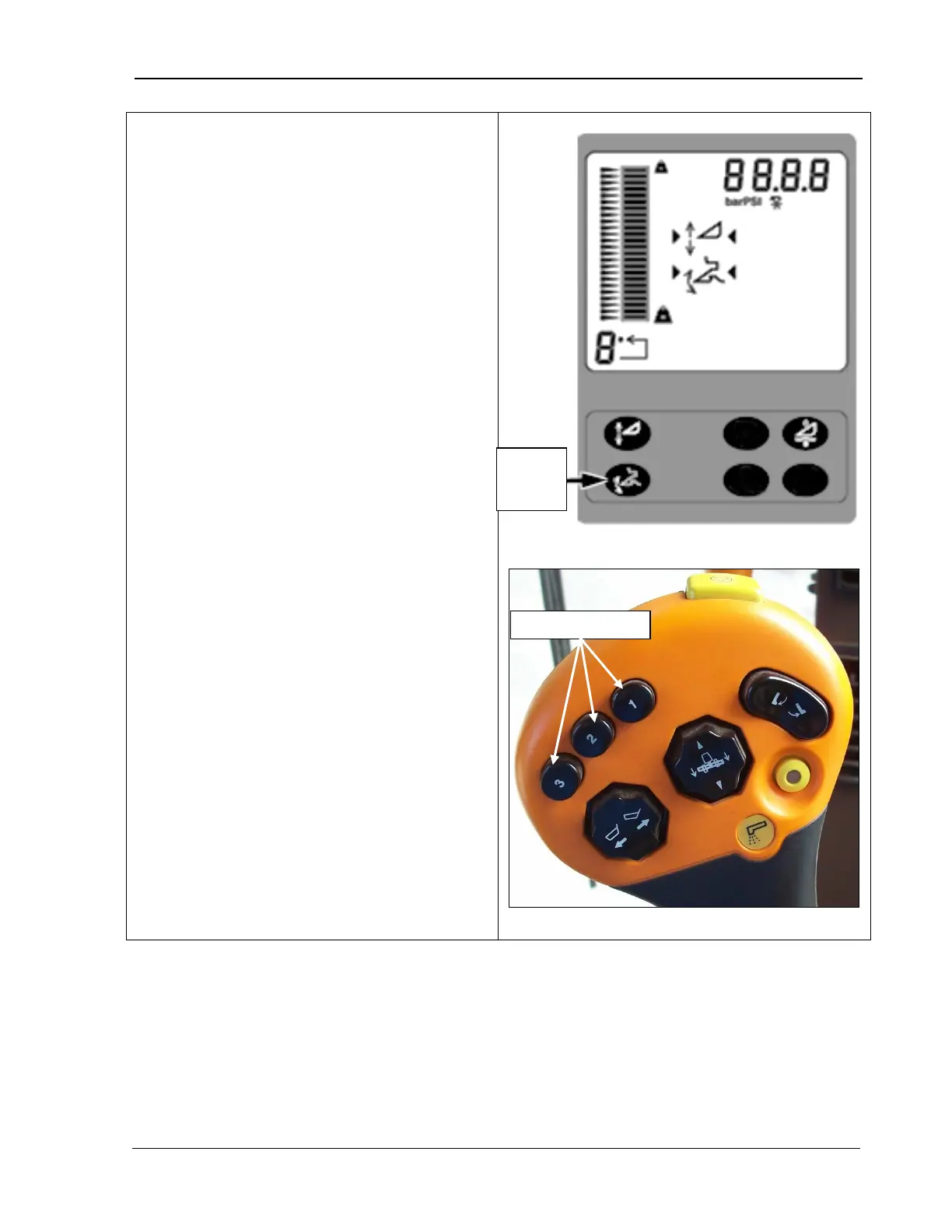
9980 Self-Propelled Peanut Combine CommandTouch Cornerpost
Header Height R
esume allows you to select
the position of the feeder house relative to the
machine, and return to that position
automatically.
Note the following about the Header Height
Resume function:
• The system must be calibrated with each
header that is used on the machine (see
Chapter 7, Calibration).
• Activation buttons 1, 2, or 3 (bottom photo)
are located on the multifunction control
handle and are used to select one of the
three different programmable header
heights.
• If both Header Height Resume and Header
Height Sensing are enabled, only
activation button 1 will activate Header
Height Resume. Buttons 2 and 3 are
assigned to Header Height Sensing.
Header height resume is active when:
• A properly equipped header is connected
to the machine.
• The engine is running.
•
The road transport switch is in field
position (indicator light is OFF).
•
The header height resume system is
enabled.
• The header is engaged.
height
MAN109 09/04/15 117



 To Next Page