CommandCenter Display 9980 Self-Propelled Peanut Combine
Backlight Level Control and
Boundary Box Color
Backlight Setting
Controls the brightness of the screen.
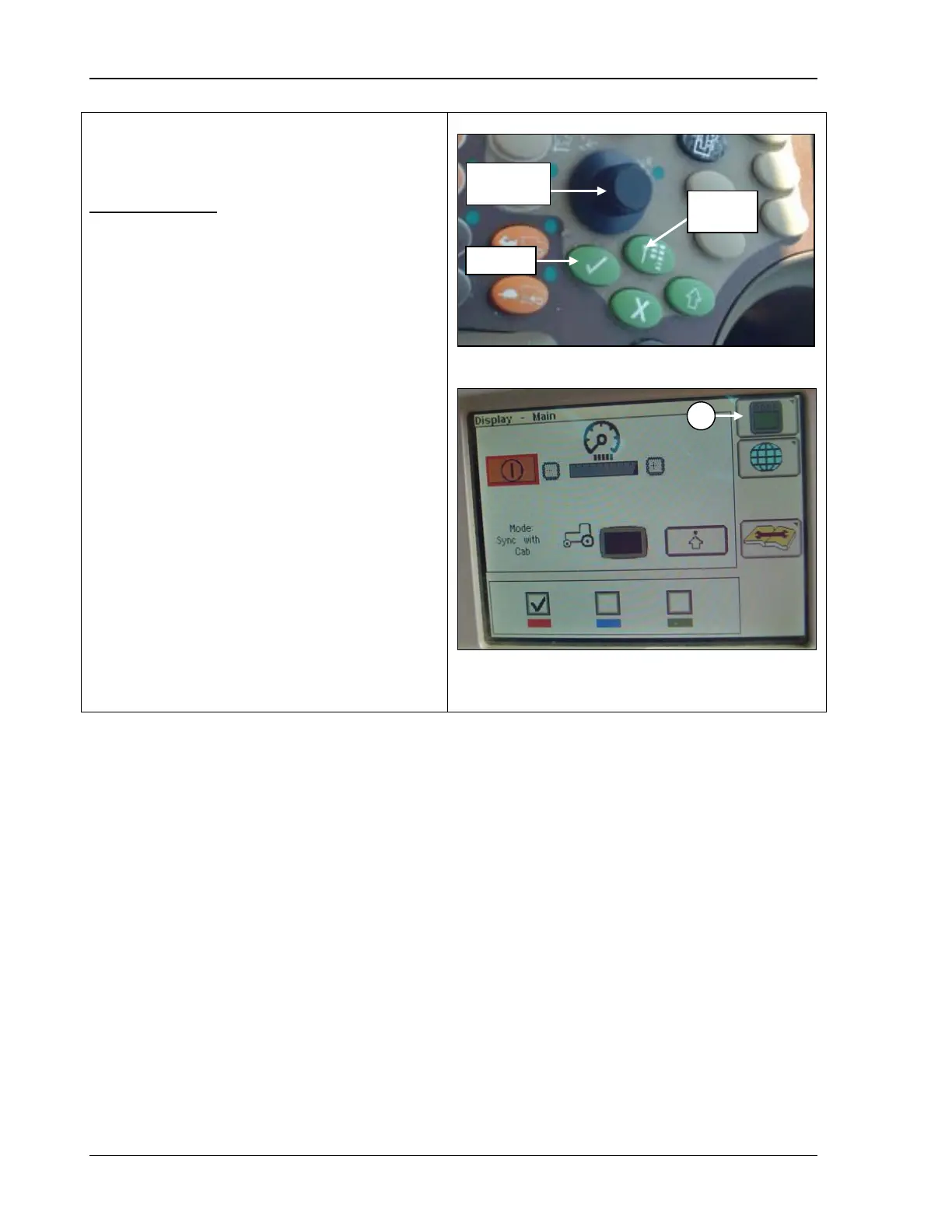
1. Press the Main Menu button
the Main Menu screen displays as in the
middle photo.
2. Rotate the Selection Dial (top photo) until
the Displays Settings (A)
highlighted.
3. Press Confirm.
A – Display settings icon
98 09/04/15 MAN141



 To Next Page