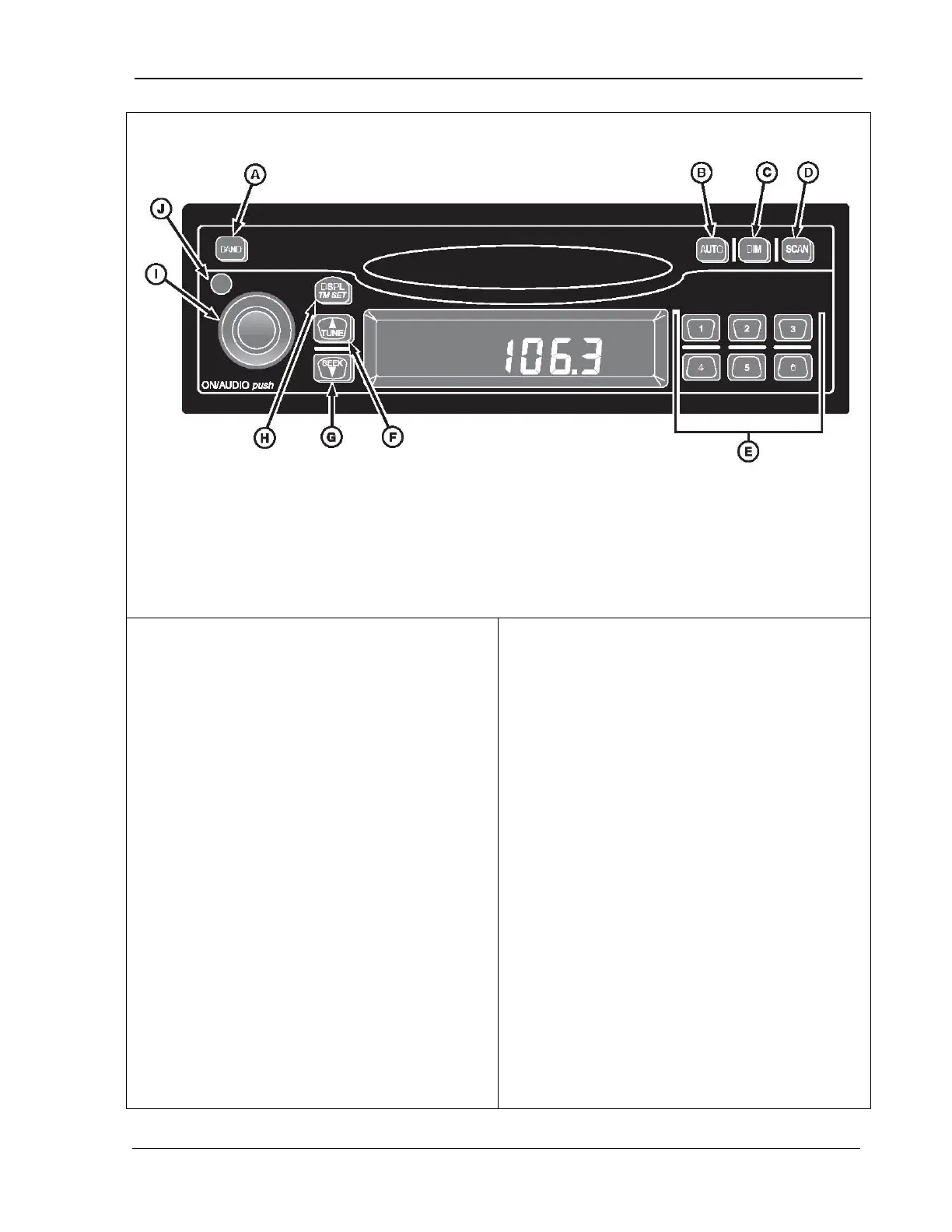
9980 Self-Propelled Peanut Combine Overhead Control Panel
FM2, Weatherband
B. Auto - stores
strongest stations
to presets
C. Dim – adjusts
brightness or
stations in current
band
E. Push buttons – 1-6
preset stations
F. Tune – changes
radio station
radio station
H. Displ/Tm Set –
changes display;
switches to time set
mode
volume/receiver
settings
J. Pwr - power
1. Turn ignition ON.
2. Press and hold DSPL/TM SET button (H)
until hour digits flash.
3. Press TUNE (up arrow) (F) or SEEK button
(down arrow) (G) to set correct hour.
4.
Press DSPL/TM SET button again and
minutes digits will flash.
5.
Press TUNE (up arrow) or SEEK button
(down arrow) to set correct minute.
Seconds are reset to zero when the minutes
se
tting is changed. After five seconds of
inactivity, display will return to default and
clock will be set.
General Receiver Functions
The receiver is equipped with two FM radio
bands, FM1 and FM2. The two bands are the
same, but allow you to set six presets in each
band, for a total of 12 FM presets.
Turning on Power
When the ignition is ON, you can turn the
receiver on or off by pressing the power button
(J). Pressing the ON/AUDIO knob (l) also
activates the receiver.
Display
The receiver displays the time of day when it is
turned off.
Momentarily pressing DISPL/TM ST button (H)
when receiver is on allows you to toggle
between displays.
When the receiver is in AM, FM1, FM2, or WX,
the display toggles between the frequency and
time of day.
MAN141 09/04/15 71



 To Next Page