CommandCenter Display 9980 Self-Propelled Peanut Combine
Diagnostics and Calibration
Pages
1.
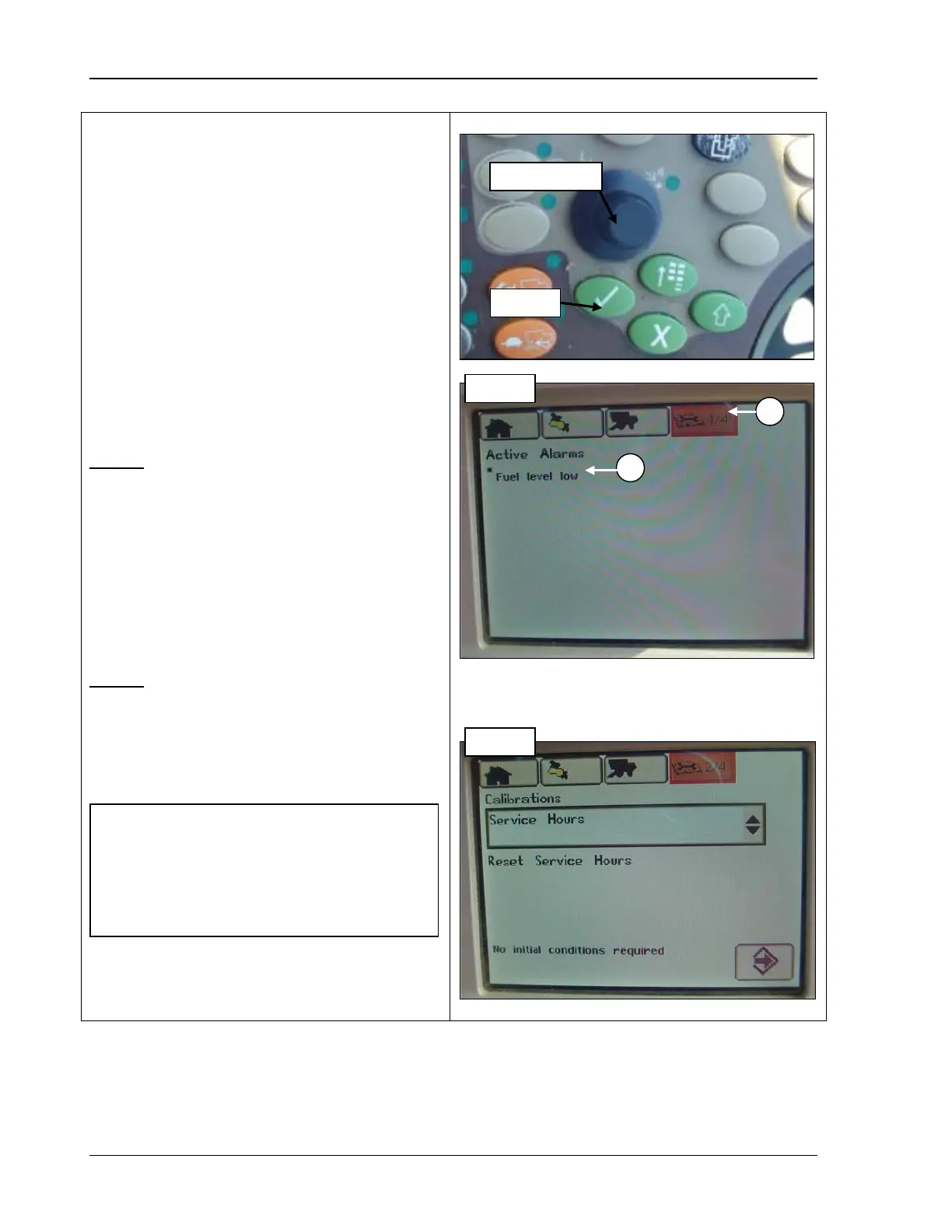
From the Home Page icon, rotate
Selection Dial (top photo) until the
Diagnostic and
highlighted (A) (middle photo).
Or, press
the fourth button at the top of the
CommandCenter to display the page in
the example.
2.
Press Confirm (top photo). The first
diagnostic page displays (middle photo).
3. Repeat Steps 1 and 2 to
page.
Page 1
Active Alarms
• None –
appears when no alarms are
present at this time.
• (alarm name) (B) – appears with the alarm
name(s) when a problem is detected in the
machine system.
Page 2
Calibrations
Refer to Chapter 7, Calibration, for information
on using this screen.
A - Diagnostics and Calibration Menu
B - Alarm
NOTE! Calibrations are done using
instructions shown on CommandCenter
display. You select the desired
calibration, highlight the calibrate button,
and then will be guided through the
procedure.
96 09/04/15 MAN141



 To Next Page