9980 Self-Propelled Peanut Combine Performance
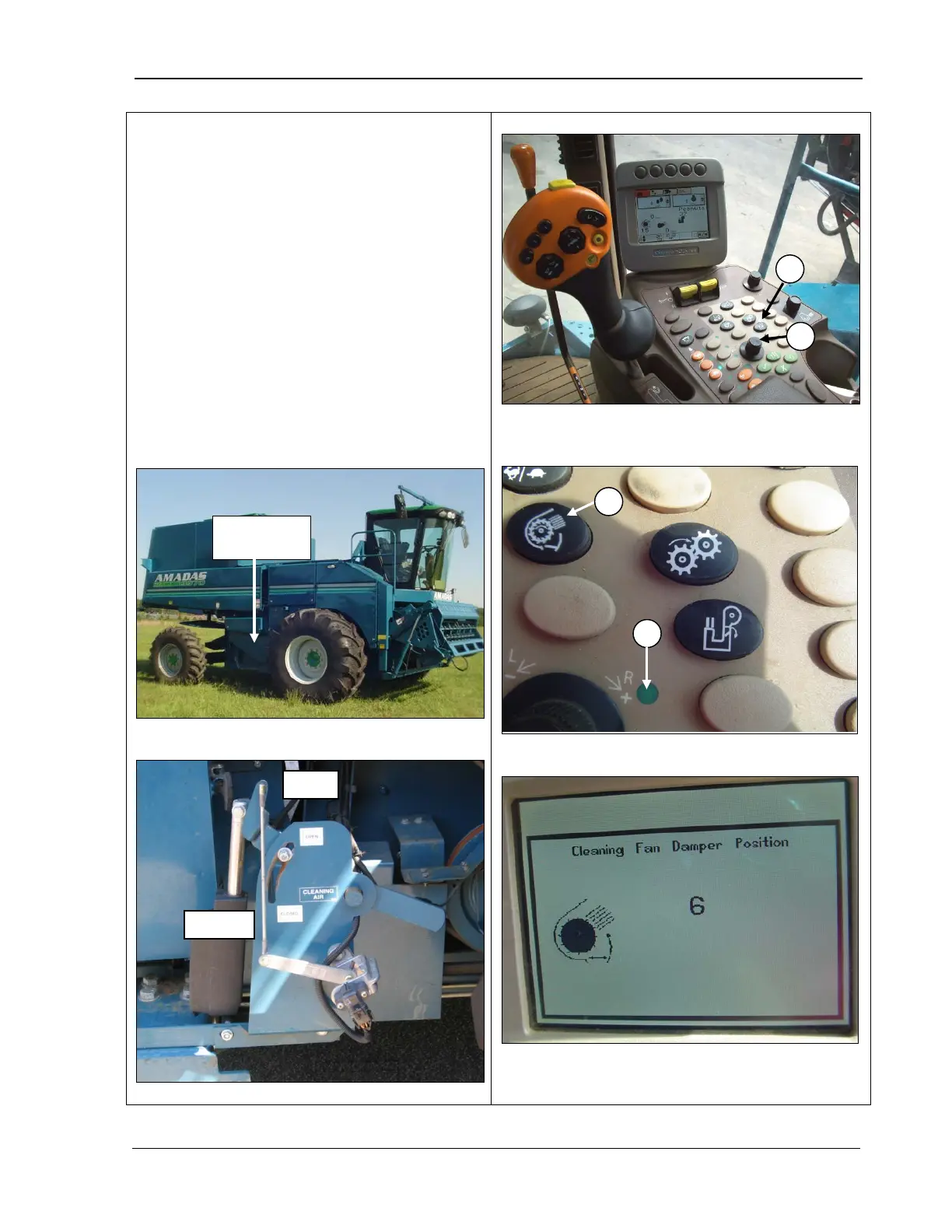
Cleaning Fan Damper
To adjust the cleaning fan damper from the
cab:
1. Press the cleaning fan damper switch (A)
(top and middle photos). The selection
dial indicator light turns ON (C) (middle
photo).
2.
Use the selection dial (B) (top photo) to
open the cleaning fan damper (+) or close
it (-
). The CommandCenter displays
adjustment to the
position (bottom photo).
See the photos below to manually adjust the
cleaning air fan damper, if necessary.
A – Cleaning fan damper control
B – Selection Dial
C – Selection dial indicator light
MAN141 09/04/15 201



 To Next Page