LCT (A698)
A229 3-24 SM
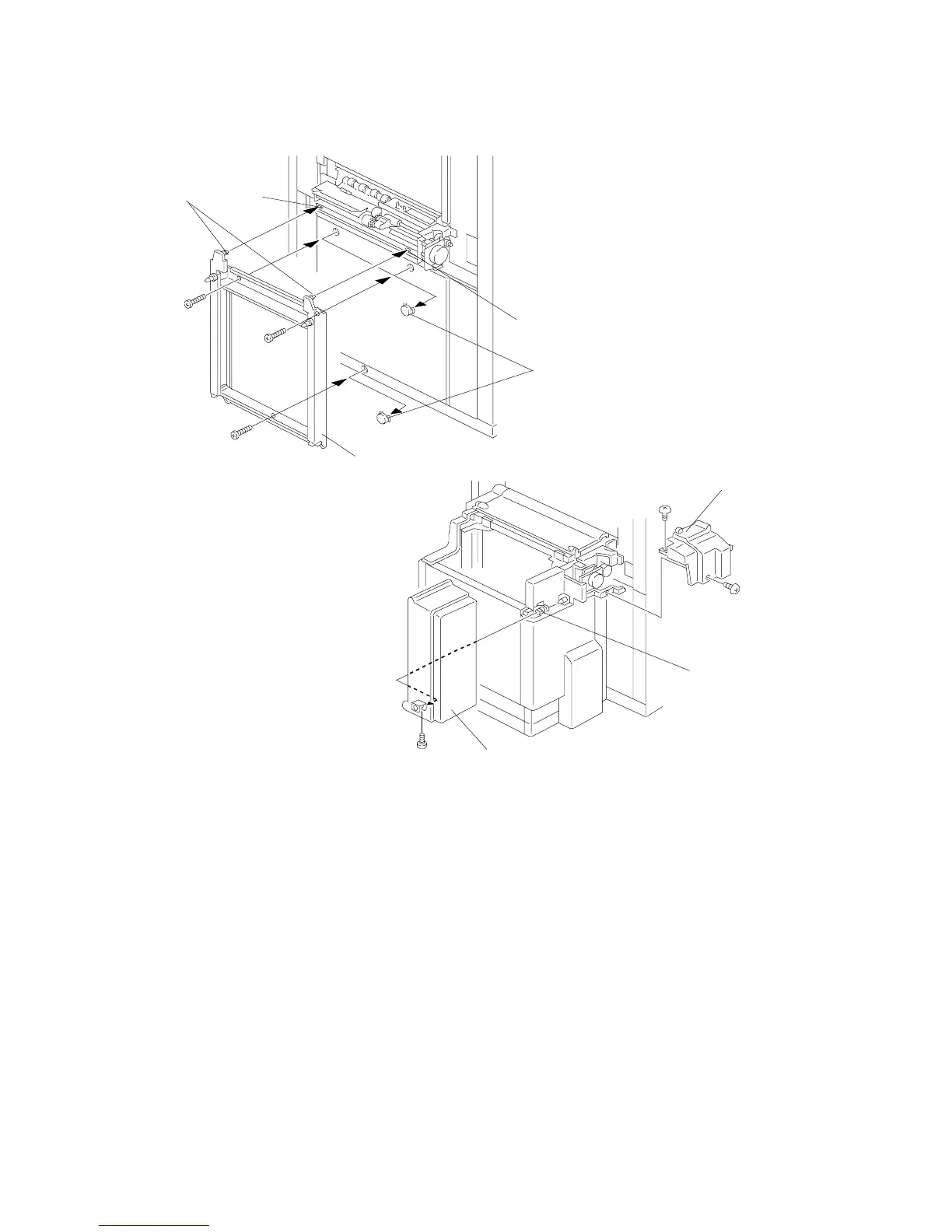
8. Attach the LCT connector [A] to the copier.
1) Remove the three caps [B].
2) Fit the two pins [C] on the LCT connector into the two holes [D] in the copier.
3) Attach the LCT connector to the copier (3 screws - M4 x 16).
9. Remove the screw that holds the upper cover hinge [E], then slide the LCT
cover [F] to the right and remove it (1 screw).
10. Remove the rear upper cover [G] (2 screws).
A698I507.WMF
A698I508.WMF
[A]
[B]
[D]
[D]
[C]
[E]
[F]
[G]









 To Next Page